Home > Archivio Domande > Manuals with graphics > WHMCS 5: Setup > 14. How to change your account settings in WHMCS
14. How to change your account settings in WHMCS
This tutorial assumes you've already logged in to your WHMCS admin panel.
Now let's learn how to change our account settings.
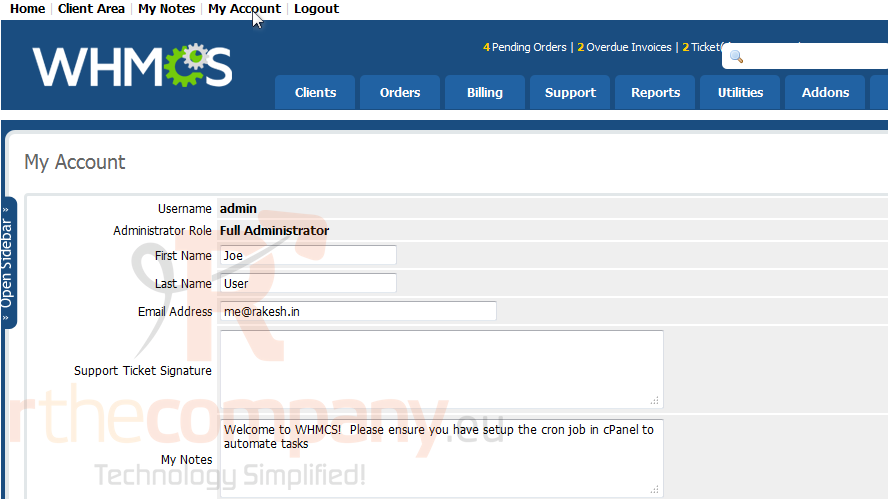
1) Click my account.
On this page, you can edit your account details such as your name and email address.
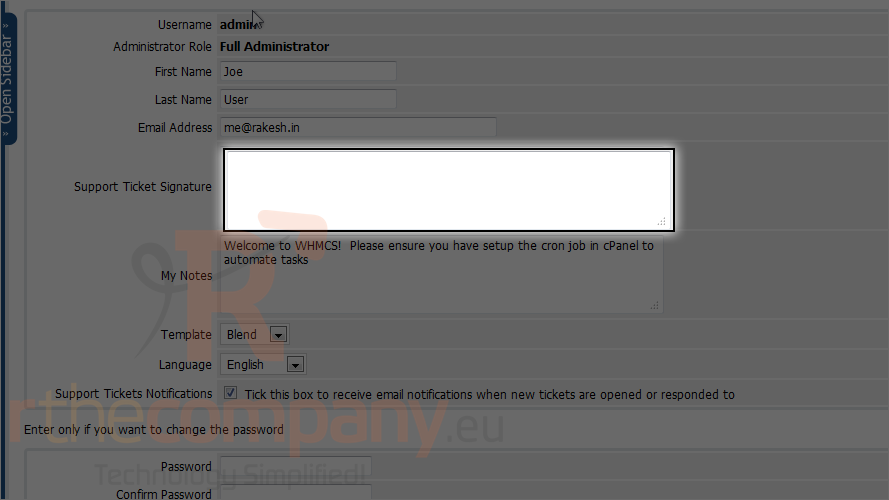
2) You may want to set a signature to be automatically appended on the end of your support ticket responses.
3) You can also choose and set template for this admin interface.
4) You can also sign up to receive notifications when new tickets or responses are made. By default it will be checked.
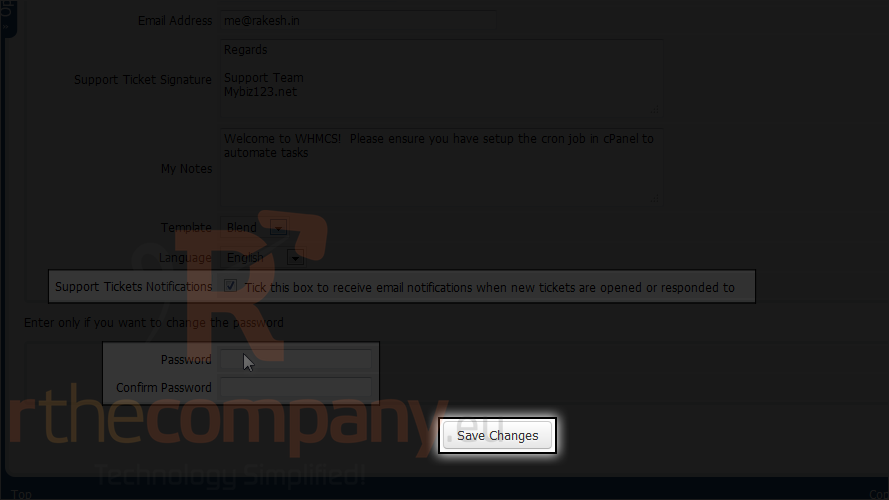
5) If you want to change password. Please enter new password two times here or else leave them blank.
6) After you done, click save changes.
That's it! You now know how to change your account settings in WHMCS.
 Aggiungi ai Preferiti
  Stampa Articolo