Головна > База знань > Direct Admin: End-user > 16. How to install FrontPage extensions
16. How to install FrontPage extensions
This demo assumes you've already logged in to Direct Admin
Now let's learn how to install FrontPage extensions in our hosting account. Remember that FrontPage extensions should only be installed if you are using Microsoft's FrontPage to build your website. If you're not using FrontPage, then do not install the FrontPage extensions
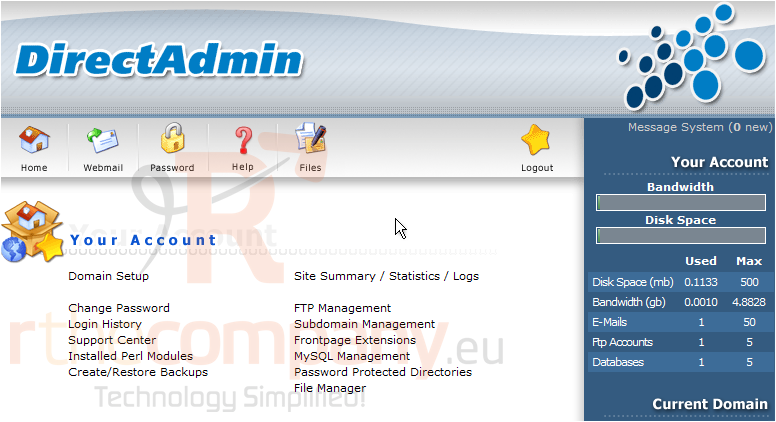
1) Click the Frontpage Extensions link
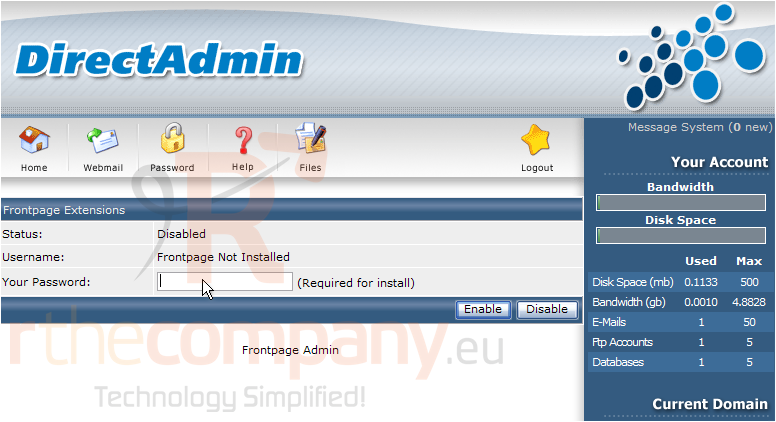
Let's assume we're using FrontPage, and need the extensions installed..... you can see here that FrontPage extensions are not currently installed in this account
2) Let's go ahead and install them..... you first need to enter your account password..... a step for added security
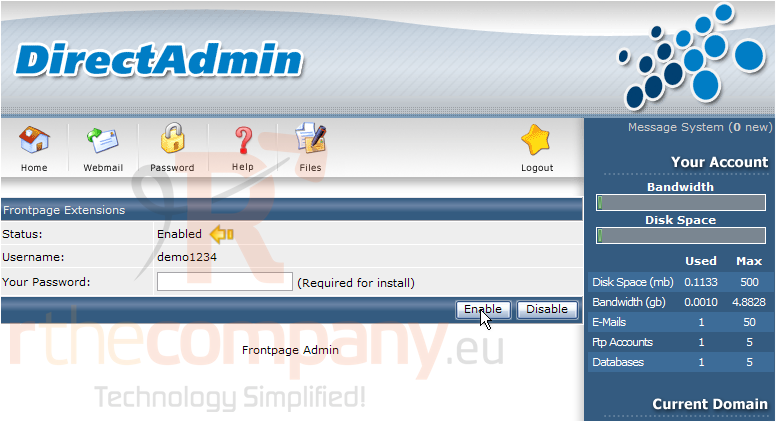
3) Then click the Enable button
That's all there is to it! The FrontPage extensions have been installed in the hosting account, as you can see here
Uninstalling FrontPage extensions is just as easy, and doesn't require you to enter your password
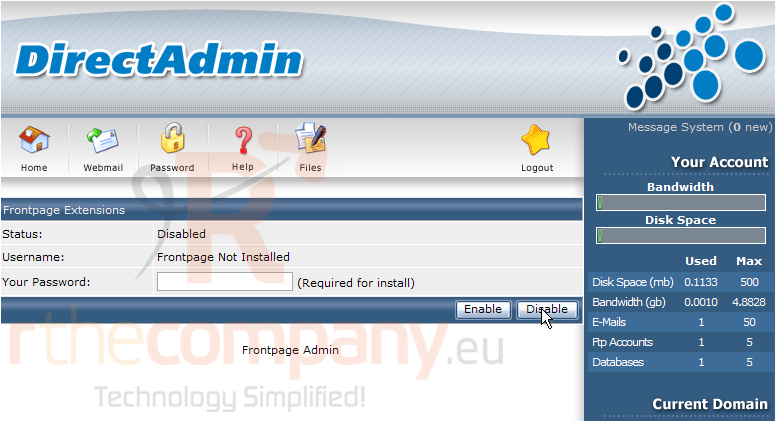
4) To uninstall FrontPage extensions, simply click Disable here
The FrontPage extensions have been removed from the account
<p class="la
 Додати до обраного
  Роздрукувати цю статтю