Azerbaijan Hosting Provider > Məlumat bazası > Direct Admin: End-user > 2. How to create a POP email account
2. How to create a POP email account
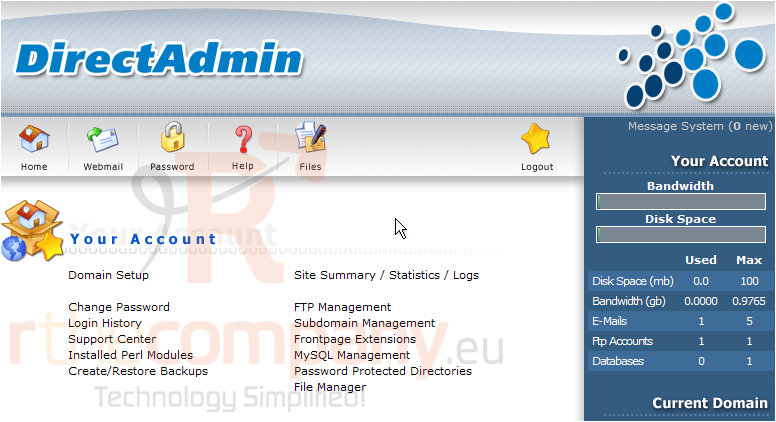
This demo assumes you've already logged in to Direct Admin
Now let's create a new POP email account
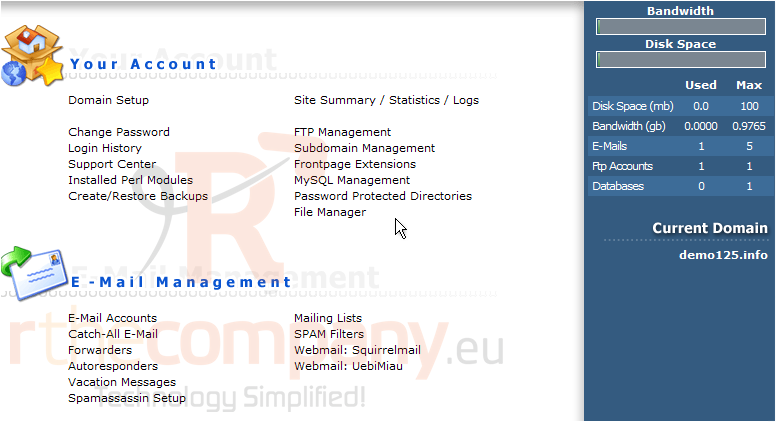
Scroll down...
1) Click the E-Mail Accounts link
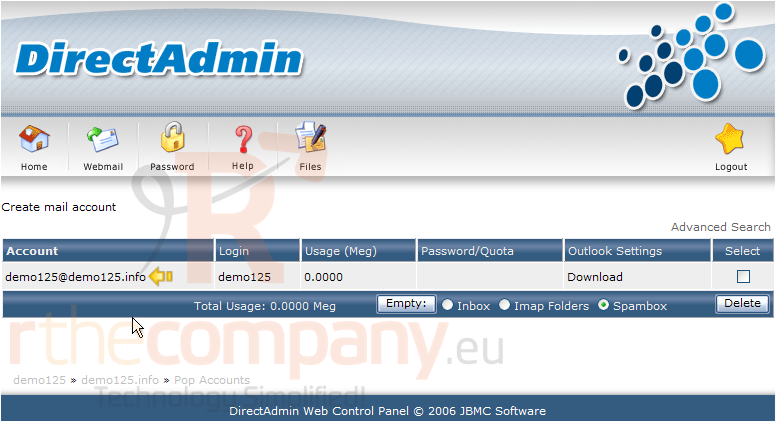
There is already a POP email account listed... it is the main POP account that every hosting account comes with (username@domainname.com). But we're not going to use that account.... we're going to create a new POP email account
2) Click the Create mail account link
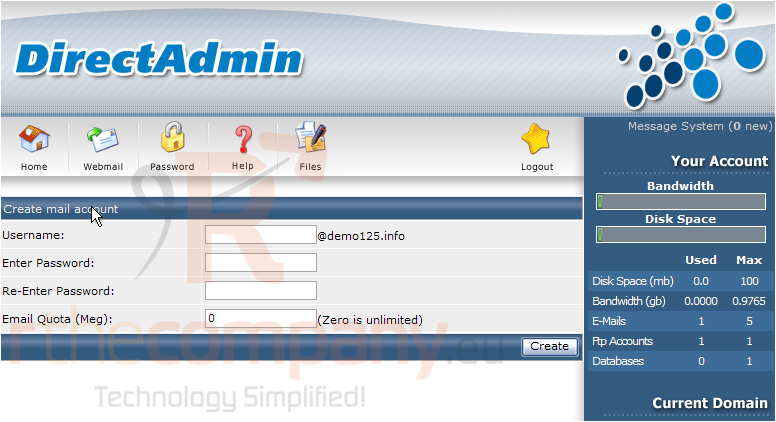
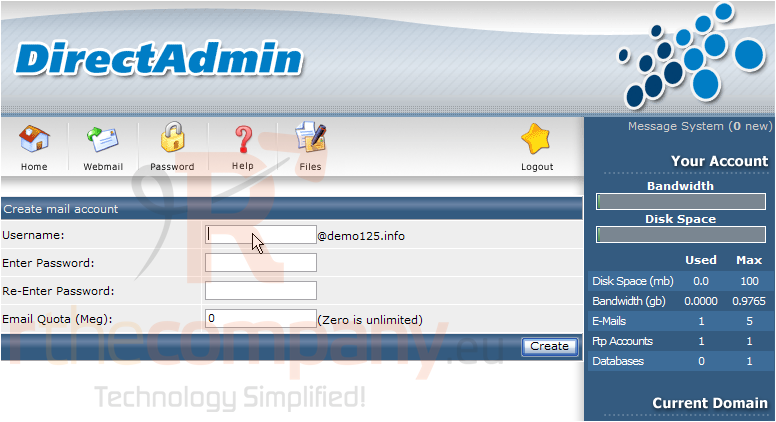
Here's where you create a new POP email account
3) Enter the new email address you want to create here
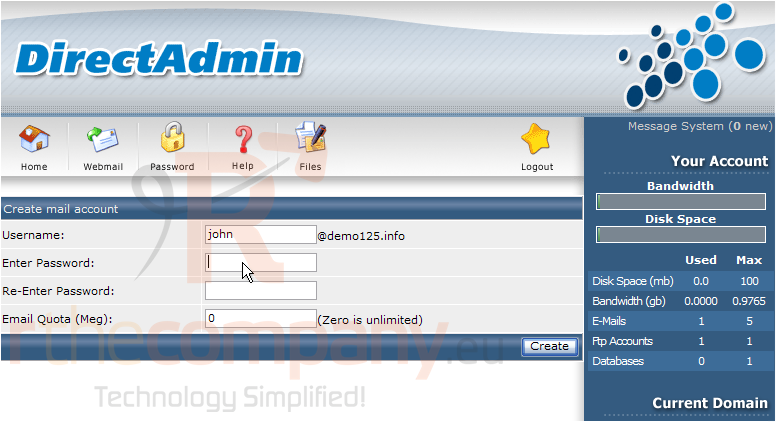
4) Give the new account a password
5) Re-enter your password
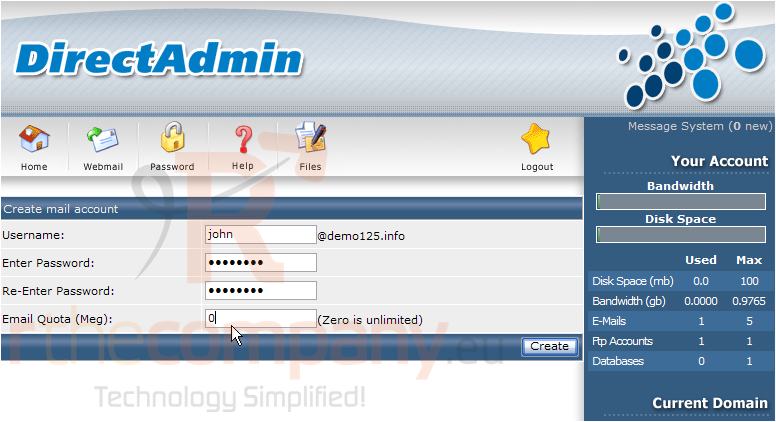
6) If you want to put a size (or storage space) limit on this email account, enter it here
7) When finished, click the Create button
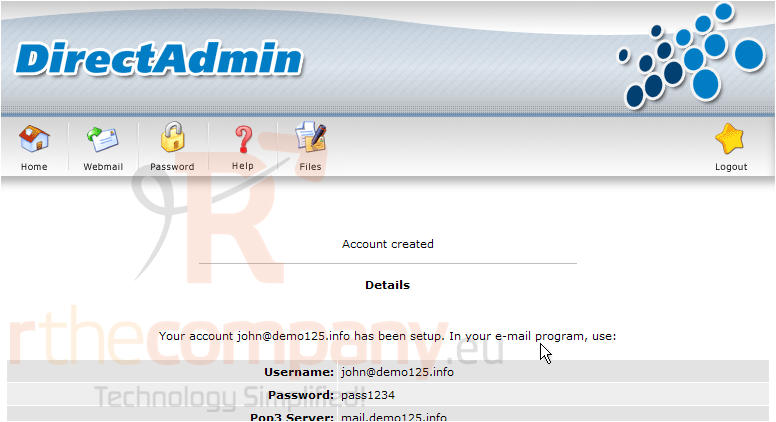
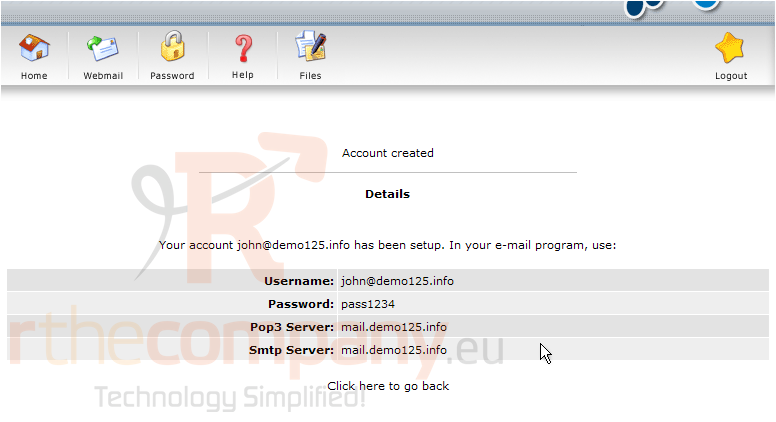
That's it! The new POP email account has been created
8) Details of the new account are listed here. Be sure to pass this information on to whoever will be using this email account, so they can properly setup their email program to access it. Click Go Back when finished
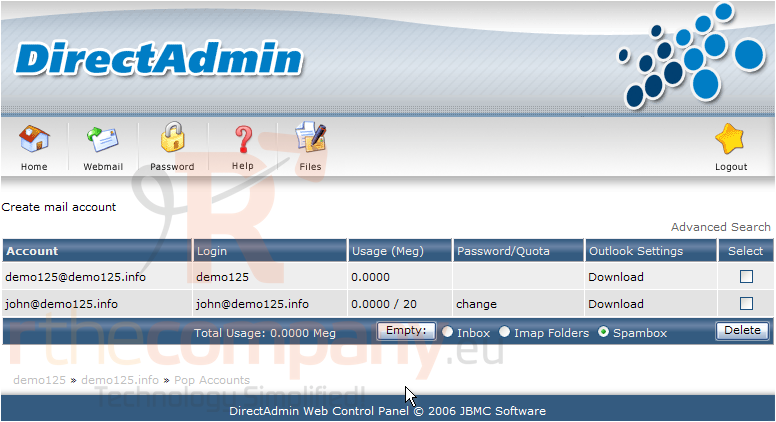
This screen shows all the POP email accounts in your hosting account, including the account we just created. From this screen you can create additional POP email accounts, delete existing ones, or change their passwords
This is the end of the tutorial. Don't forget to setup your new POP email account in your favorite email program (i.e. Outlook, Outlook Express, Eudora, etc.)
 Seçilmişlərə əlavə et
  Məqaləni çap et