Портал > База знаний > Direct Admin: End-user > 5. How to create a subdomain
5. How to create a subdomain
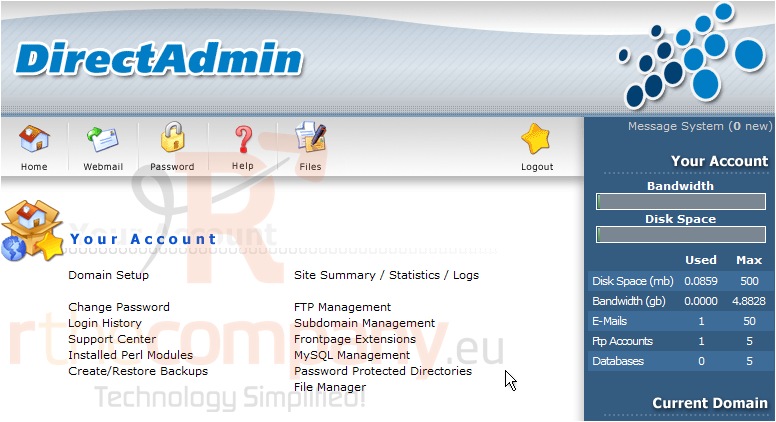
This demo assumes you've already logged in to Direct Admin
Now let's learn how to create a subdomain
1) Click the Subdomain Management link here
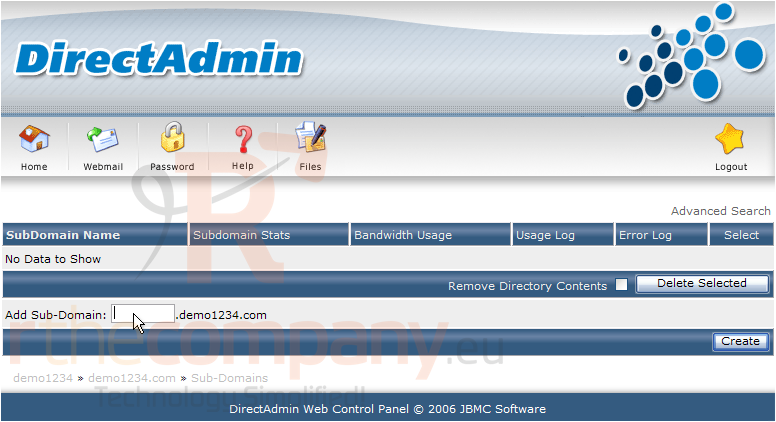
The is the subdomain page where you can setup and remove subdomains for your hosting account. Let's go ahead and create a new subdomain
2) Enter the prefix of the new subdomain here
3) Then click the Create button
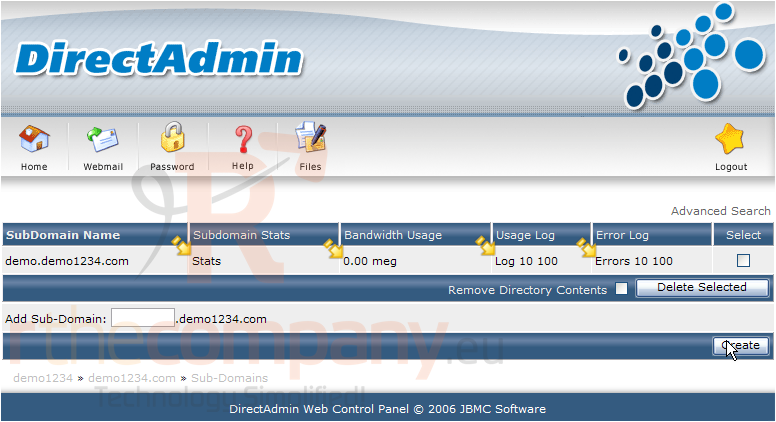
Success! The new subdoman has been created, and a folder of the same name has also been setup in your public_html directory... which is where you would upload your subdomain files
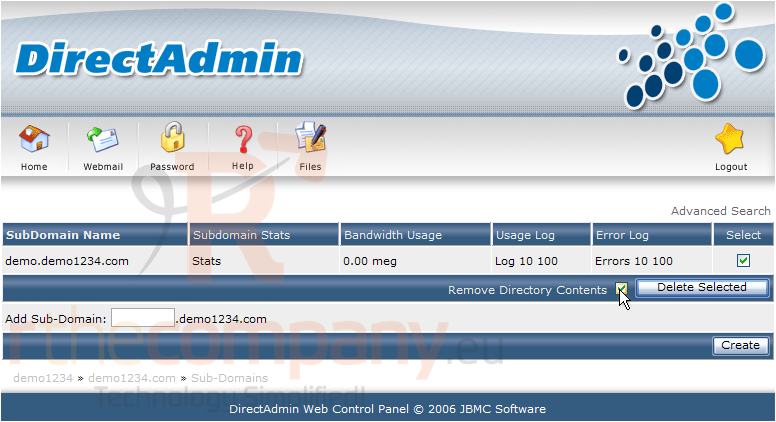
From this page, you can check your subdomain stats, and bandwidth usage, as well as view it's usage logs and error logs
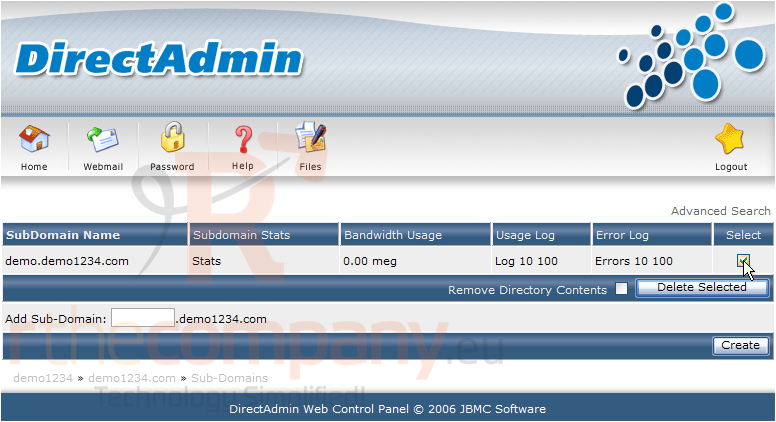
4) To delete the subdomain, click this box here...
5) ... and click this box if you also want the newly created folder and it's contents removed...
6) Then click the Delete Selected button
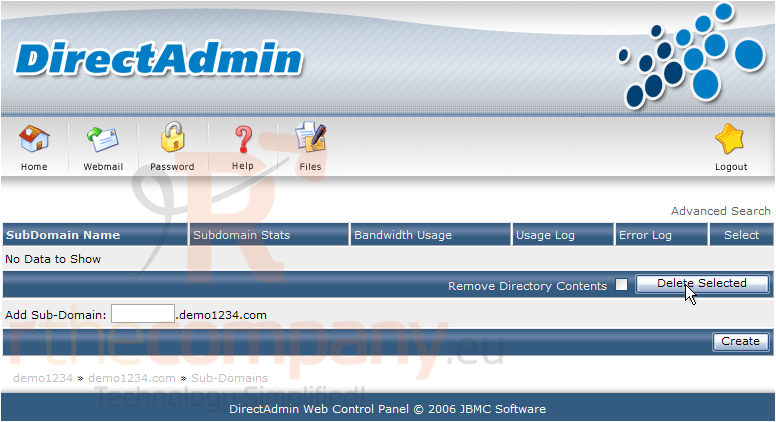
The subdomain has been removed from the hosting account
This is the end of the tutorial. You now know how to setup new subdomains and view their usage stats, as well as how to remove subdomains from your account
 Добавить в избранное
  Распечатать статью