Почетна > База на знаења > WordPress 3 > 4. How to edit your profile in WordPress
4. How to edit your profile in WordPress
This tutorial will show you how to edit your profile in WordPress.
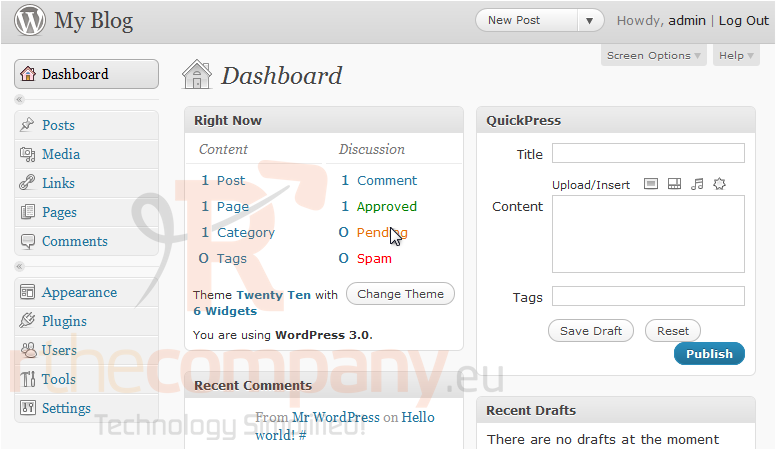
This tutorial assumes you are already logged in to WordPress.
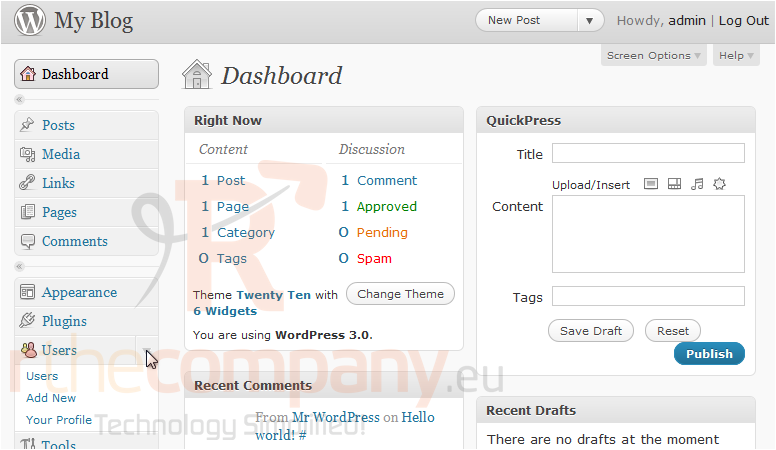
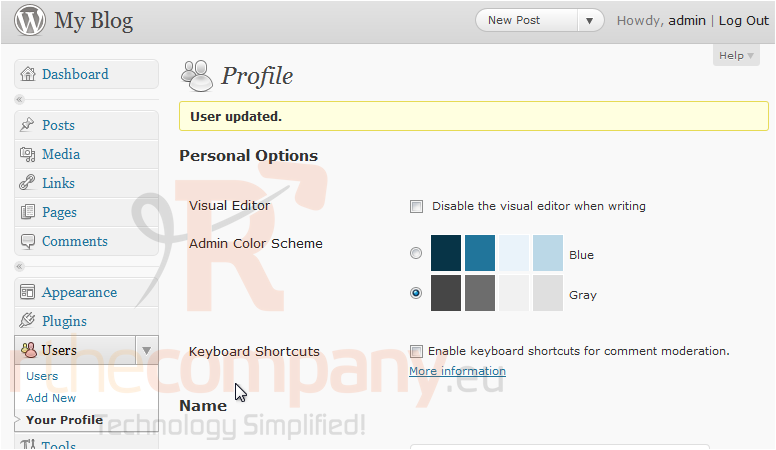
1) Click to expand the Users options in the left sidebar.
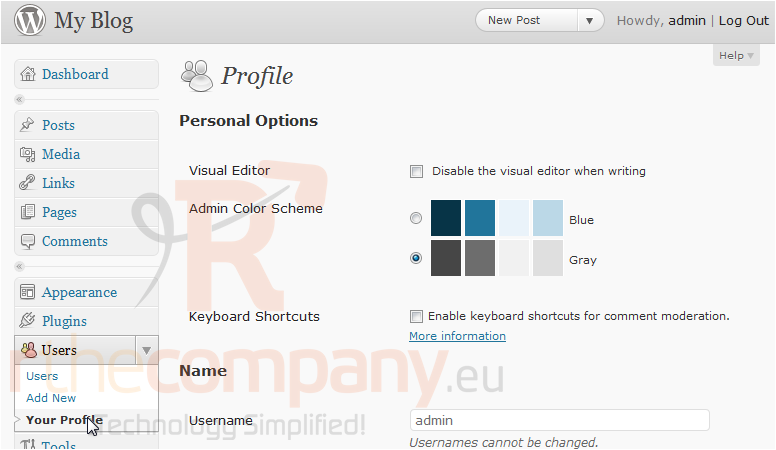
2) Click Your Profile. On this screen, you can edit options relating to the visual editor and color scheme.
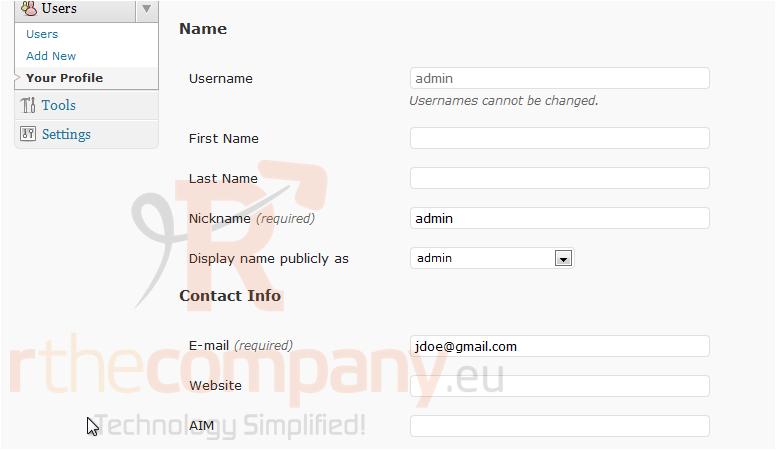
3) Scroll down.
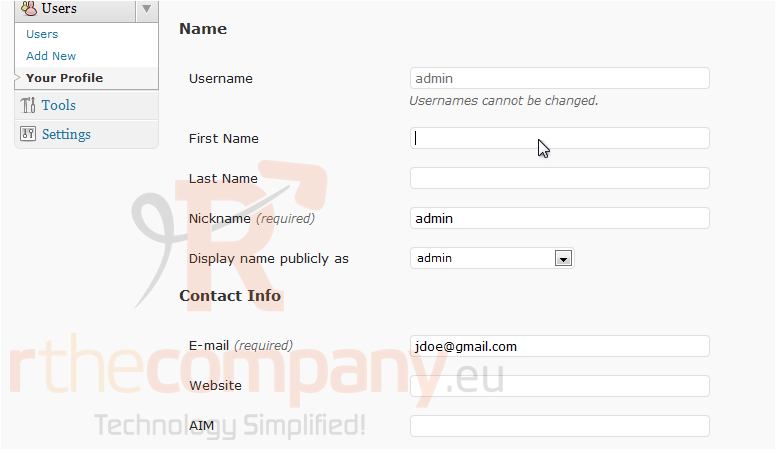
4) Enter your First Name.
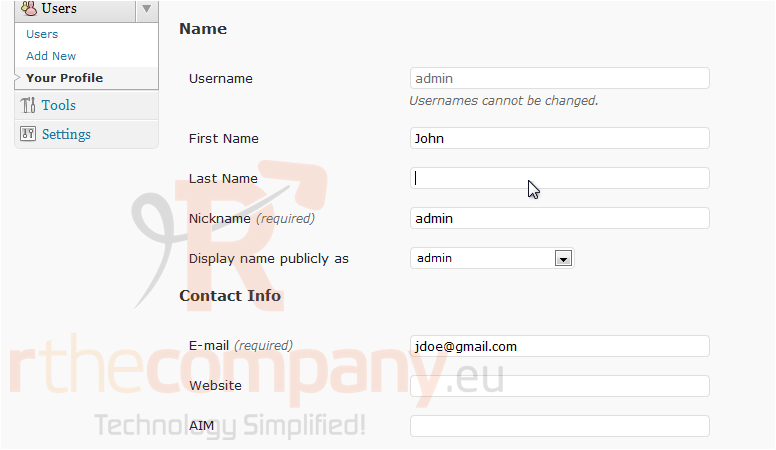
5) Enter your Last Name.
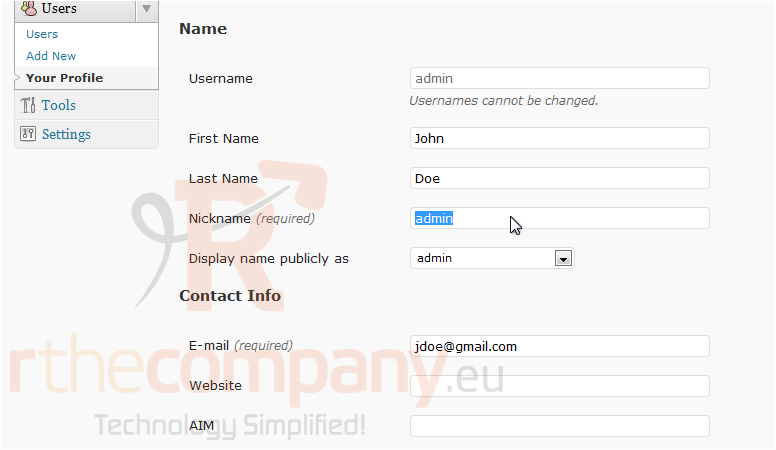
6) Enter a new Nickname.
7) Scroll down.
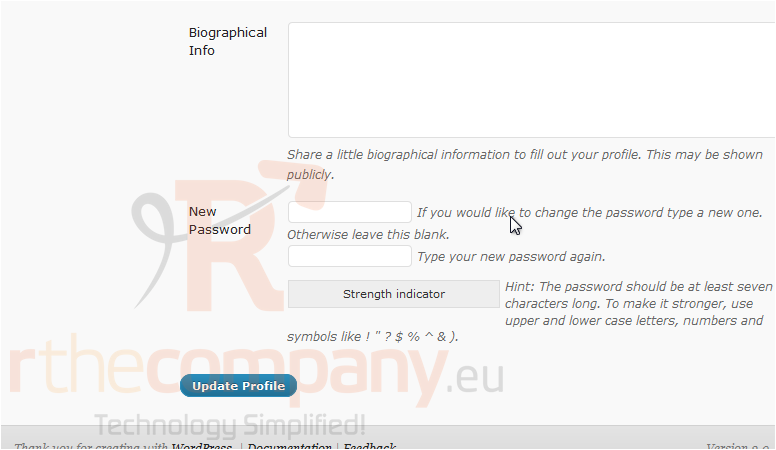
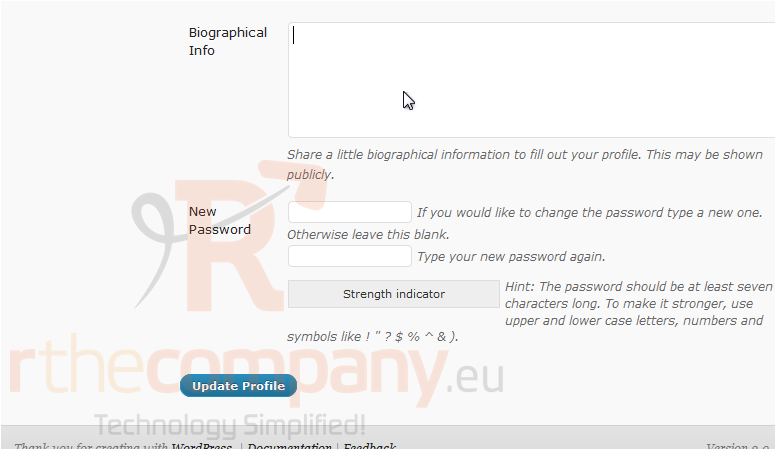
8) Enter some Biographical Info. Click Update Profile.
Your profile has been updated.
This is the end of the tutorial. You now know how to edit your profile in WordPress.
 Додате го во листа на фаворитни прашања
  Испечати