البوابة الرئيسية > مكتبة الشروحات > Plesk 11: End-user > 12. How to enable auto reply for an e-mail address in Plesk
12. How to enable auto reply for an e-mail address in Plesk
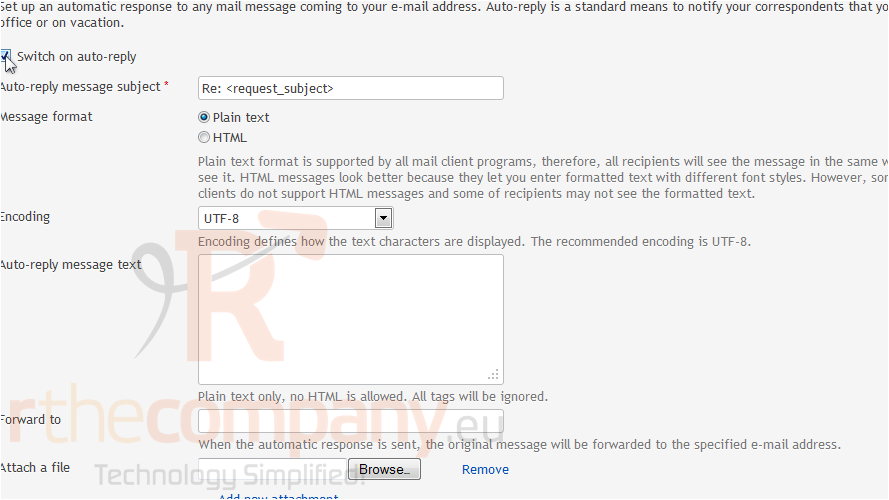
For each e-mail account, you can switch on the automatic response service which will send a predefined e-mail message in reply to any incoming e-mail message. This is useful for sending "out of office" or "on vacation" notices when you are away.
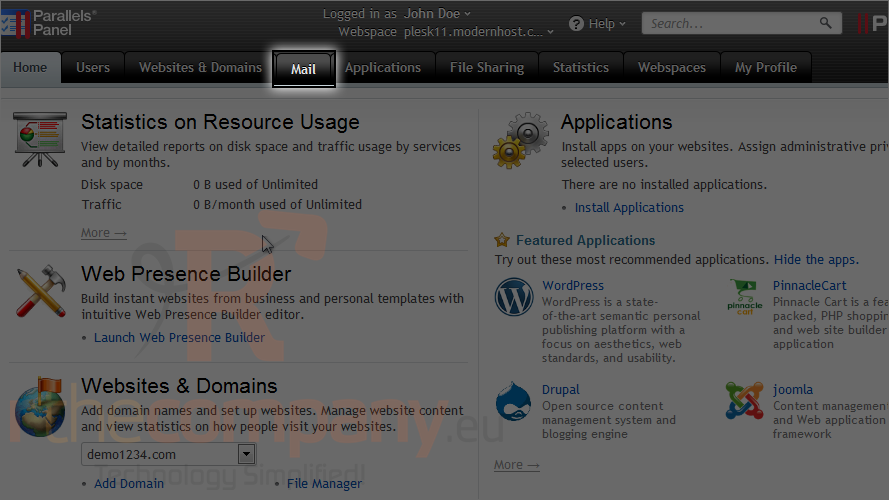
1) Click mail.
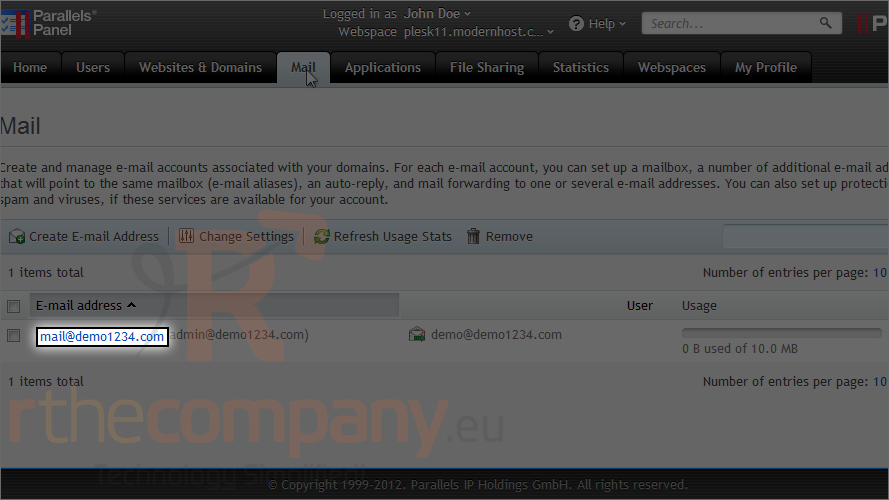
2) Choose the e-mail address where you will be setting up the auto-responder.
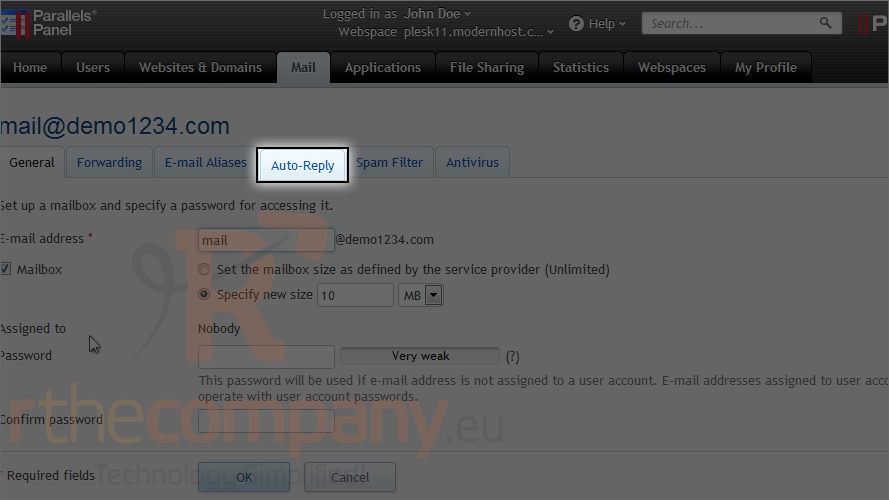
3) Go to the auto-reply tab.
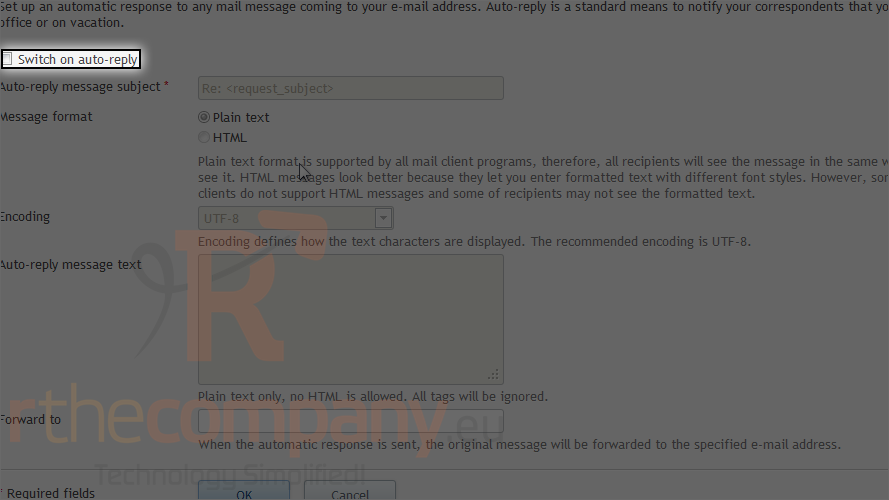
4) Select the switch on auto-reply checkbox.
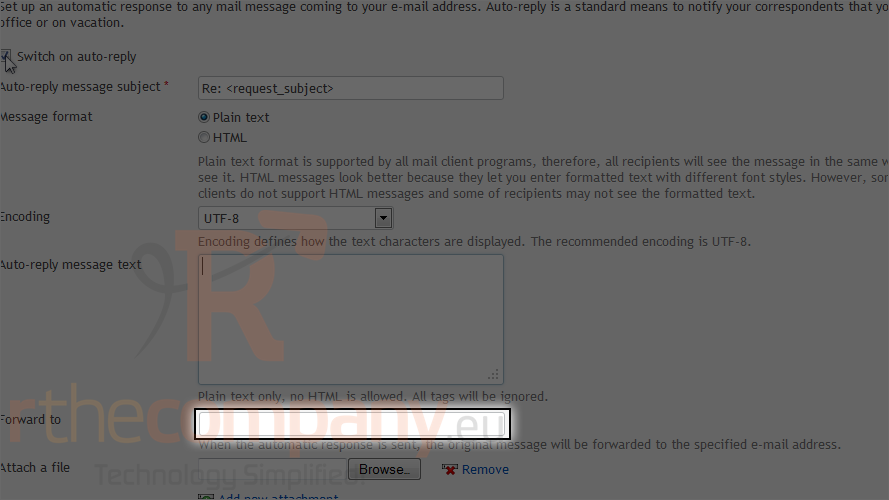
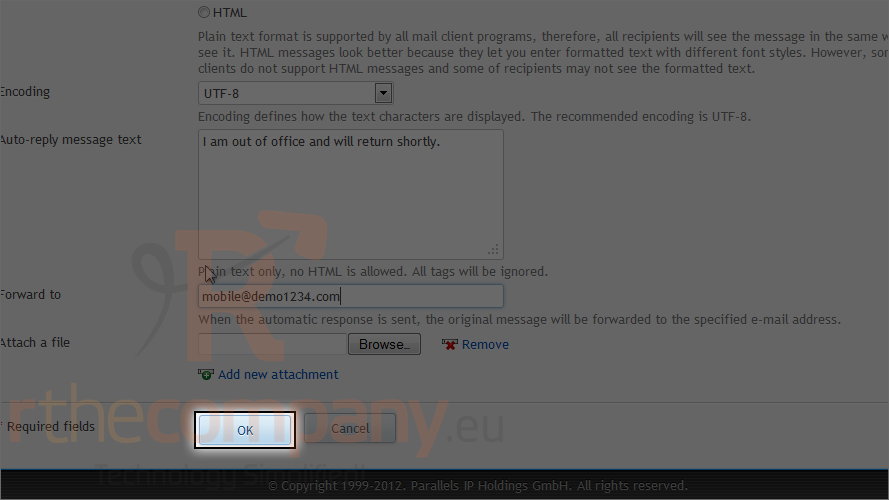
5) Specify the subject, message format, encoding and message text.
6) Set an address where incoming messages will be sent.
7) Click ok.
This is the end of the tutorial. Now you know how to enable auto-reply for an e-mail address in Plesk.