Портал > База знаний > Plesk 11: End-user > 24. How to password protect a directory in Plesk
24. How to password protect a directory in Plesk
Password protecting a directory is useful if you want only a select few people to be able to access it using the login info you specify.
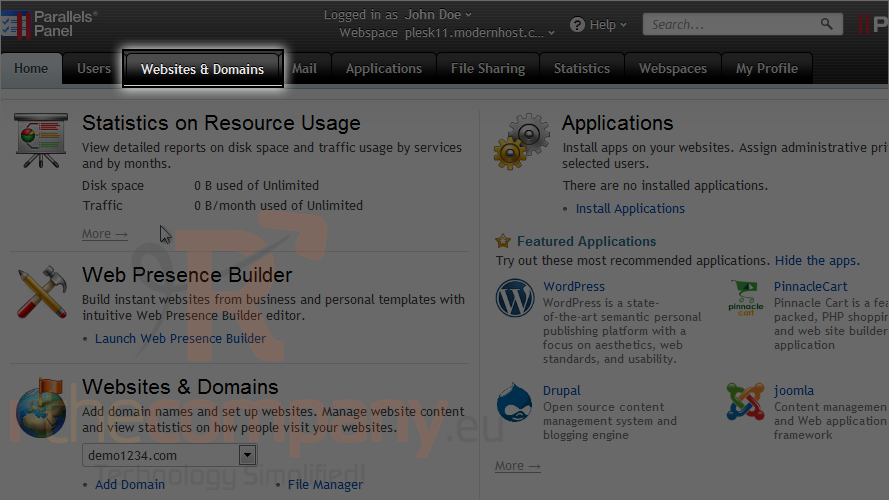
1) Go to the websites & domains tab.
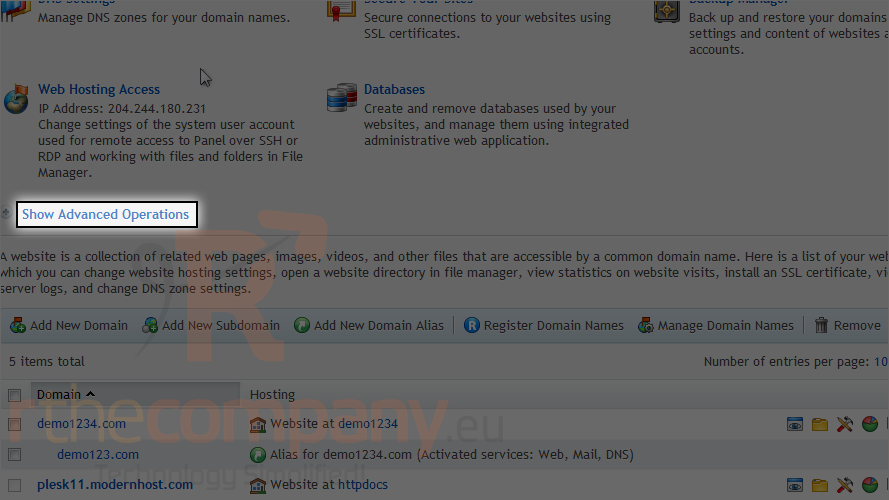
2) Click show advanced operations.
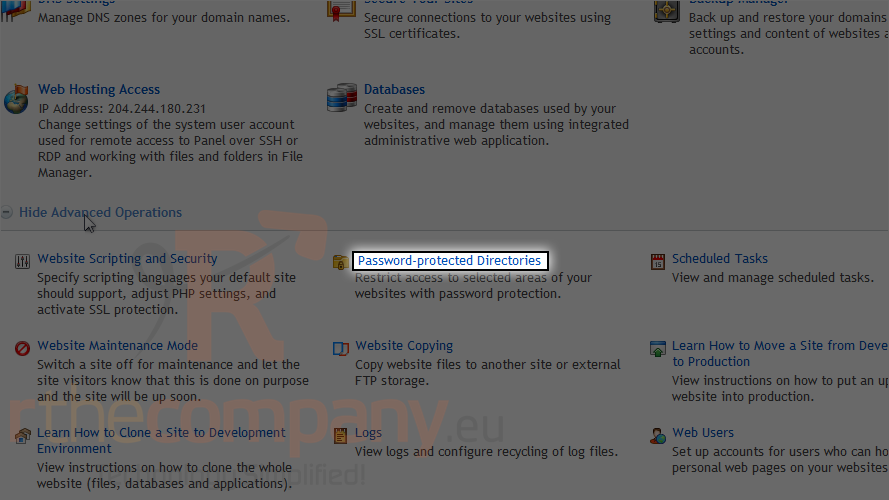
3) Click password protected directories.
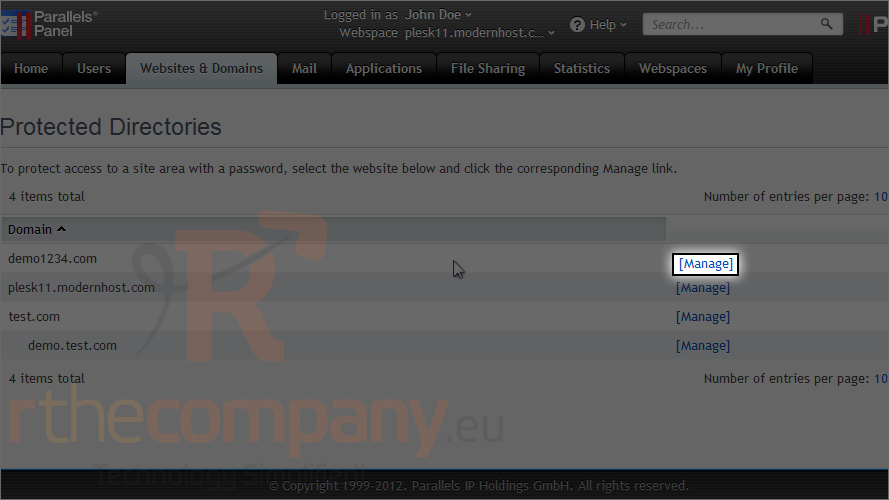
4) Click the corresponding manage link next to the domain.
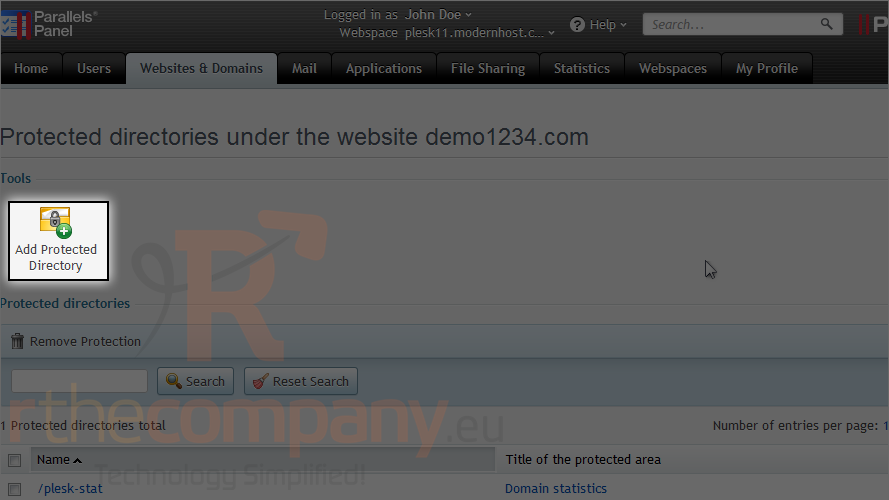
5) Click add protected directory.
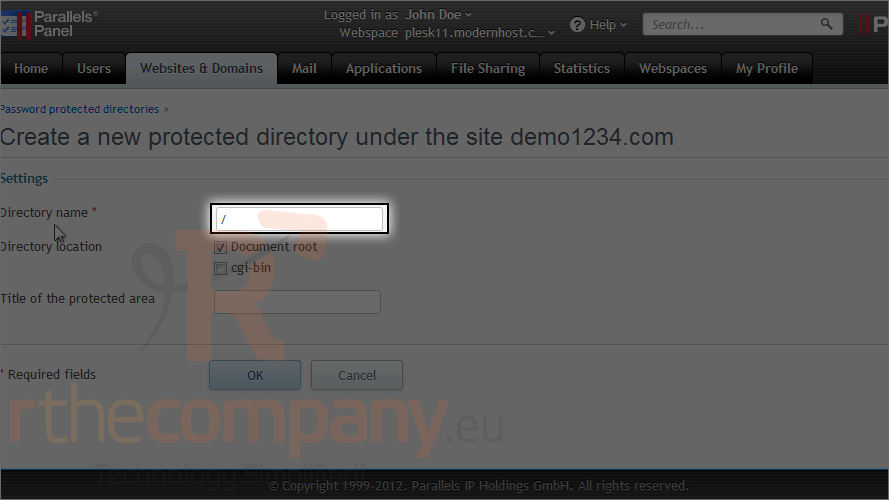
6) Enter the directory name here.
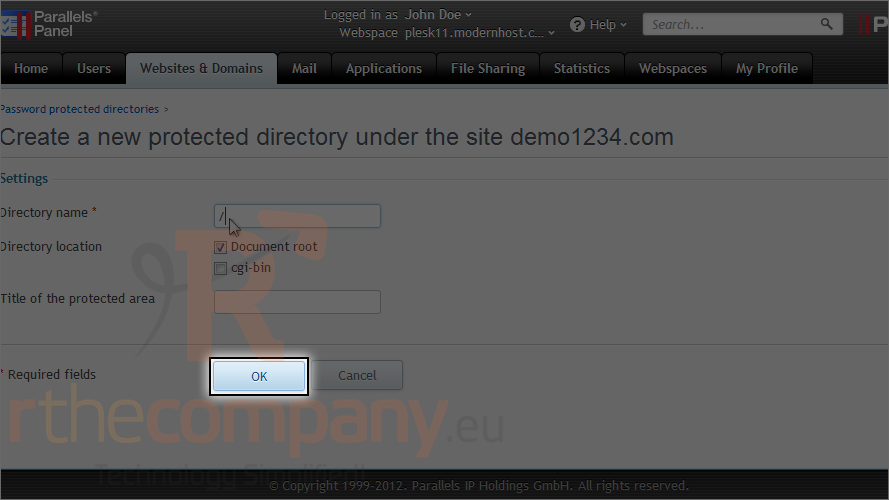
7) Click ok.
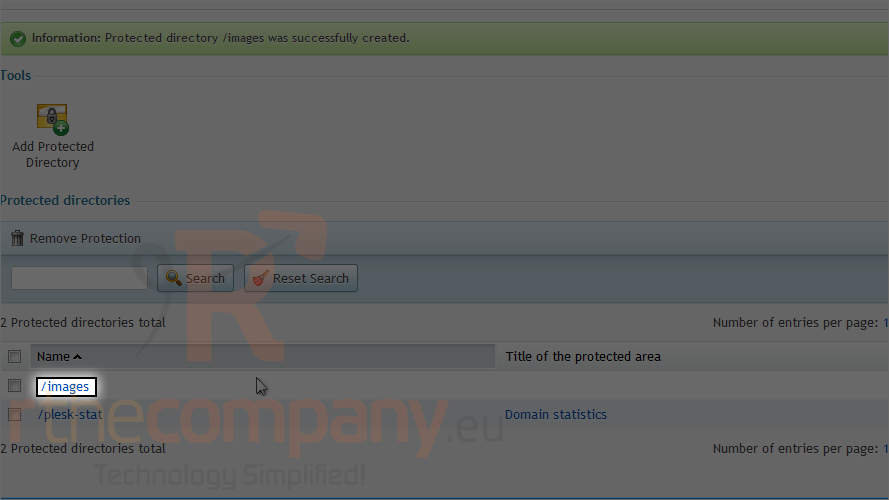
Now that the directory has been created, we need to create users each with their own username and password.
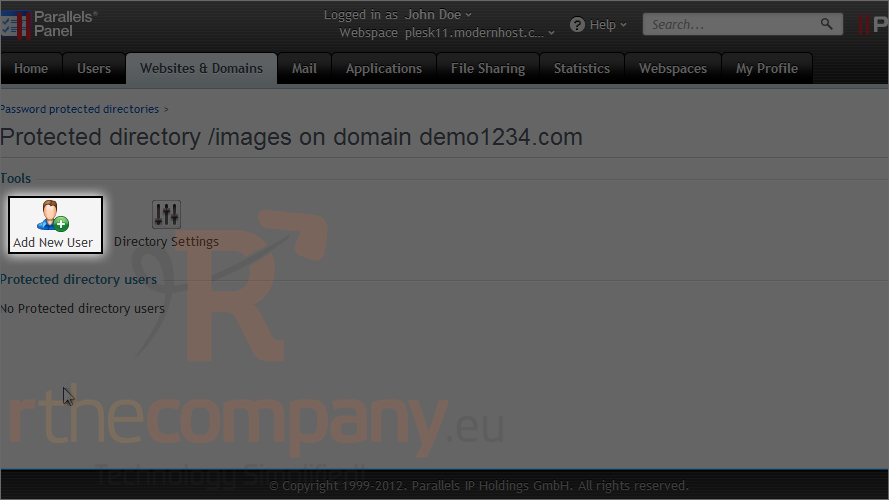
8) Select the directory.
9) Click add new user.
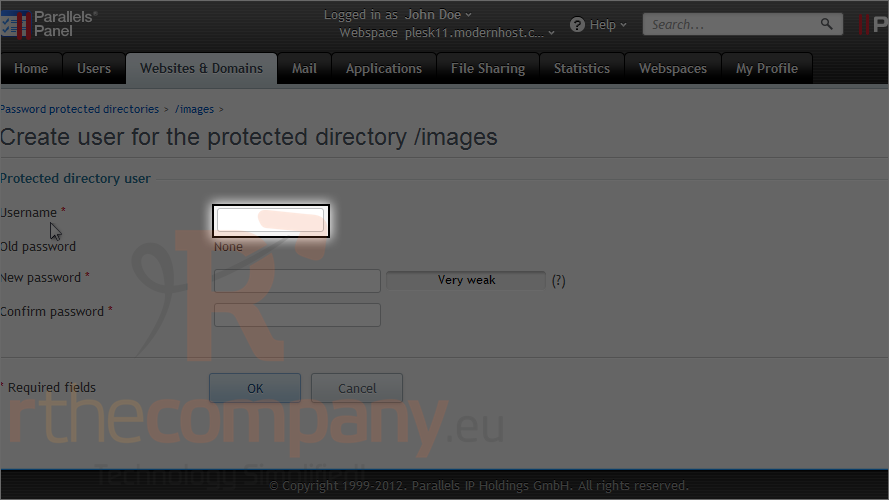
10) Enter a username.
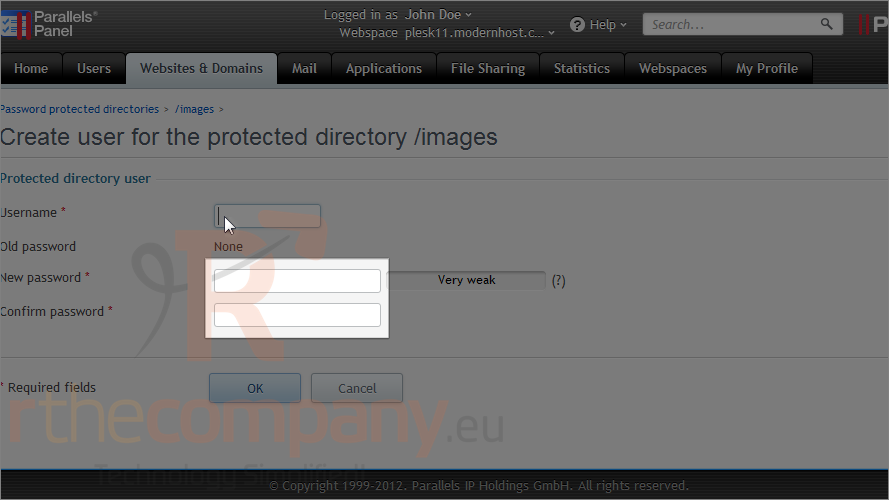
11) Enter a password here and confirm it.
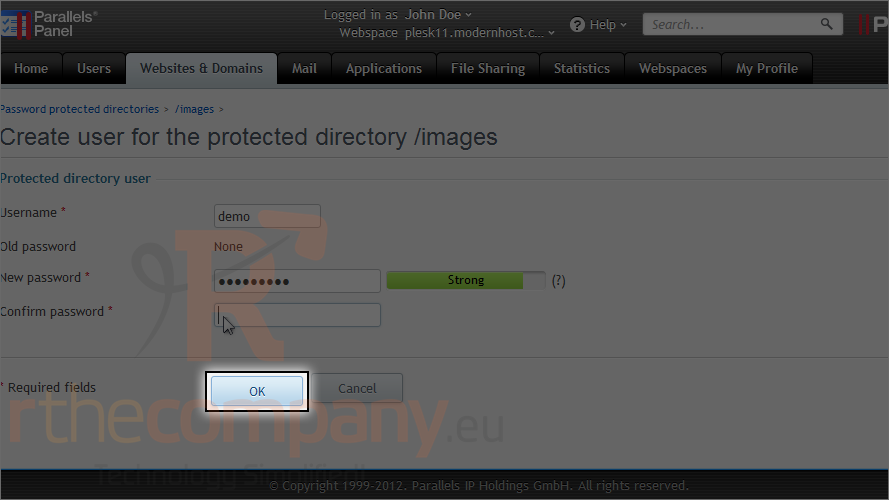
12) Click ok.
The user account, for access to the protected directory, was created successfully. Feel free to create a user for each person you want to be able to access the directory.
This is the end of the tutorial. Now you know how to password protect a directory in Plesk.
 Добавить в избранное
  Распечатать статью