اعضا > مرکز آموزش > SquirrelMail > 9. How to edit your personal information in SquirrelMail
9. How to edit your personal information in SquirrelMail
This tutorial assumes you've already logged in to SquirrelMail webmail
Now let's learn how to edit our personal information
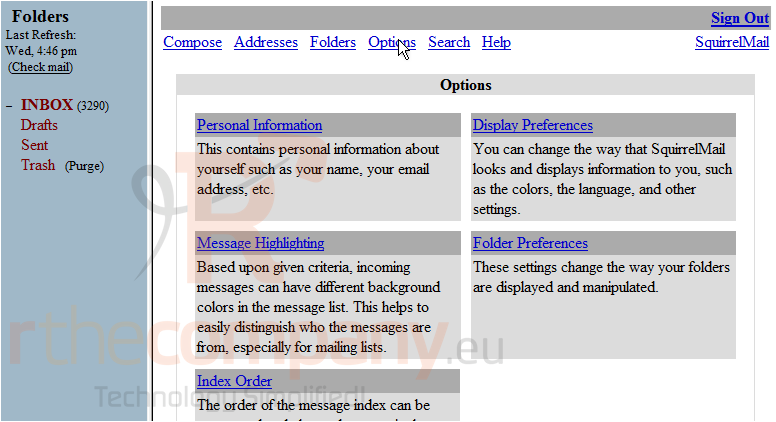
1) Click the Options link
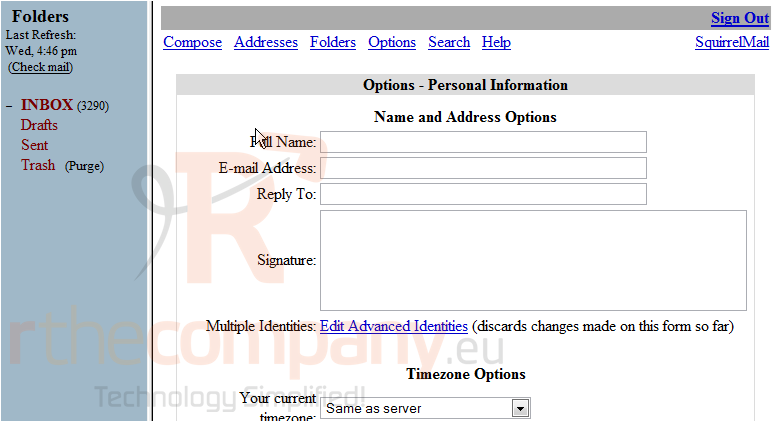
2) Click the Personal Information link
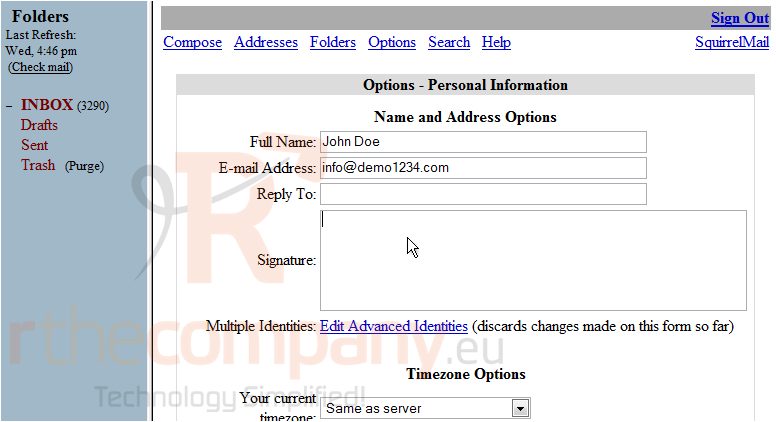
This is the Personal Information page where we can edit all our personal details
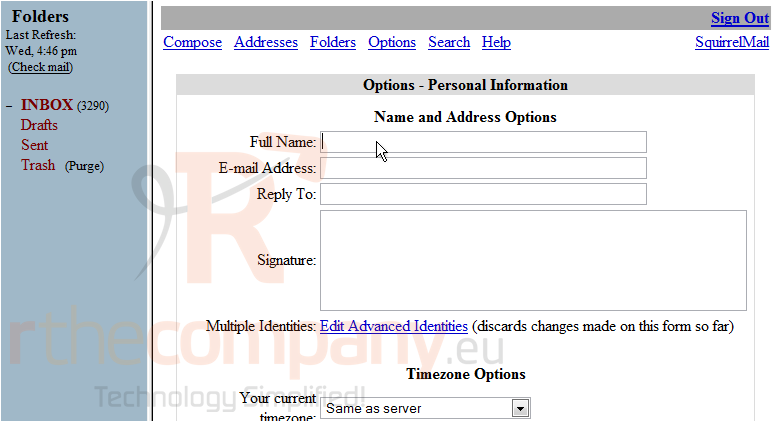
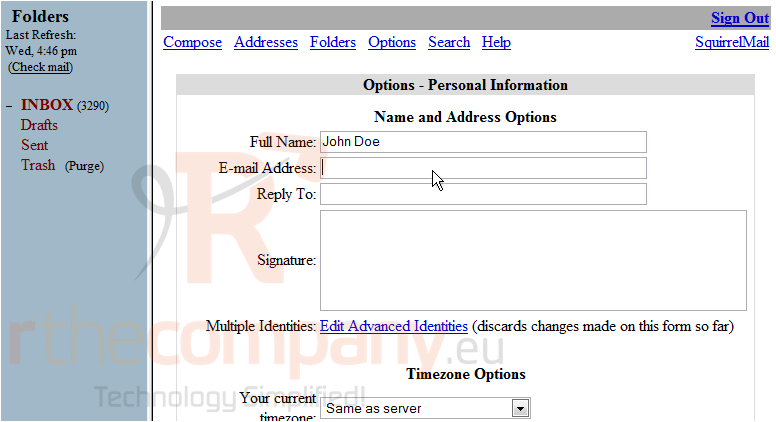
3) Enter your Full Name here
4) Enter your E-Mail Address here
5) Enter your Signature here. This is optional
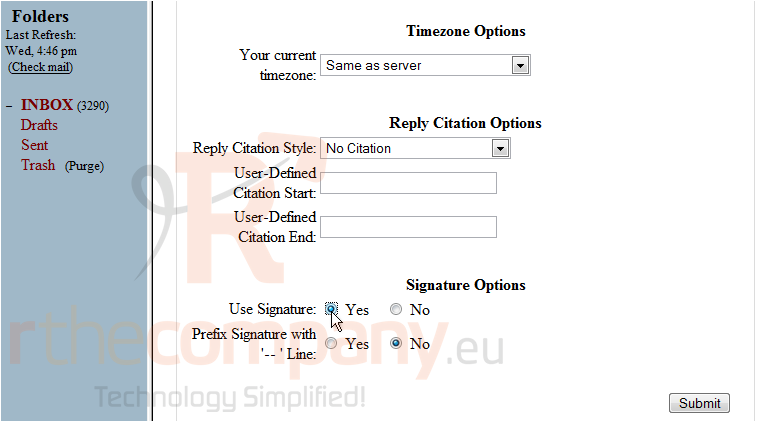
6) If you want the Signature to show on emails you write, click here
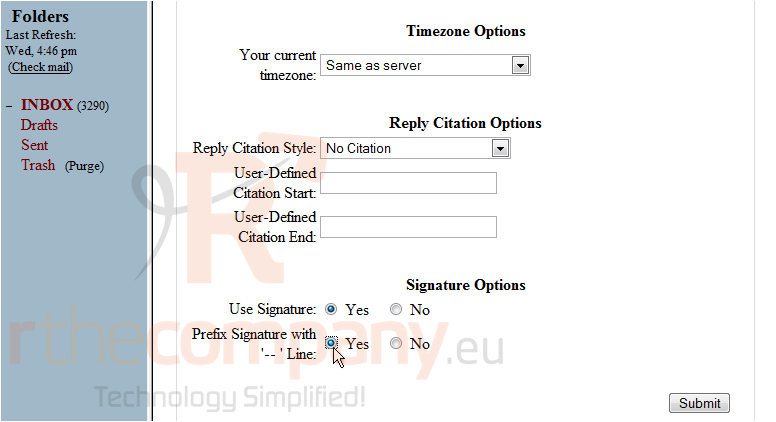
7) If you want the Signature to be separated from the message, click here
8) Click Submit when finished
This is the end of the tutorial. You now know how to edit your personal information in SquirrelMail
 افزودن به مورد علاقه ها
  پرینت این مقاله