Azerbaijan Hosting Provider > Məlumat bazası > Softaculous > 6. How to list all scripts that have been installed by Softaculous
6. How to list all scripts that have been installed by Softaculous
This demonstration will show you how to list all scripts that have been installed by Softaculous.
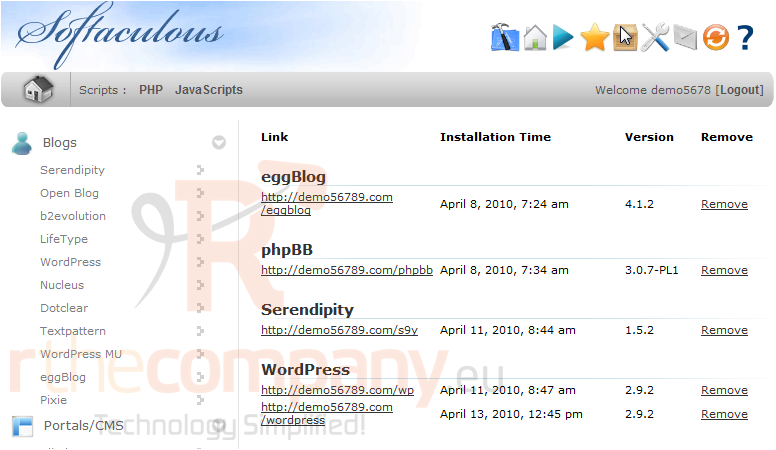
1) Click this box icon.
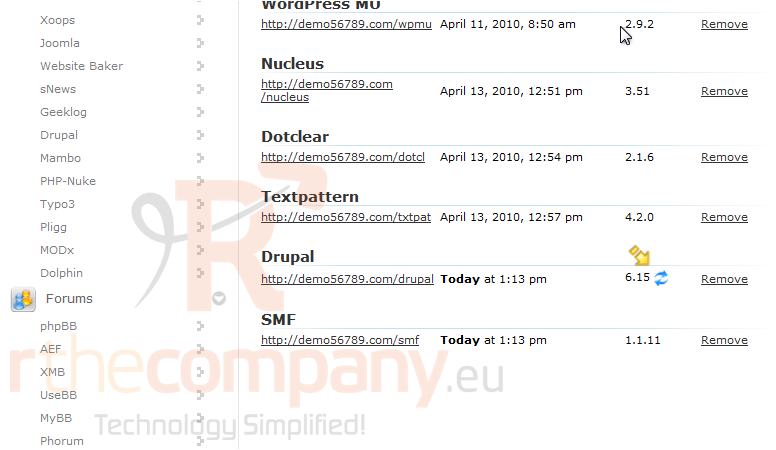
Here we can see which scripts are being managed by Softaculous, when they were installed, and the version. We can also remove a script.
This icon will update the script to the newest version, if there is one. We'll see how to do this in a later tutorial.
That's it! You now know how to view a list of all scripts installed by Softaculous.
 Seçilmişlərə əlavə et
  Məqaləni çap et