Suporte > Base de Conhecimento > CMS Made Simple > 4. How to add a user to a group in CMS Made Simple
4. How to add a user to a group in CMS Made Simple
This tutorial assumes you have already logged in to the CMS Made Simple admin console
Now let's learn how to add a user to a group in CMS Made Simple
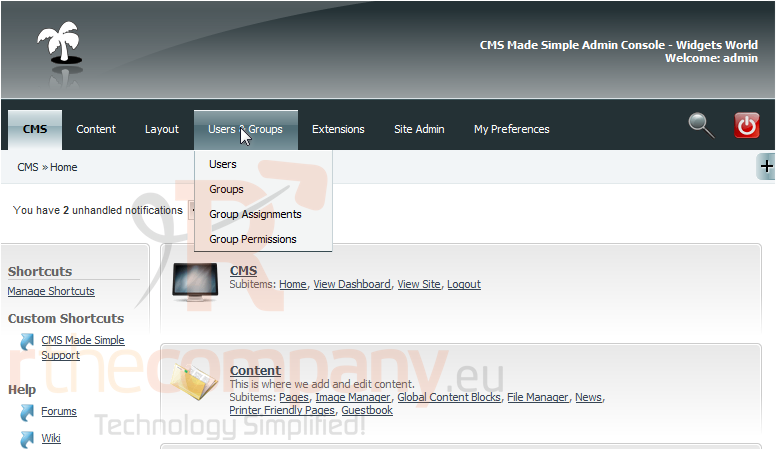
1) Mouse-over Users & Groups
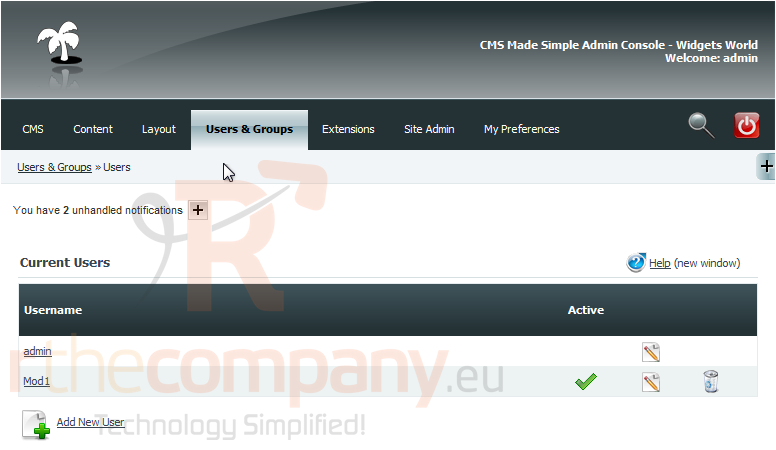
2) Click, Users
3) Click here to edit the user
Scroll Down
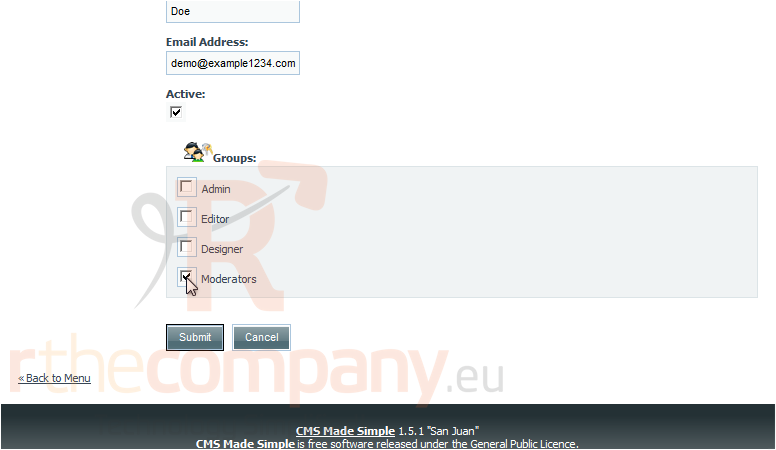
4) Select the which group(s) to assign to the user
5) Once finished, click Submit
You have successfully assigned a user to a group
This is the end of the tutorial. You now know how to assign a user to a group within CMS Made Simple
 Adicionar aos Favoritos
  Imprimir este Artigo