Почетна > База на знаења > CMS Made Simple > 10. How to clear cache in CMS Made Simple
10. How to clear cache in CMS Made Simple
This tutorial assumes you have already logged in to the CMS Made Simple admin console
Now let's learn how to clear the cache in CMS Made Simple
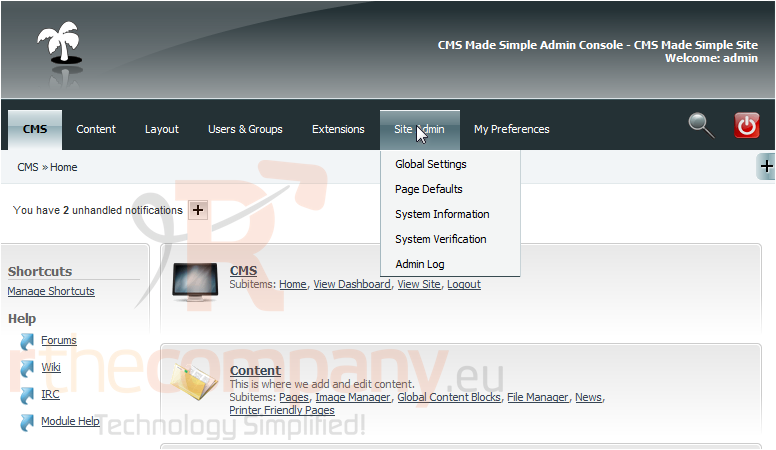
1) Mouse-over Site Admin
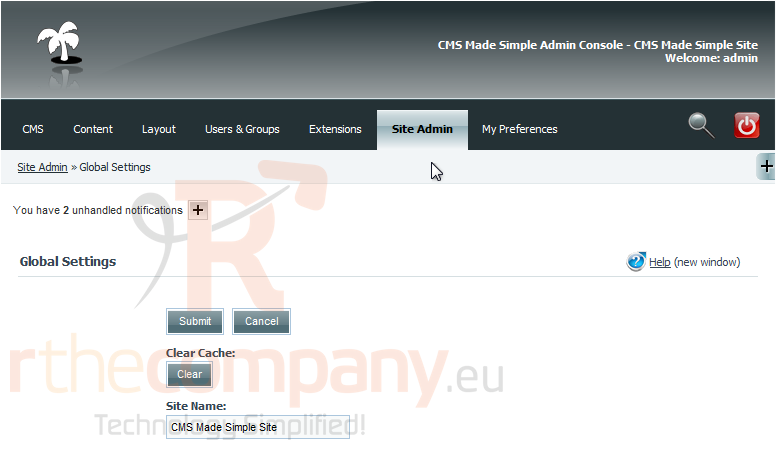
2) Click, Global Settings
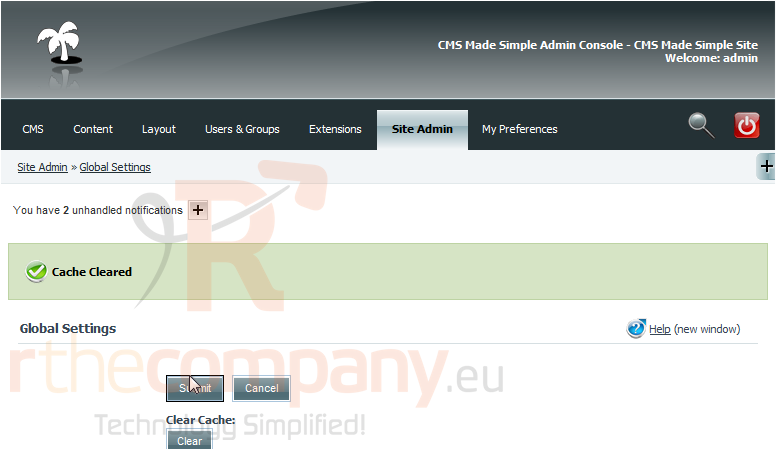
3) Click Clear, to clear the Cache
You have successfully cleared the Cache. This is great to use when developing your CMS Made Simple website
This is the end of the tutorial. You now know how to clear the CMS Made Simple cache
 Додате го во листа на фаворитни прашања
  Испечати