Головна > База знань > CMS Made Simple > 16. How to export a theme in CMS Made Simple
16. How to export a theme in CMS Made Simple
This tutorial assumes you have already logged in to the CMS Made Simple admin console
Now let's learn how to export a theme in CMS Made Simple
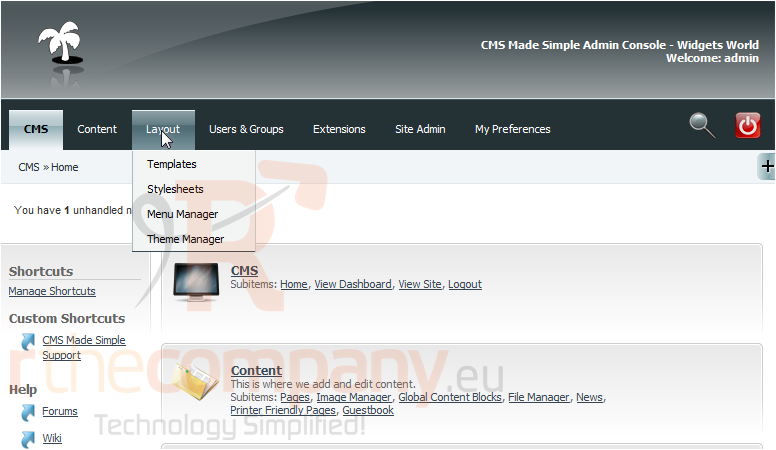
1) Mouse-over Layout
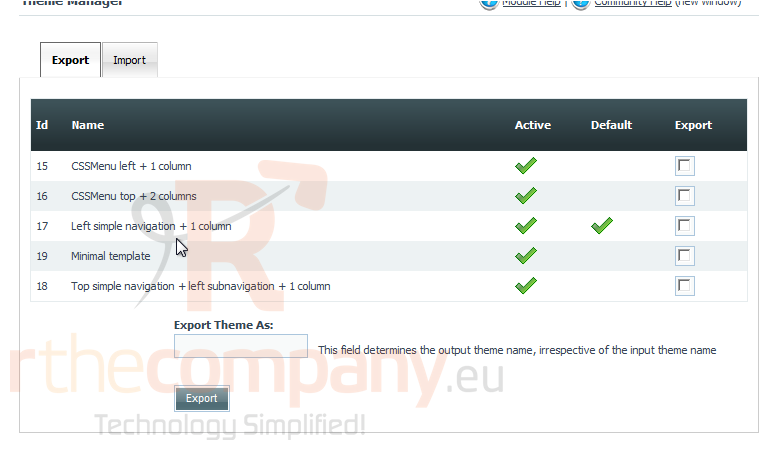
2) Click, Theme Manager
Scroll Down
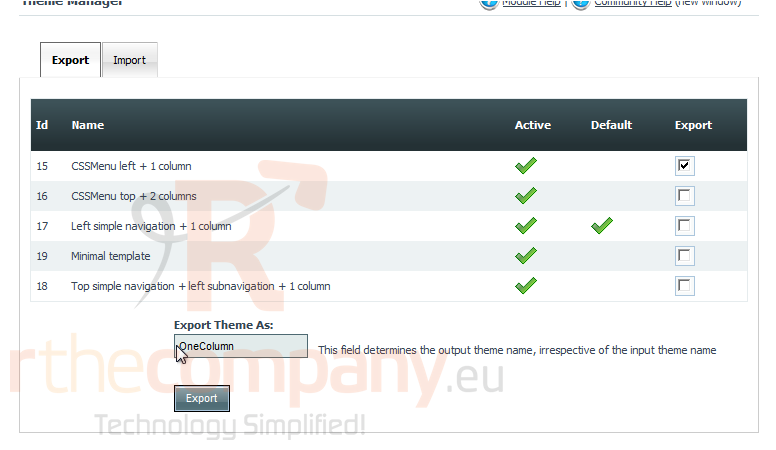
3) Select the theme to Export
4) Enter an Export Theme Name
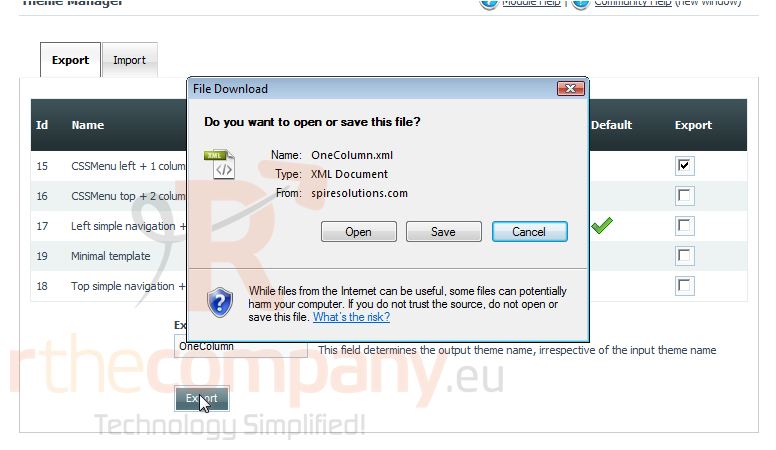
5) Once finished, click Export
6) Click, Save
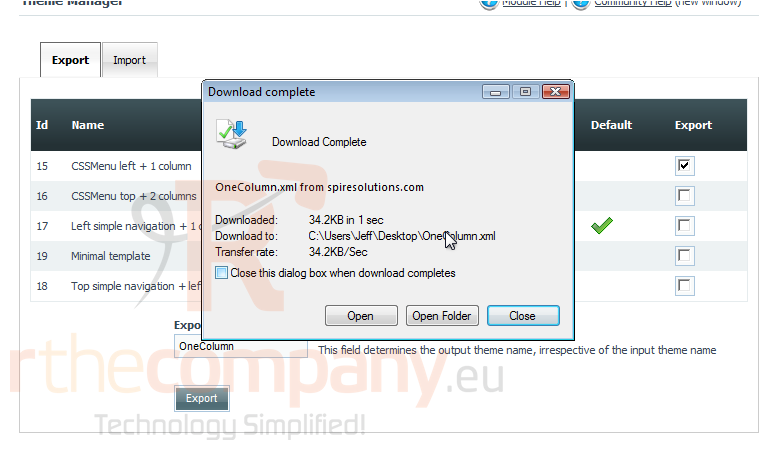
7) Once downloaded, click Close
You have successfully exported a theme
This is the end of the tutorial. You now know how to export a theme within CMS Made Simple
 Додати до обраного
  Роздрукувати цю статтю