اعضا > مرکز آموزش > Joomla: Admin > 16. How to manage the cache in Joomla
16. How to manage the cache in Joomla
This tutorial assumes you are already logged in to your Joomla admin panel
Joomla will create temporary cache files to improve the performance of your site. If you have made any major changes, your cache files may be out of date, in which case, you will need to clear your cache
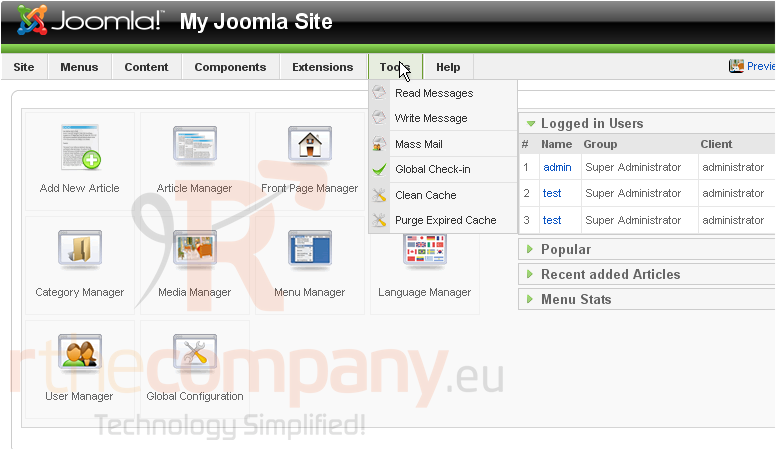
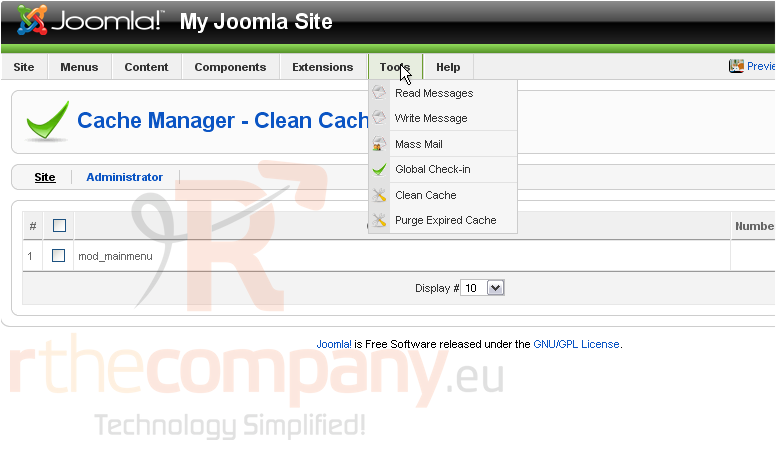
1) Click Tools
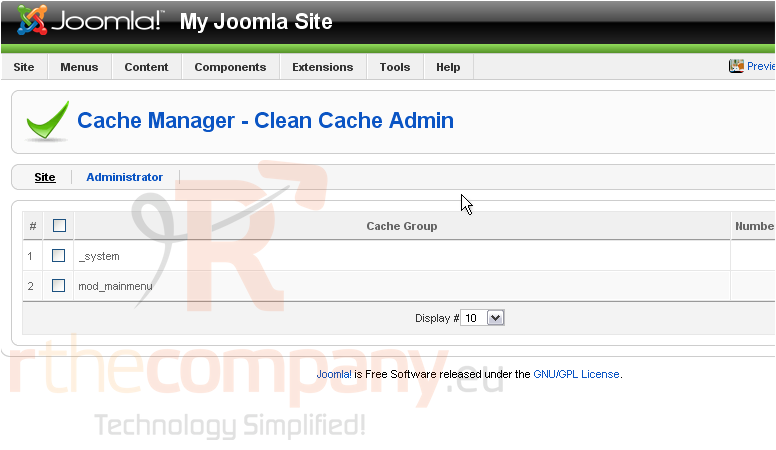
2) Then Clean Cache
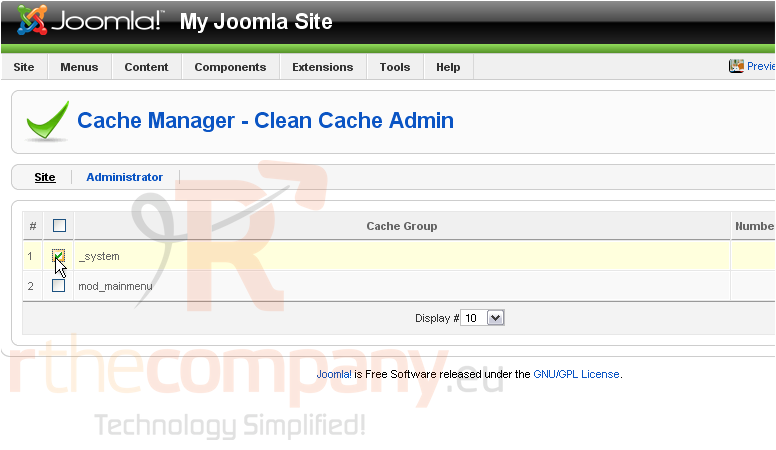
This page will allow you to delete specific cache files
3) Select the cache group
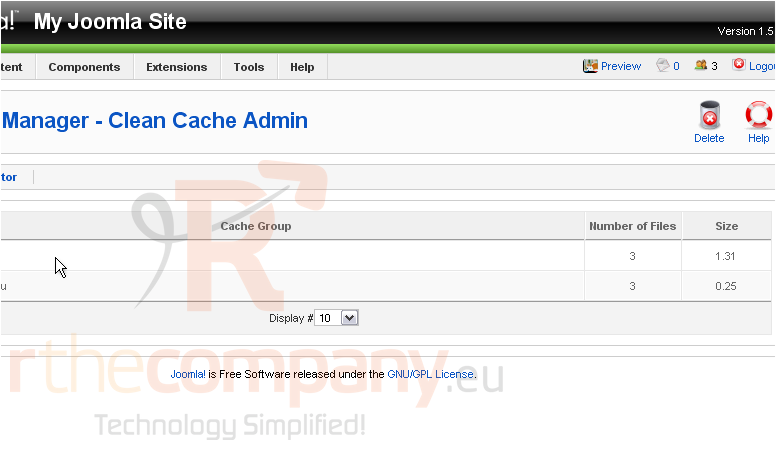
Scroll right
4) Click Delete
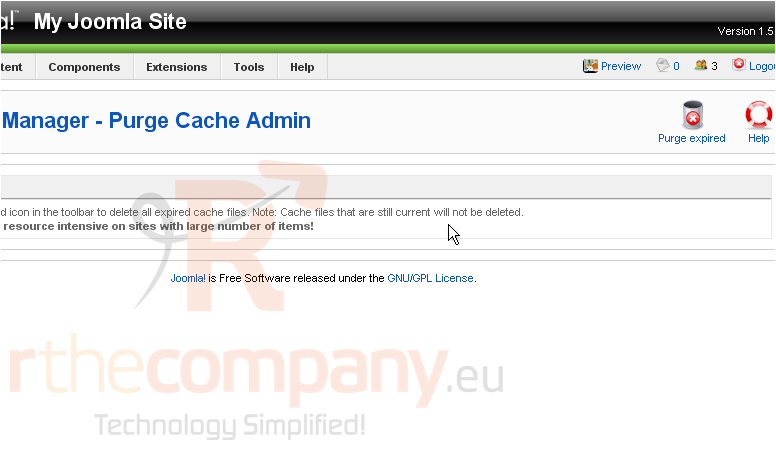
You may wish to purge all of your expired cache files
5) Click Tools
6) Then Purge Expired Cache
Scroll right
7) Click Purge Expired
Purging all expired cache files may take up to several minutes on large sites that have many items
That's it! You now know how to manage the cache in Joomla
 افزودن به مورد علاقه ها
  پرینت این مقاله