Ana Sayfa > Bilgi Bankası > Joomla: Admin > 13. How to use the private messaging system in Joomla
13. How to use the private messaging system in Joomla
This tutorial assumes you are already logged in to your Joomla admin panel
The private messaging system allows you to send a message to another user without having to email all registered users. Let's send a message now
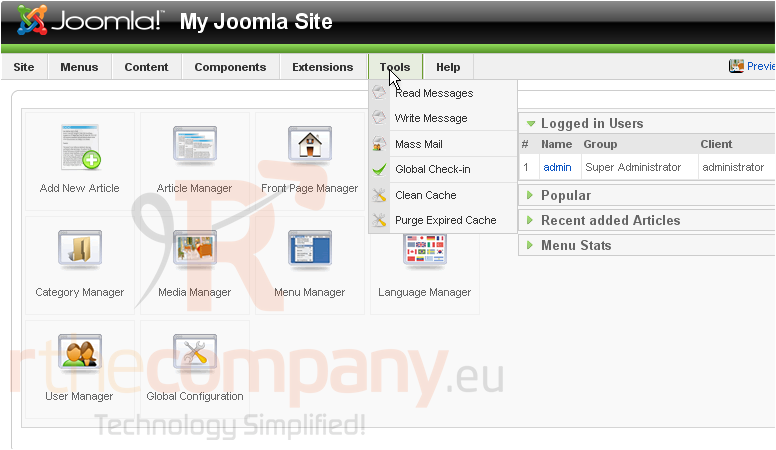
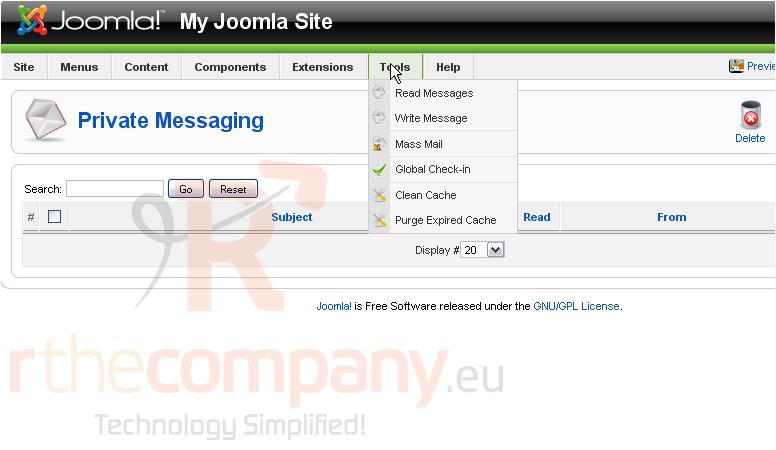
1) Go to Tools
2) Click Write Message
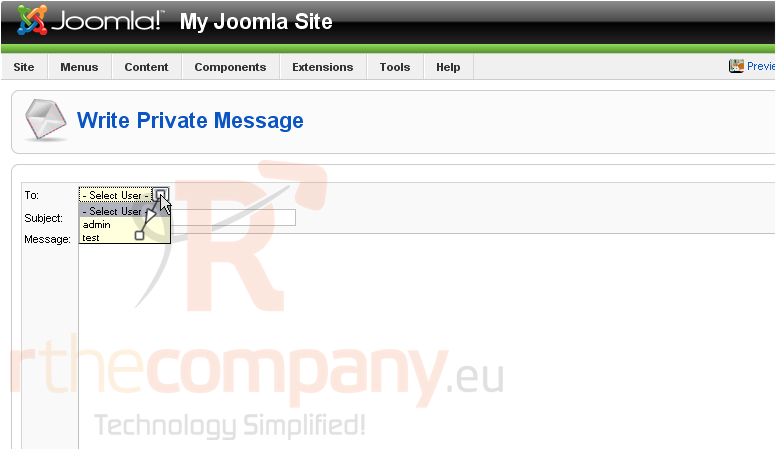
3) Select the user from the dropdown menu
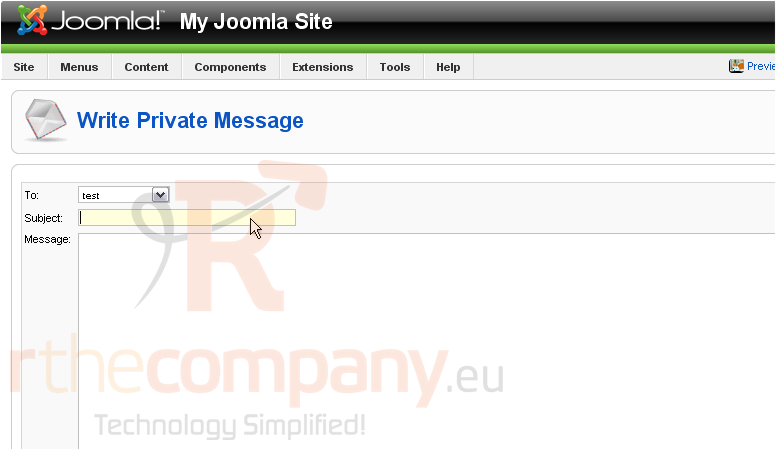
4) Enter a subject
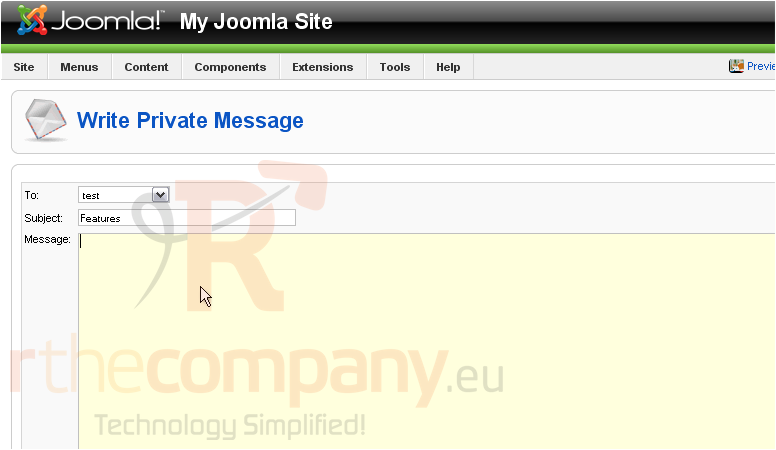
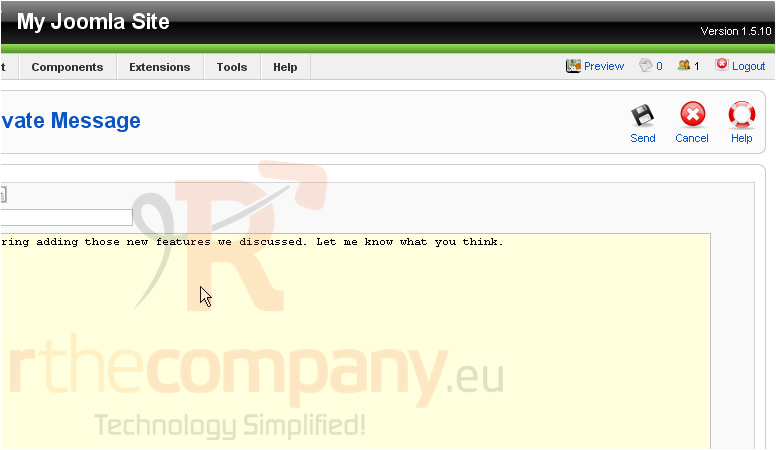
5) Type your message
Scroll right
6) Click Send
Let's view our messages
7) Click Tools
8) Then click Read Messages
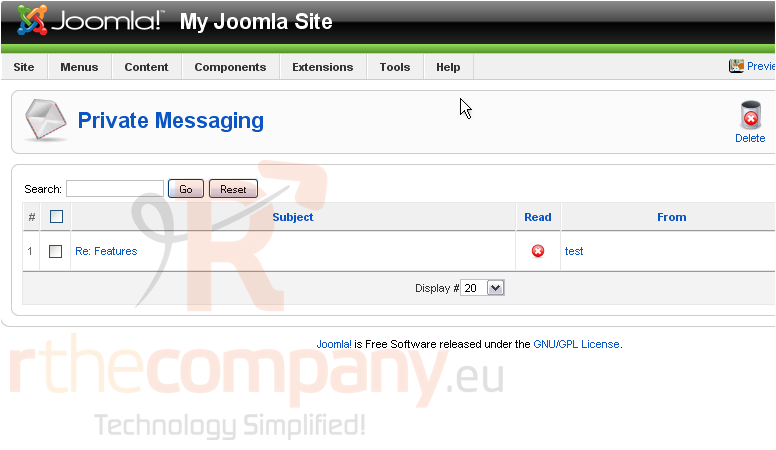
9) Click on the subject to view the message
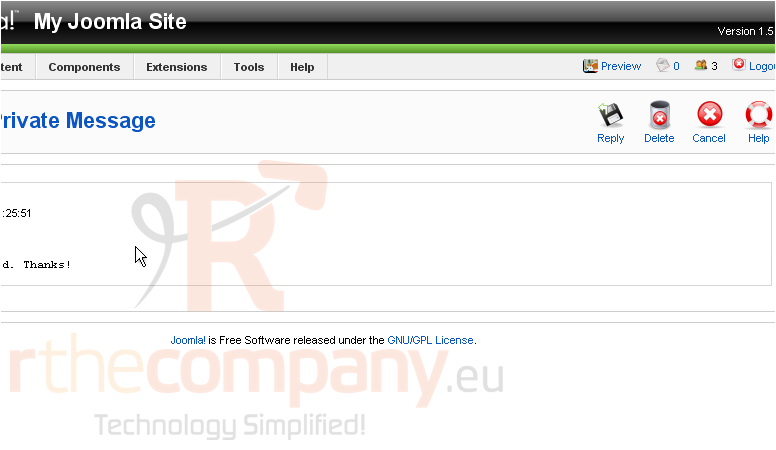
Now you can reply to the message or delete it
Scroll right
10) Click Delete
That's it! You now know how to use the private messaging system in Joomla
 Sık kullanılanlara ekle
  Bu dökümanı yazdır