Portal Home > Databáze řešení > Joomla: Admin > 6. How to prevent new user registrations in Joomla
6. How to prevent new user registrations in Joomla
This tutorial assumes you are already logged in to your admin control panel
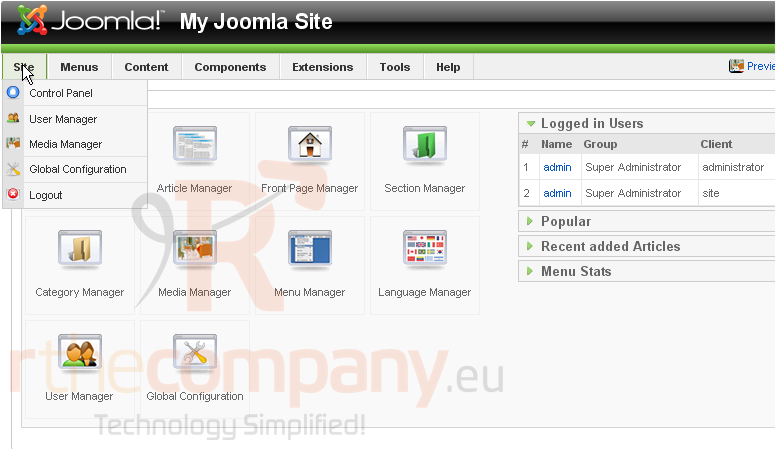
1) Click Site
2) Then Global Configuration
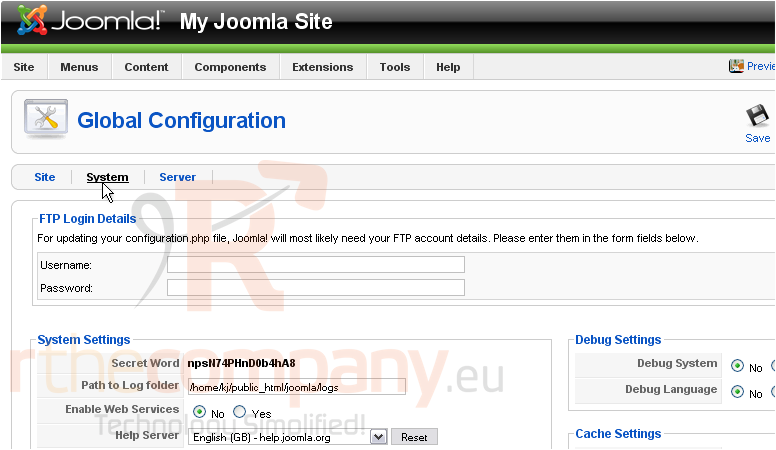
3) Go to the System settings
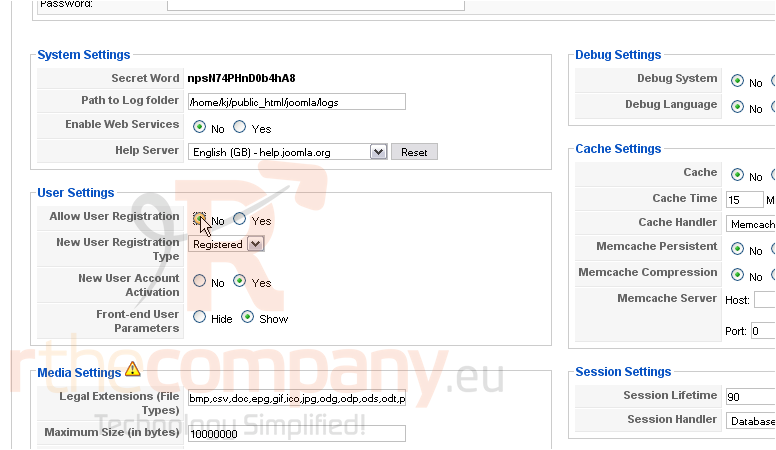
Scroll down
4) Next to Allow User Registration, click No
Users will now be unable to register a new account for your Joomla site
At this point, you can also choose the default group that will be applied to new users upon registration and set whether users have to activate their new account through email before they can log in
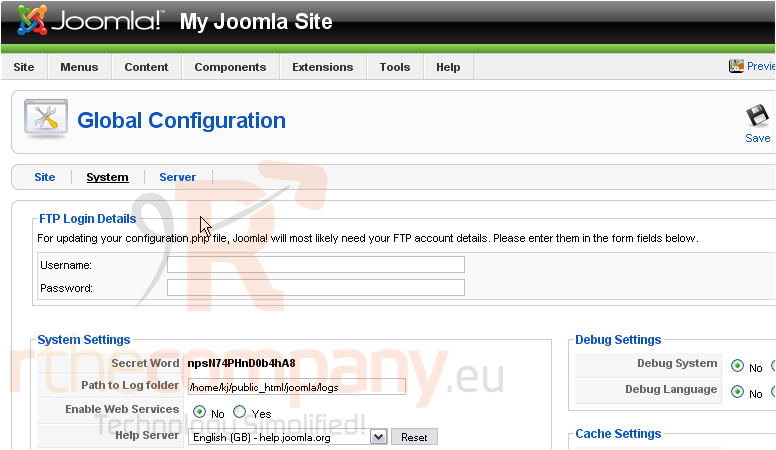
Scroll up
5) Click Save
That's it! You now know how to disable user registration in Joomla
 Přidat do oblíbených
  Tisknout tento článek