Suporte > Base de Conhecimento > Joomla: Admin > 7. How to change the session lifetime in Joomla
7. How to change the session lifetime in Joomla
This tutorial assumes you are already logged in to your admin control panel
Joomla uses session lengths to automatically log out users that have been inactive for a set amount of time; the default is 15 minutes. Let's see how to change this
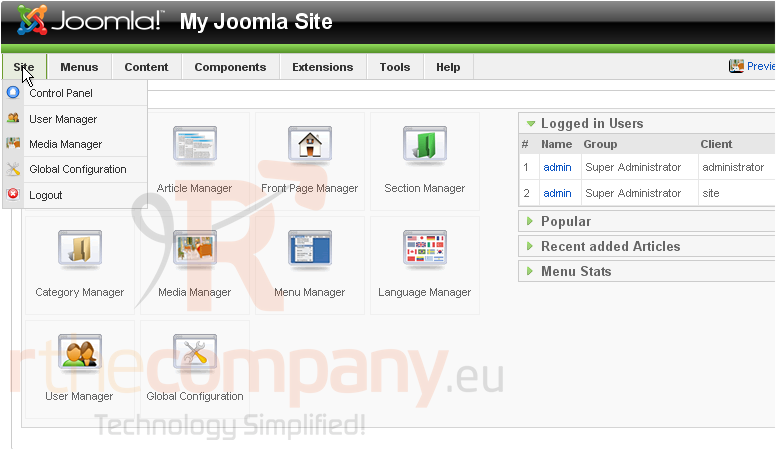
1) Click Site
2) Then Global Configuration
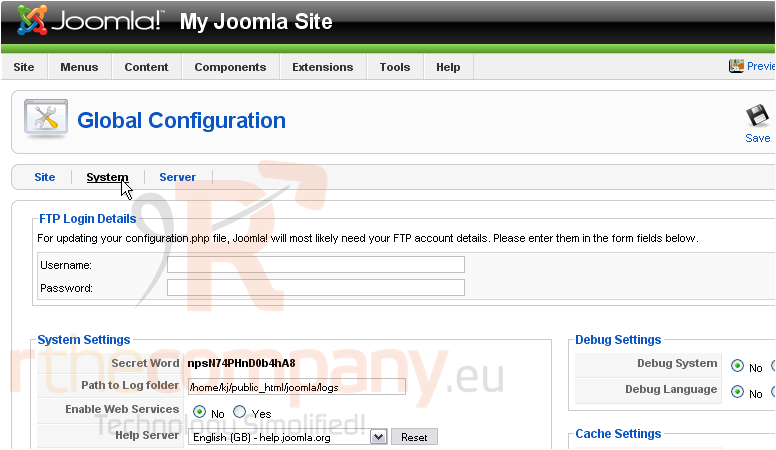
3) Go to the System settings
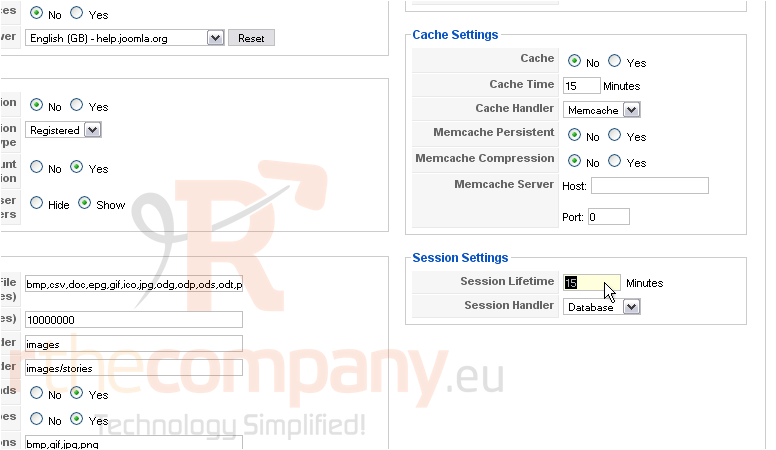
Scroll down and right
4) Change the number of minutes next to Session Lifetime
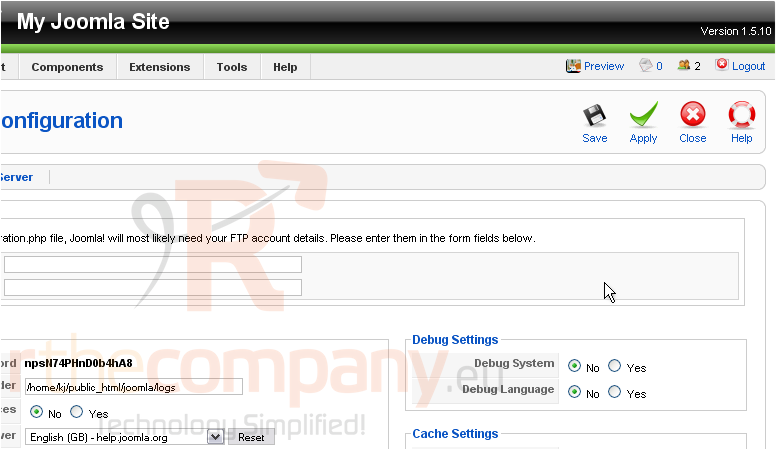
Scroll up
5) Click Save
The session will now last an hour and a half before expiring
That's it! You now know how to change the session lifetime in Joomla
 Adicionar aos Favoritos
  Imprimir este Artigo