Portal Home > Knowledgebase > Joomla: Admin > 10. How to use the User Manager in Joomla
10. How to use the User Manager in Joomla
This tutorial assumes you are already logged in to your Joomla admin panel
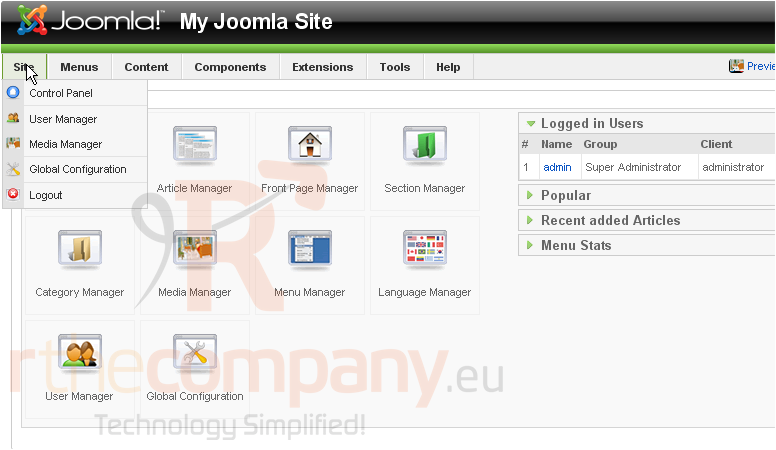
1) Click Site
2) Then User Manager
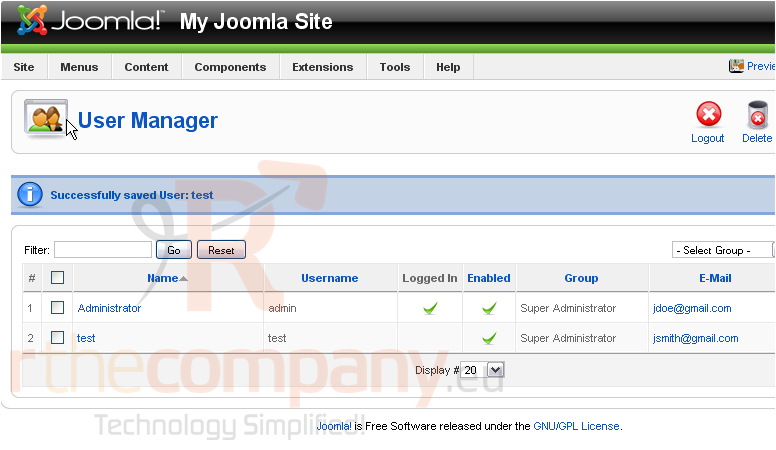
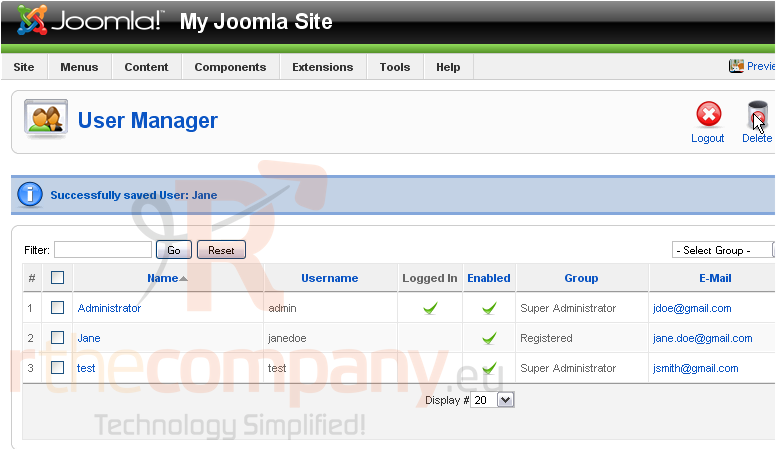
Here is the list of all the users that have registered for your site. Let's see how to add a new user
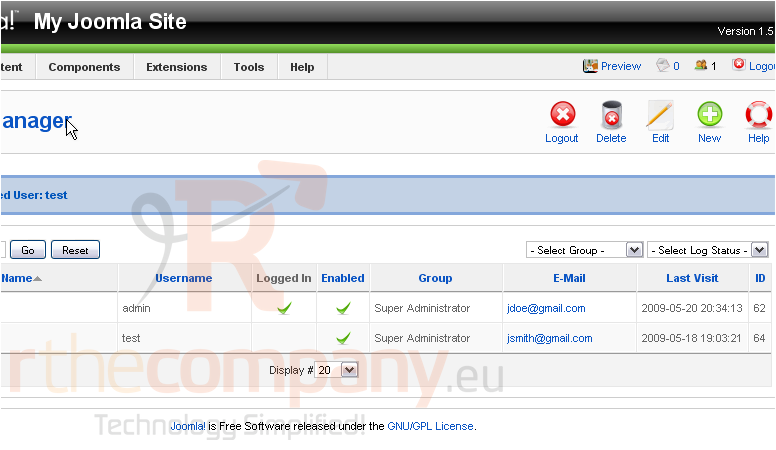
Scroll right
3) Click New
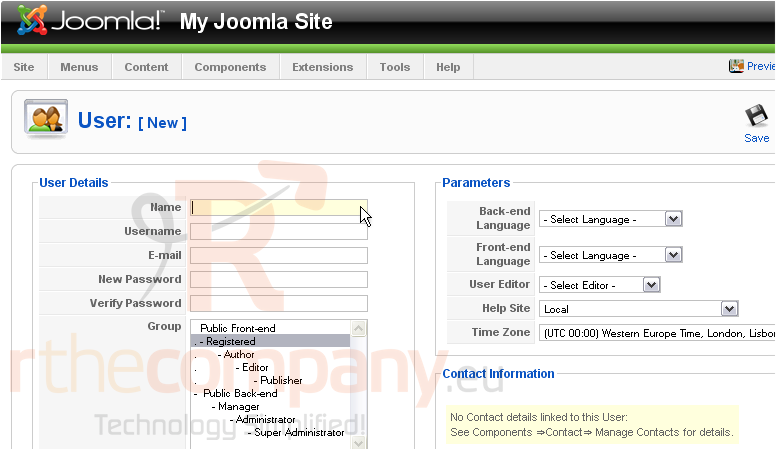
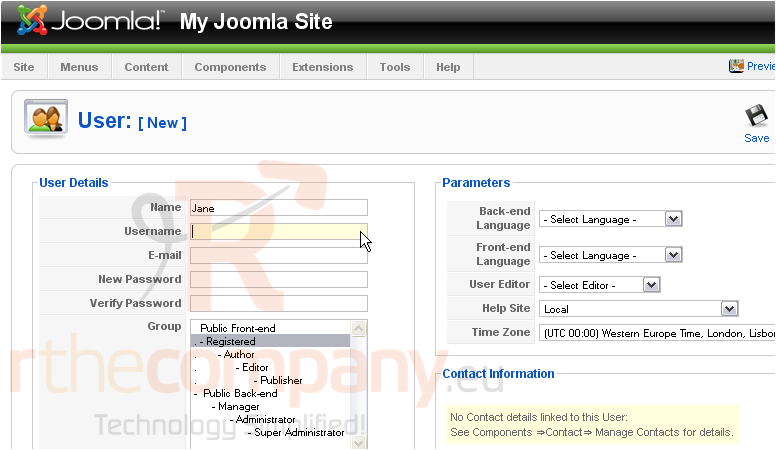
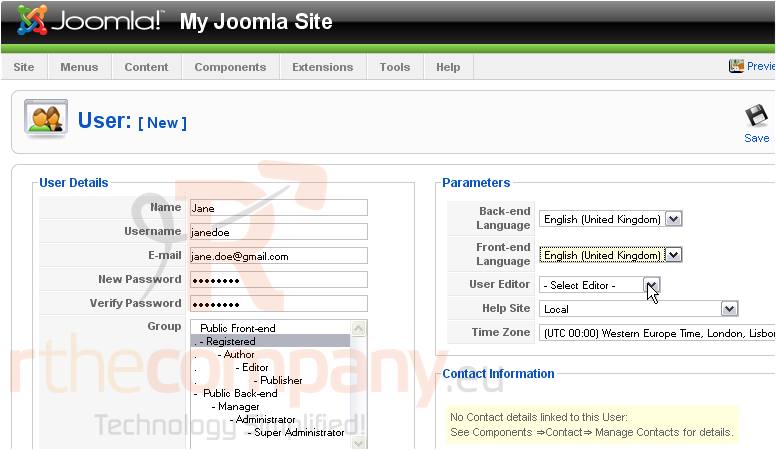
4) Type in a name for the new user
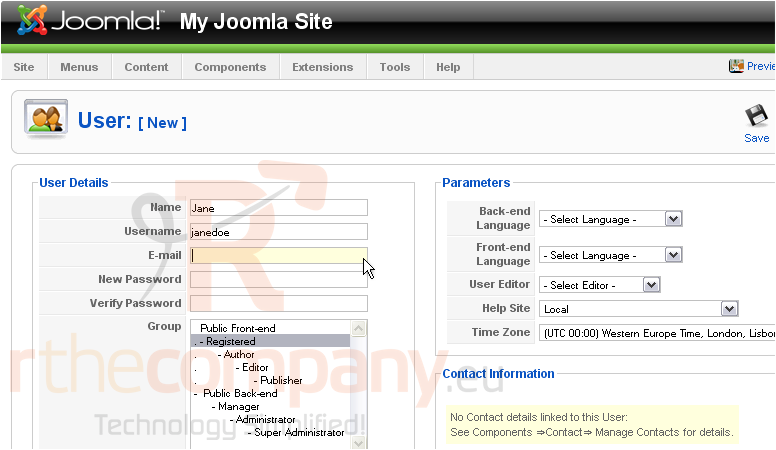
5) Enter a username
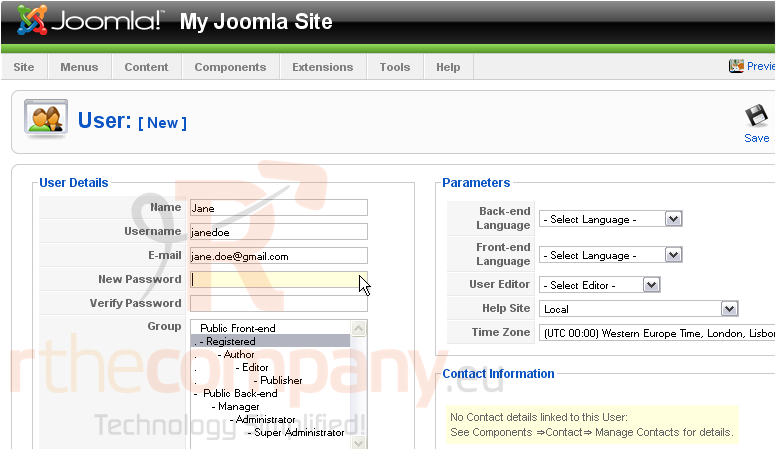
6) Type the user's email address
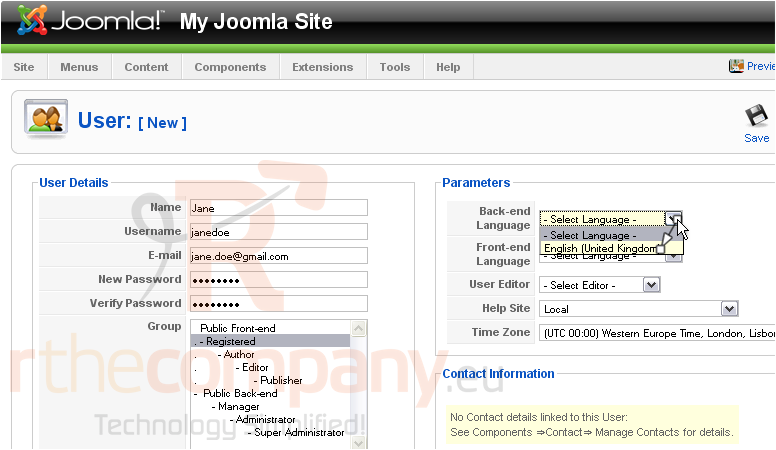
7) Enter a password and verify it
8) Set the back-end and front-end default languages
9) Click Save
Once a user has been created, you can edit it if needed
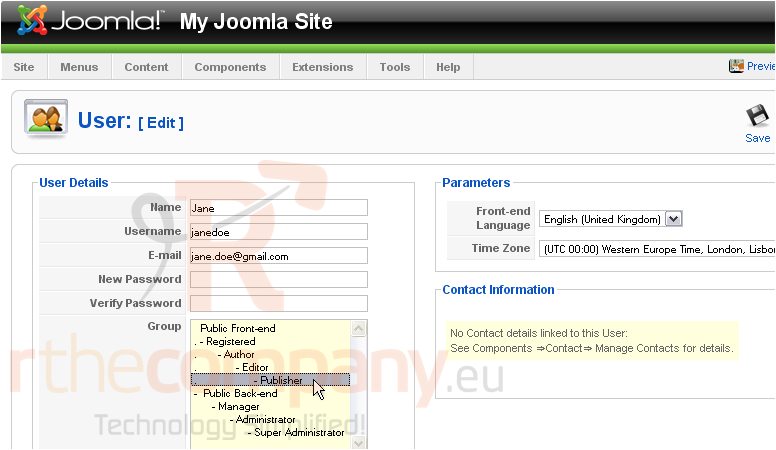
10) Click on the user's name
11) Let's change the user's group
12) Click Save
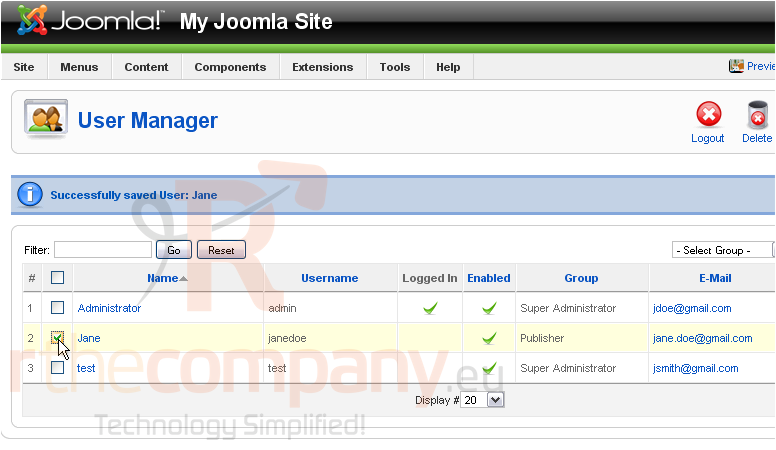
Now let's delete the user we just created
13) Click the checkbox next to the user
14) Click Delete
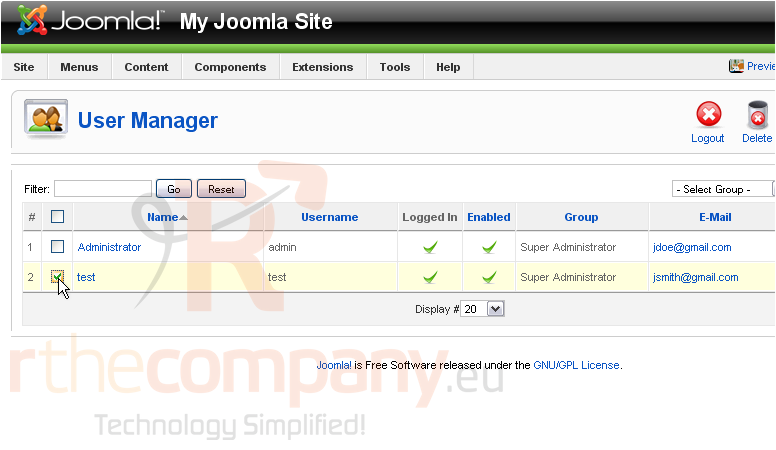
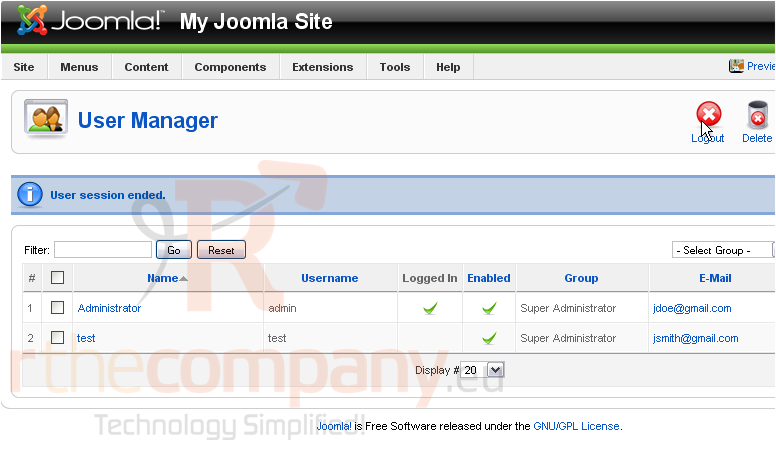
The last thing we'll do is see how to force a user to logout
15) Select the user
16) Click Logout
That's it! You now know how to use the User Manager in Joomla
 Add to Favourites
  Print this Article