Home > Archivio Domande > Joomla CMS > 13. How to create an RSS feed using your Joomla content
13. How to create an RSS feed using your Joomla content
This tutorial assumes you are already logged in to your Joomla admin panel
RSS (Really Simple Syndication) feeds enable you to provide an up-to-the-minute list of all the articles on your Joomla site
This list is in a specific format that many other web software programs and websites -- even Joomla sites -- can link to and easily display
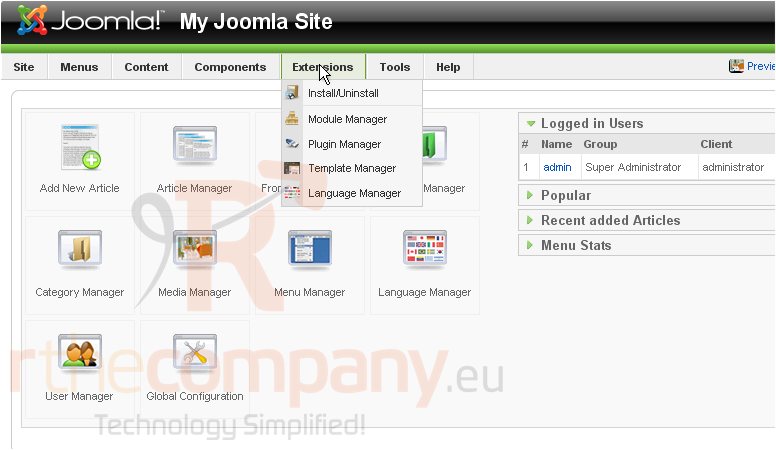
1) Click Extensions
2) Then Module Manager
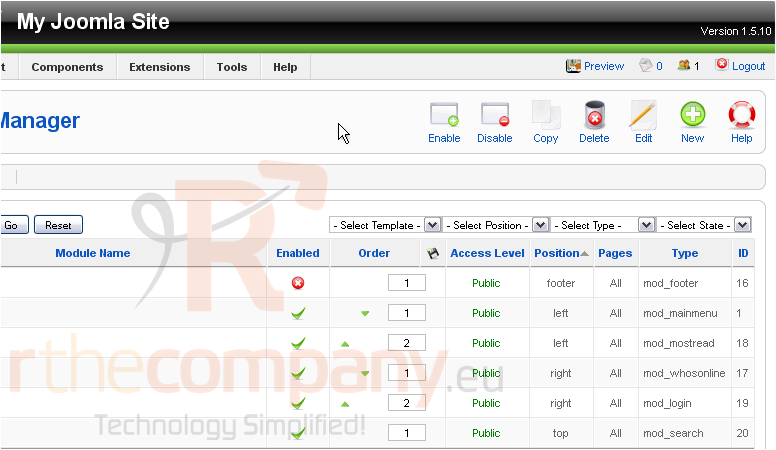
Scroll right
3) Click New
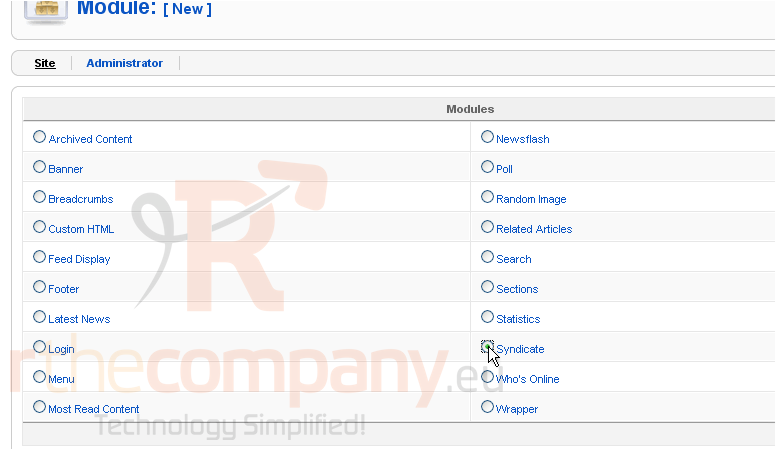
Scroll down
4) Select Syndicate
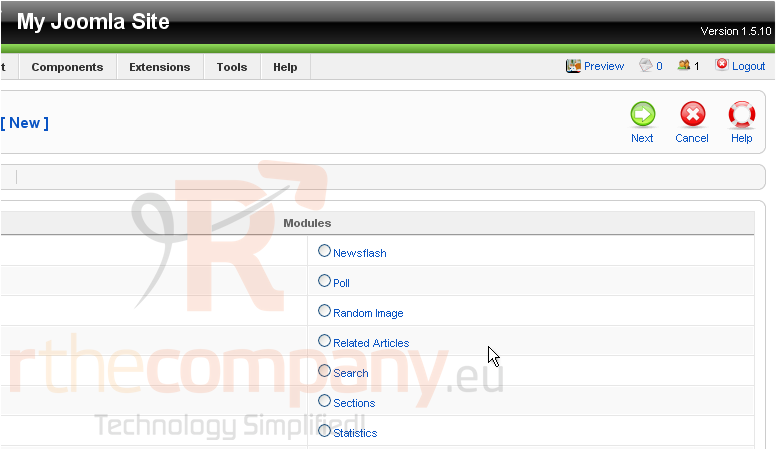
Scroll up and right
5) Click Next
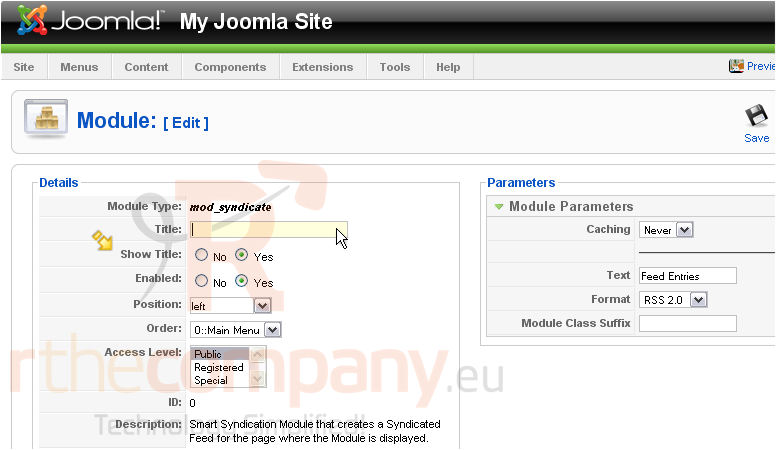
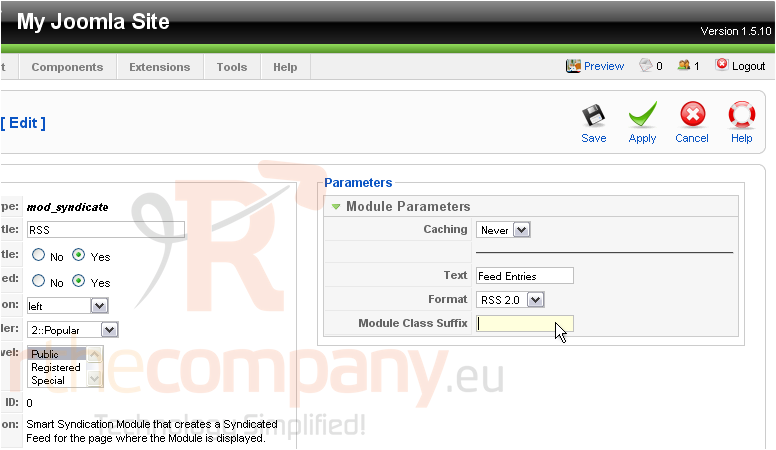
6) Enter a Title
If Show Title is set to Yes, the module name will be displayed on the front-end
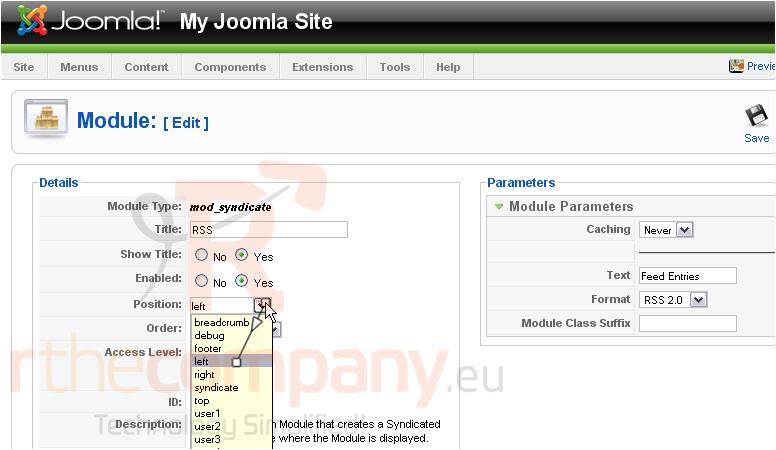
7) Choose the position where the module should be displayed on the page
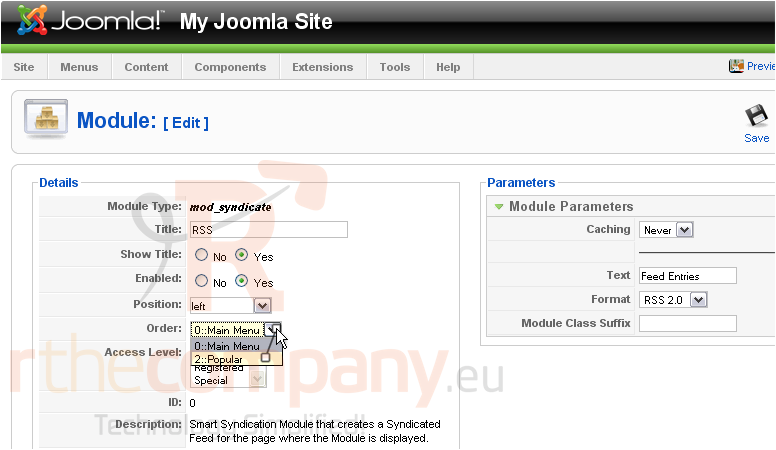
8) Set the order this module will display in
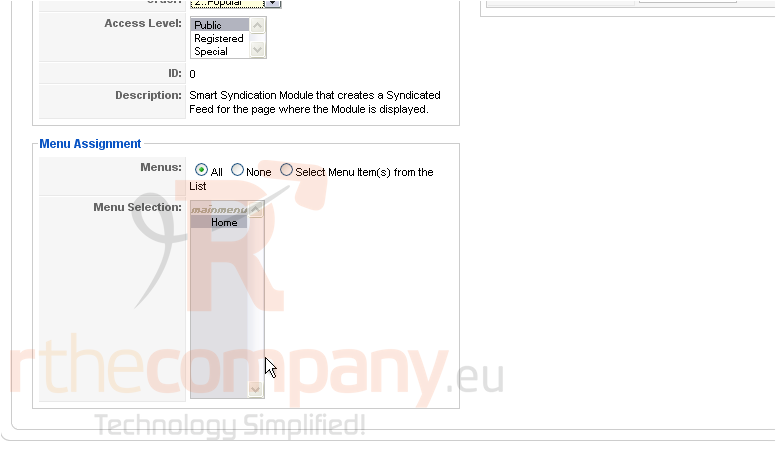
Scroll down
Here, you can set the menu in which this module will display
Scroll up and right
9) Enter the suffix for the CSS class of this module
In this example, the CSS class name of this module would be .module-rss
10) Click Save
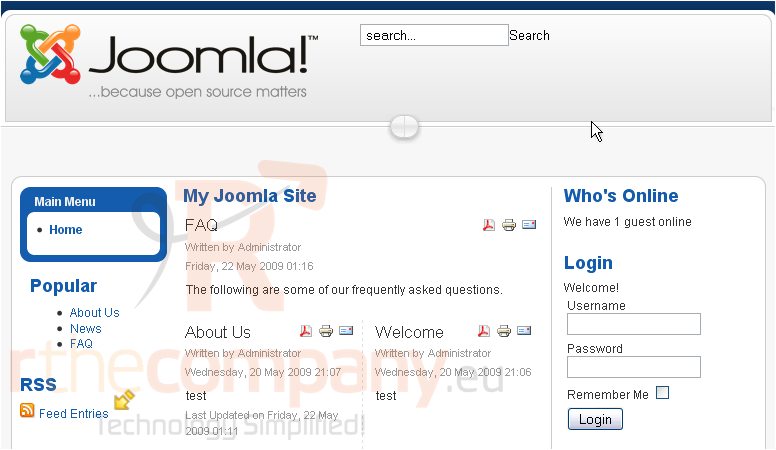
The RSS module will now appear on the front-end. Let's go to our Joomla site
The RSS module we created shows up here
That's it! You now know how to create an RSS feed using your Joomla content
 Aggiungi ai Preferiti
  Stampa Articolo