Support > Hjälpcentral > Joomla: End-user > 12. How to participate in a poll in Joomla
12. How to participate in a poll in Joomla
This tutorial assumes you are already logged in to your Joomla site's front-end
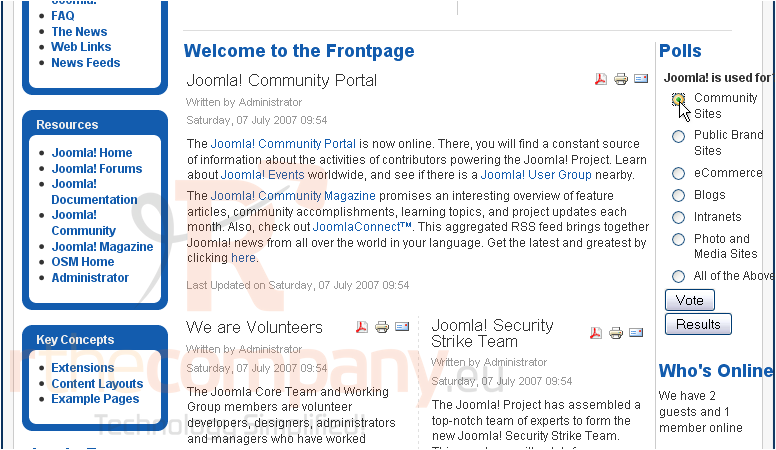
Scroll down
Depending on the site, the poll may appear in a different location than shown here
1) Select the option you wish to vote for
2) Click Vote
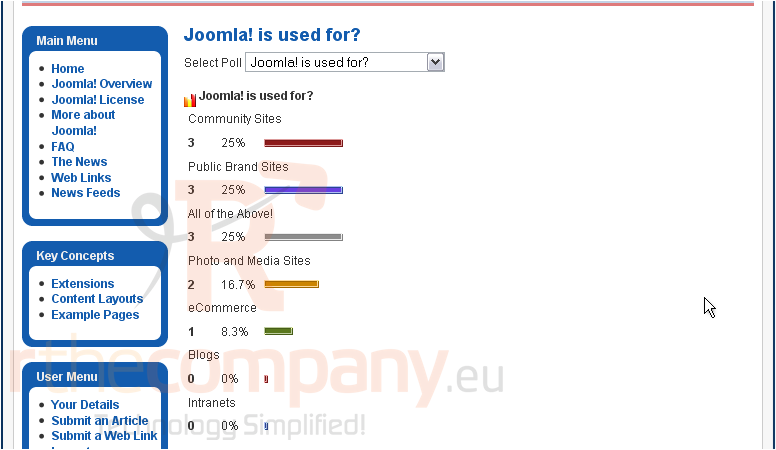
The poll results will be displayed.
That's it! You now know how to participate in a poll in Joomla
 Lägg till i favoriter
  Skriv ut denna artikeln