Administración > Preguntas Frecuentes - FAQ > Joomla: Setup > 11. How to back up your Joomla database using phpMyAdmin
11. How to back up your Joomla database using phpMyAdmin
Backups are an essential part of any active website. Not making regular backups can be a disaster waiting to happen
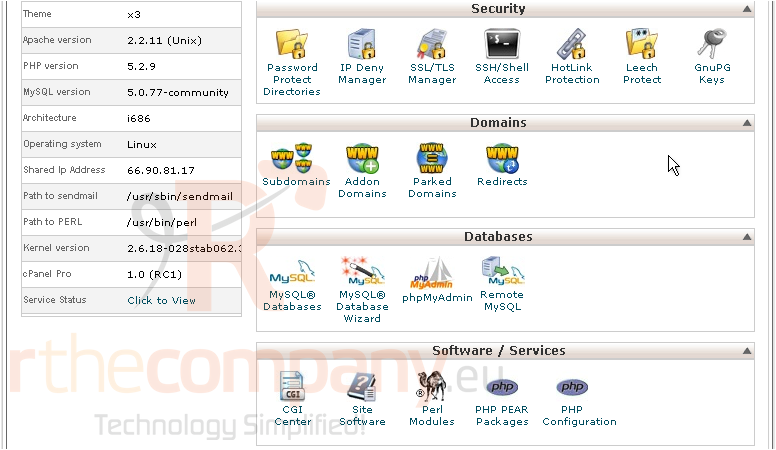
For this tutorial, we will be showing how to get to phpMyAdmin using cPanel. No control panel is required, however
1) Scroll down until you see Databases
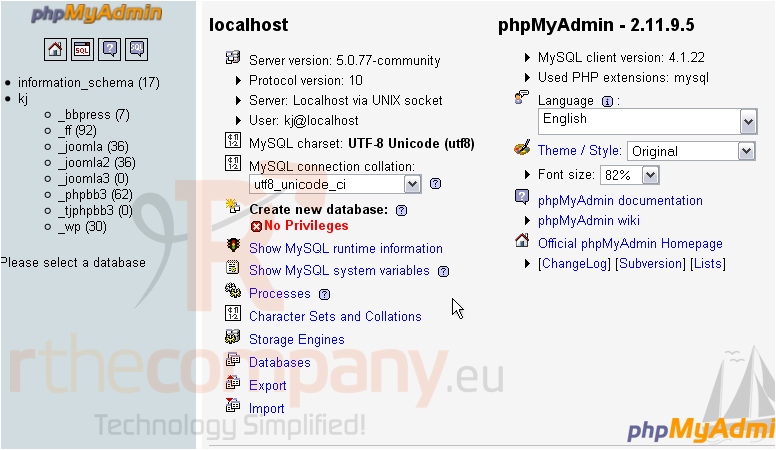
2) Click phpMyAdmin
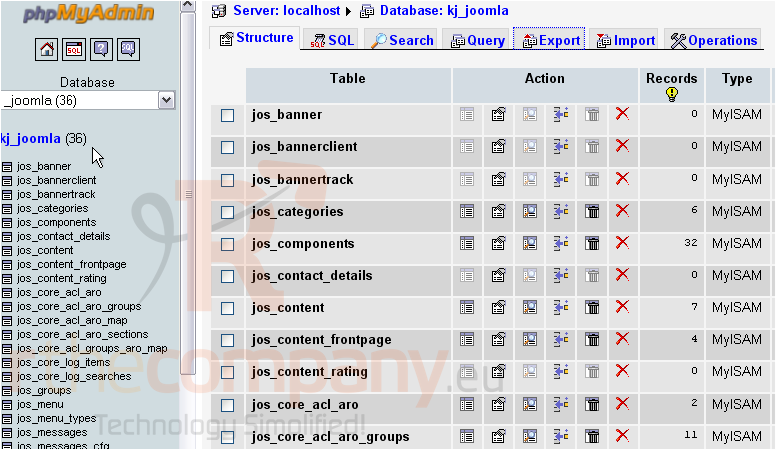
3) Click on your Joomla database at left
4) Click Export
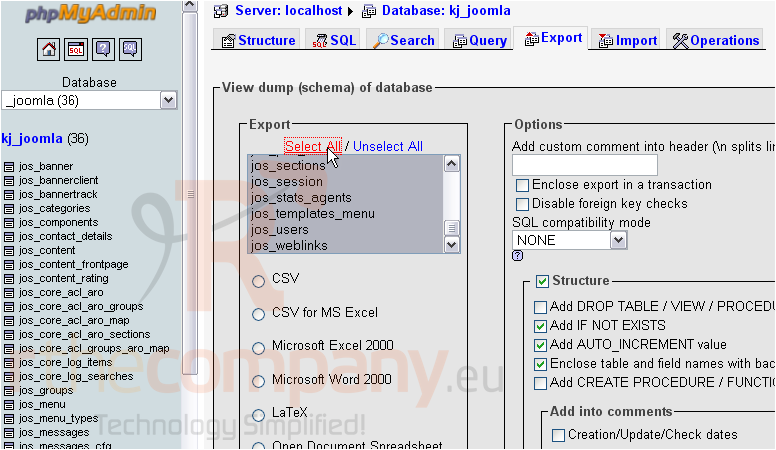
5) Verify that all tables in the database are selected by clicking Select All
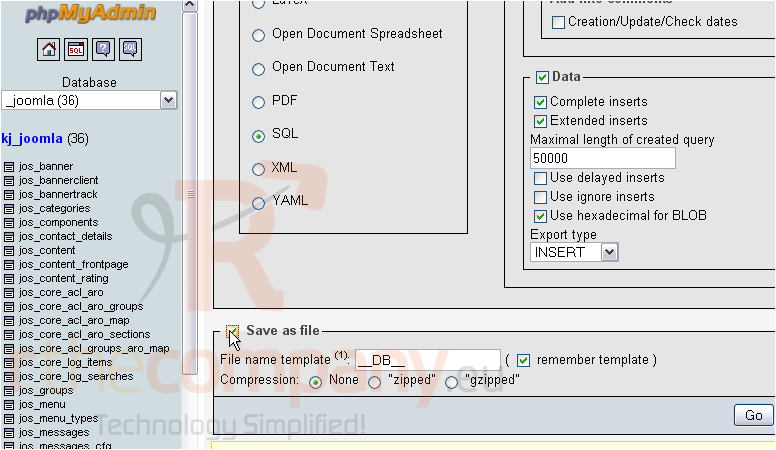
6) Scroll down to Save
7) Click the checkbox next to Save as file
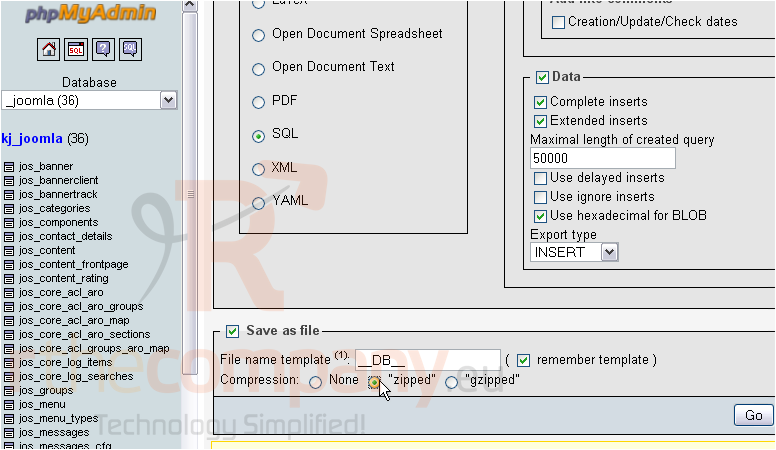
8) Optionally, choose the compression format to use to save the backup file
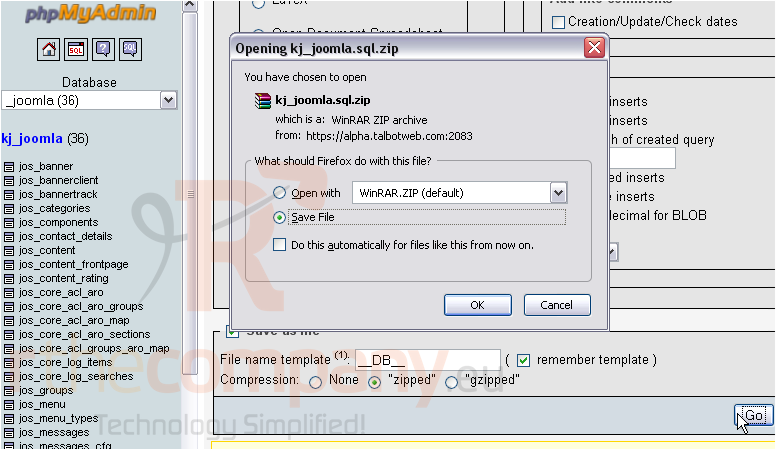
9) Click Go
10) Click OK
Success! You can now back up your Joomla database using phpMyAdmin whenever you want!
 Agregar a Favoritos
  Imprimir éste Artículo