客戶系統 > 知識庫 > ZenCart > 6. How to configure your currency in ZenCart
6. How to configure your currency in ZenCart
This tutorial assumes you've already logged in to Zen Cart
Now let's learn how to configure your currency
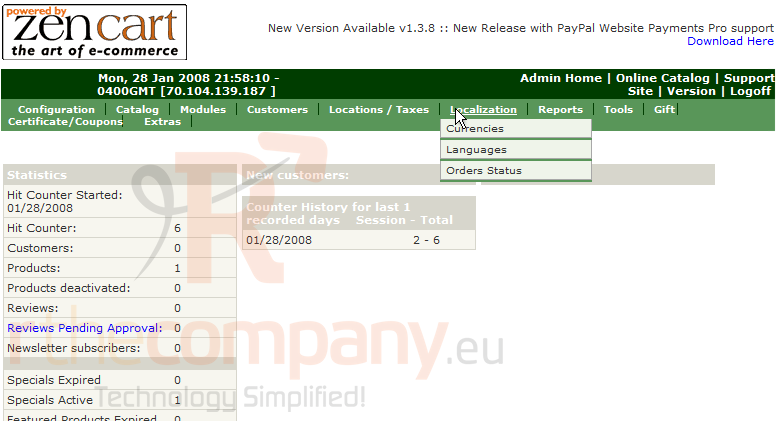
1) Place the cursor over Localization
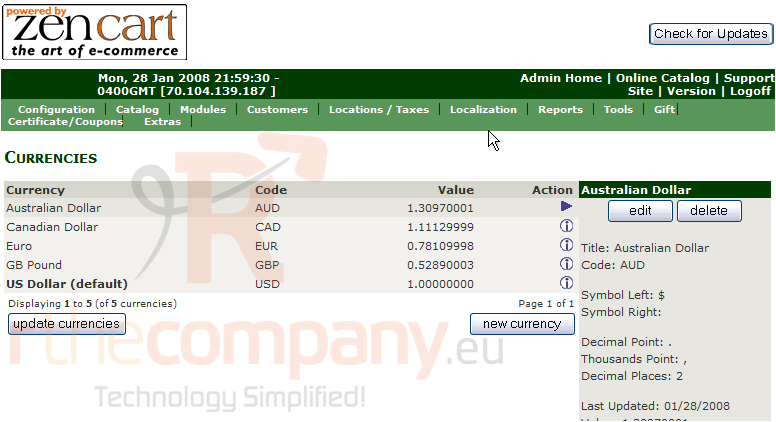
2) Click Currencies
3) Click Edit
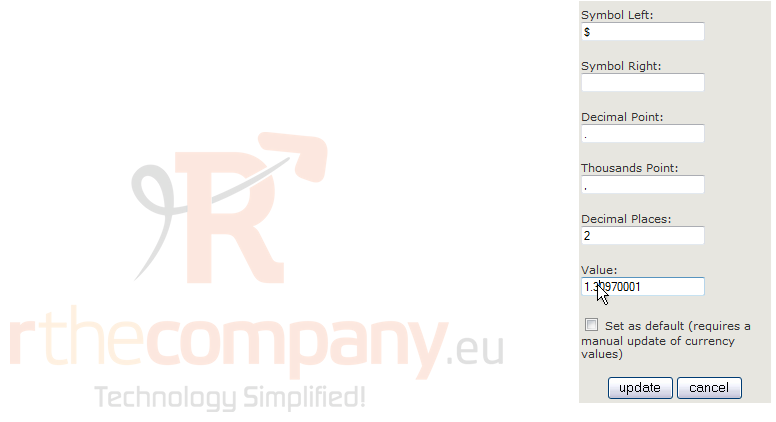
4) Enter a new Value here
5) Click Update
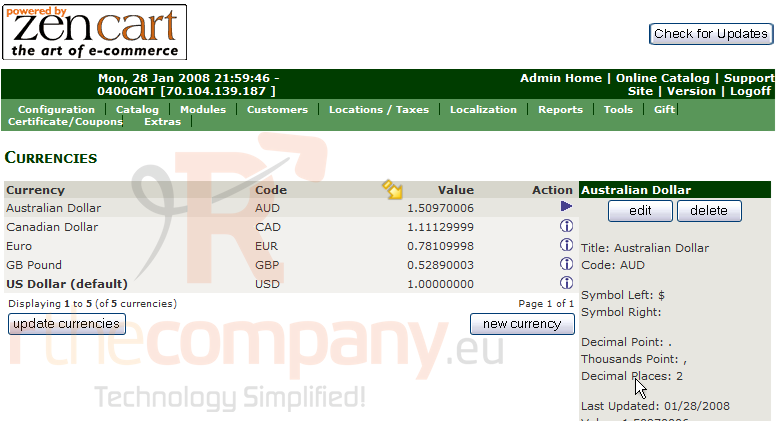
That's it! The value has been edited as can be seen here
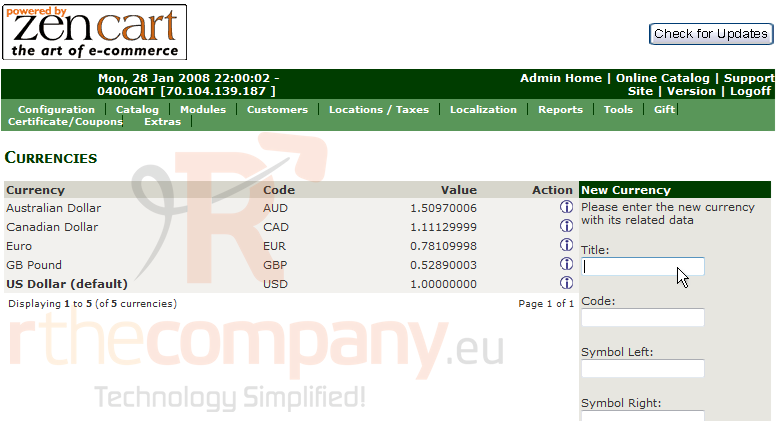
6) Click New Currency
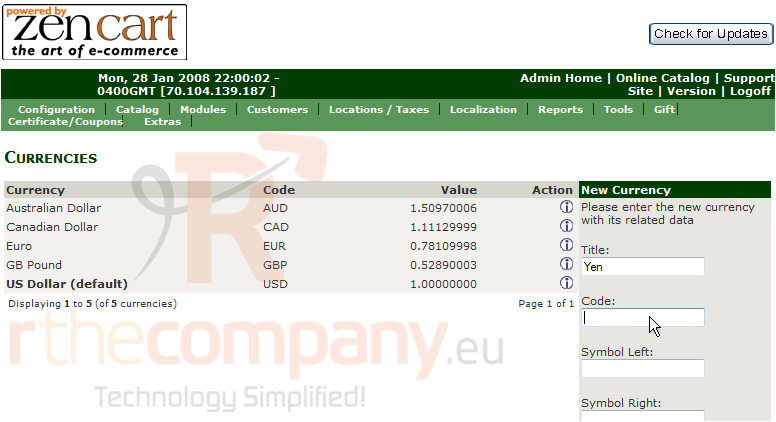
7) Enter a title for the new currency here
8) Enter a code for the new currency here
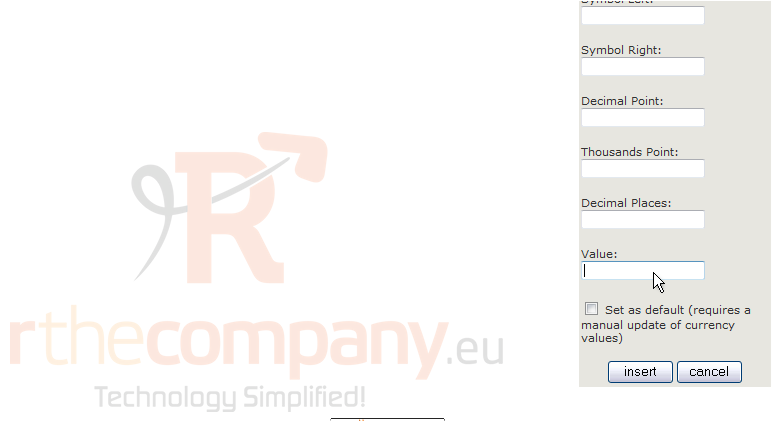
9) Enter a value for the new currency here
10) Click Insert
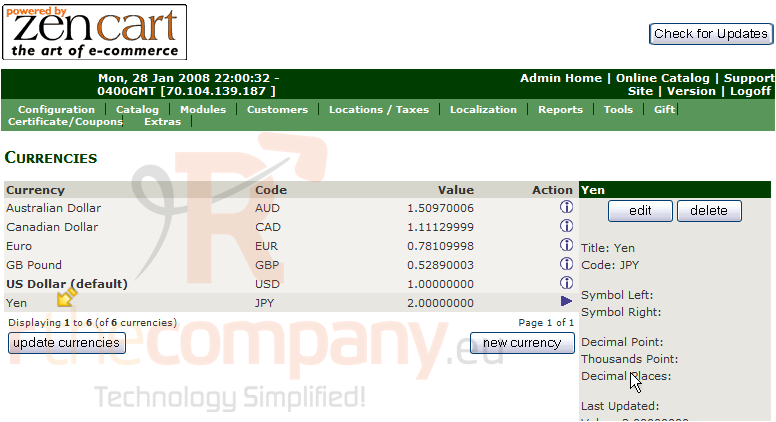
That's it! The new currency has been added as seen here
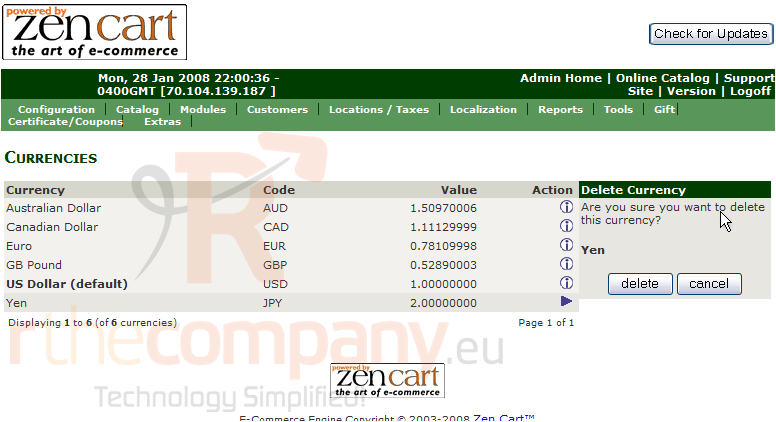
11) Let's delete the new currency now, click Delete
The currency we added has now been deleted
This is the end of the tutorial. You should now know how to configure your currency in Zen Cart