Portaali avaleht > Teadmistebaas > phpMyAdmin > 12. Copying a database table with phpMyAdmin
12. Copying a database table with phpMyAdmin
This tutorial assumes you've already logged in to phpMyAdmin
Now let's learn how to copy a database table
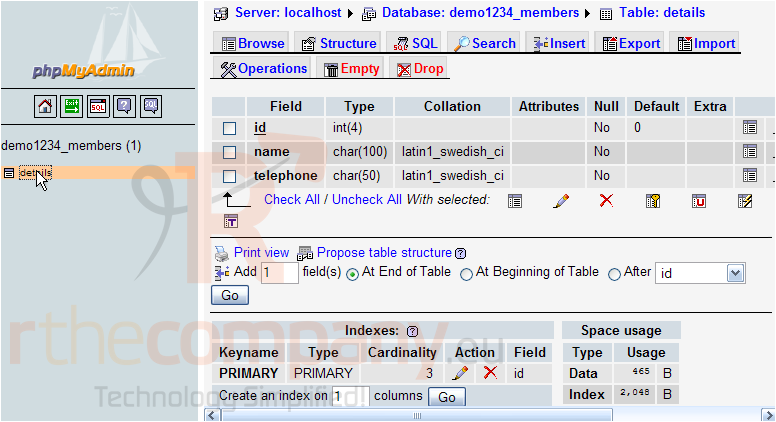
Click the database table you wish to copy
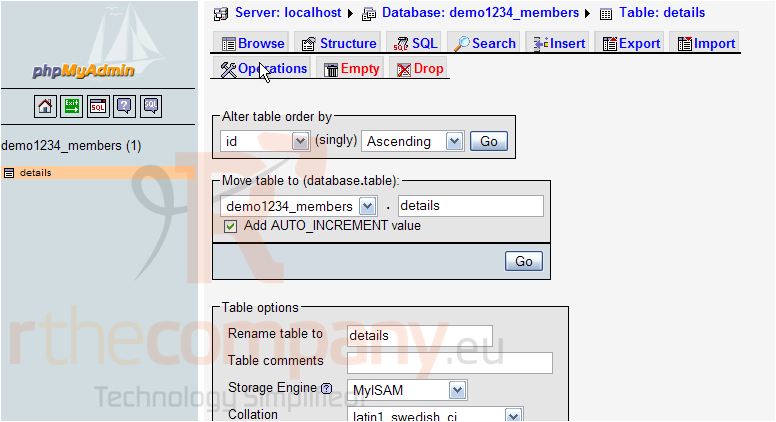
Then click the Operations button
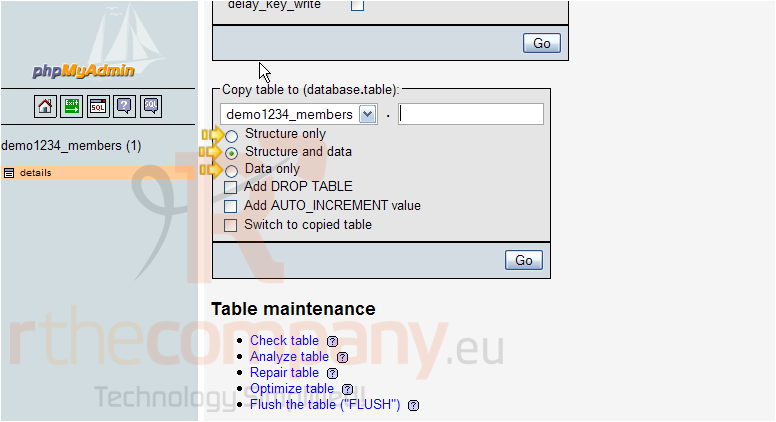
When copying a table, you can choose to copy the table structure only, the data only, or both. Enter a name for the new table here, then click Go
Copying a table actually creates a new table altogether (that's identical to the one we're copying)..... so we have to give a name for the new table
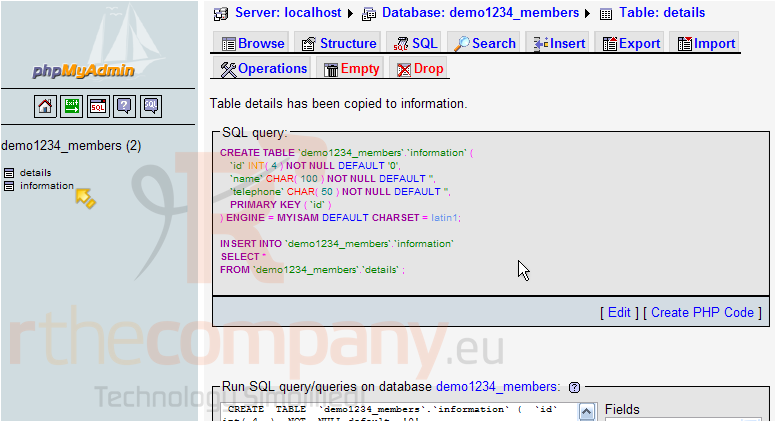
That's it! A new table has been created, and it is a perfect copy of the original. Both tables are now listed here
This is the end of the tutorial. You now know how to create a copy of a database table using phpMyAdmin
 Lisa lemmikutesse
  Prindi artikkel