اعضا > مرکز آموزش > OpenCart > 4. How to add product categories to your store in OpenCart
4. How to add product categories to your store in OpenCart
Categories can be used to group similar products together making it easier for customers to find them.
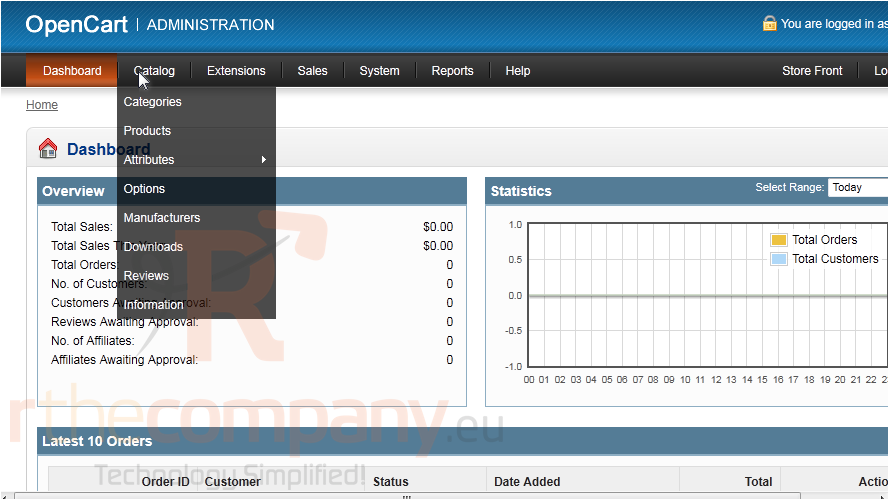
1) To create a category, go to Catalog.
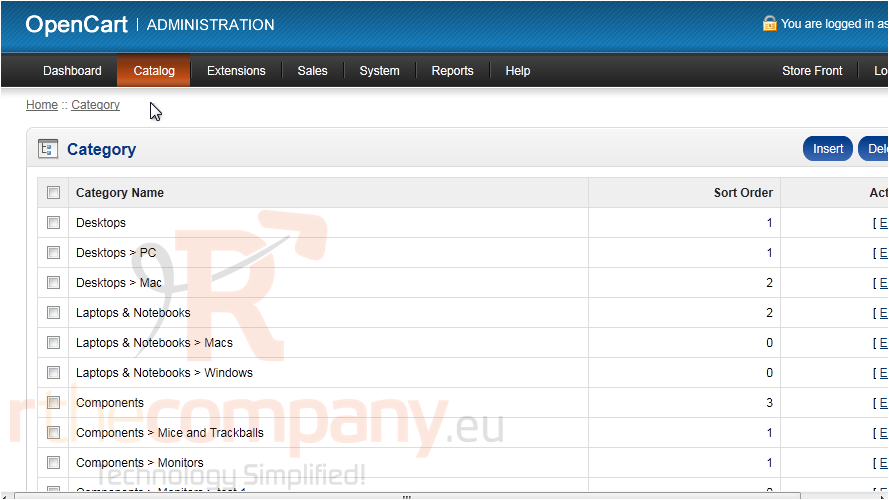
2) Click Categories.
3) Click Insert.
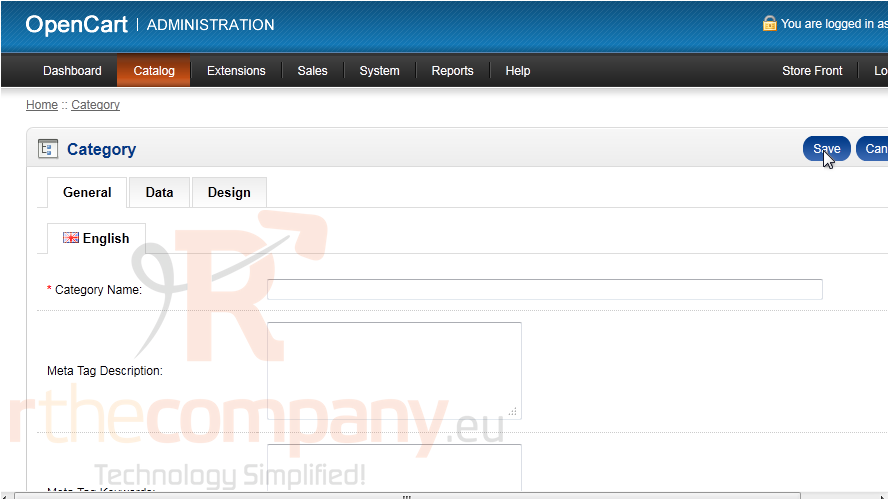
4) Enter a name for the category.
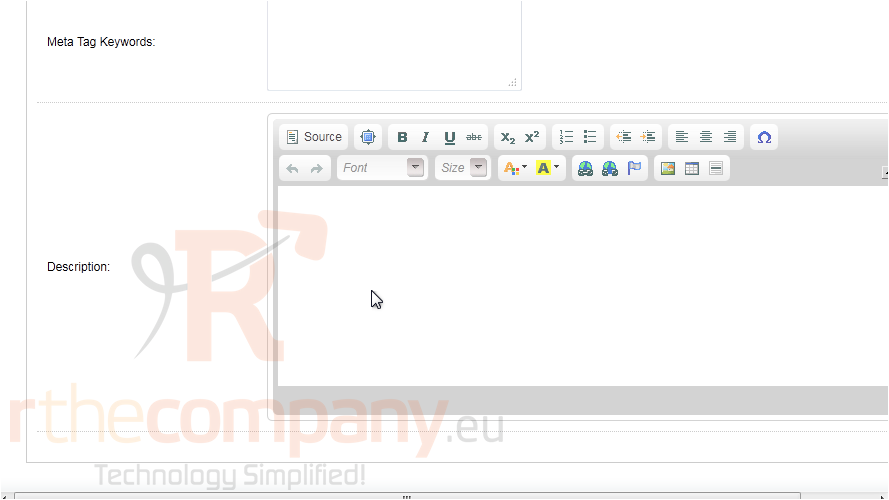
5) Type the Description here.
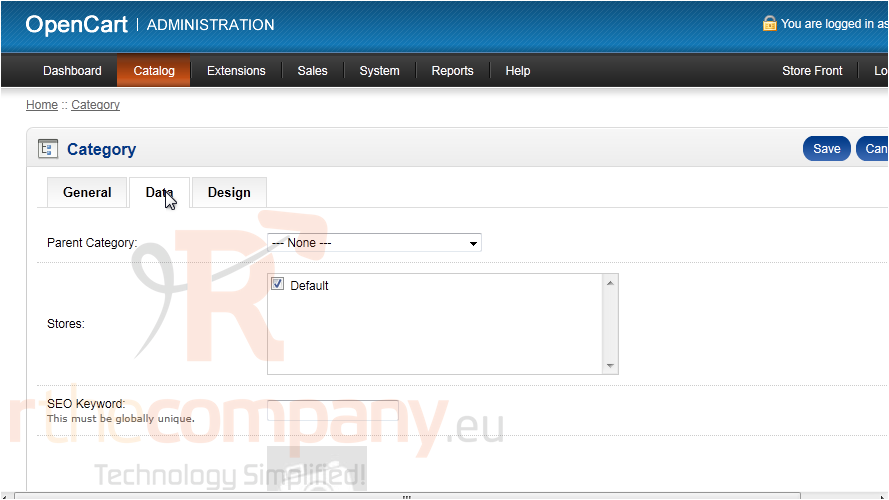
6) Go to the Data tab.
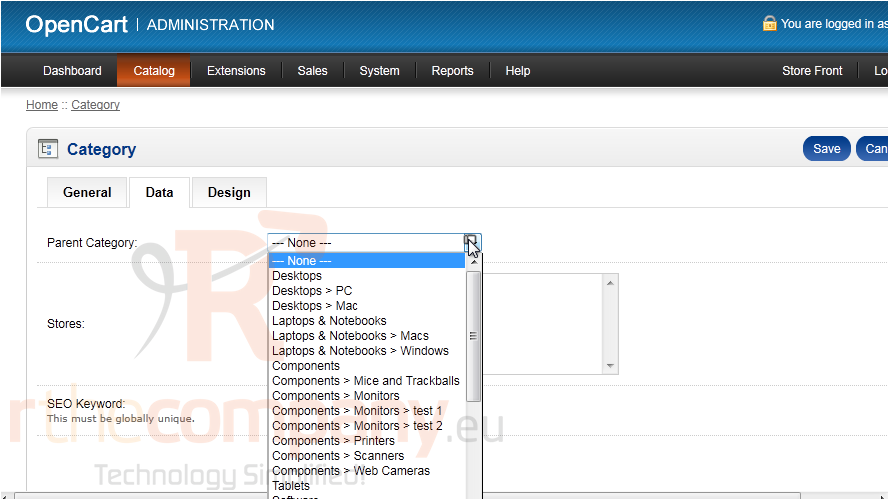
7) Optionally select a Parent Category.
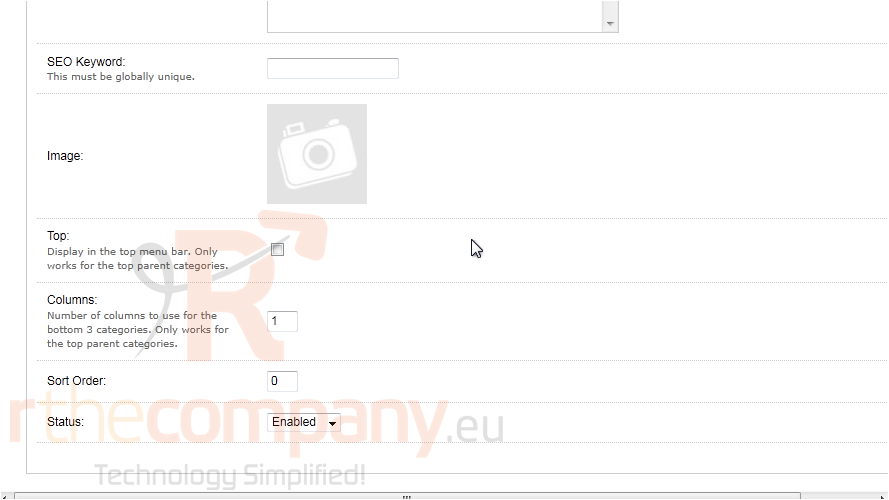
Here is where you can set an image and keywords for this category.
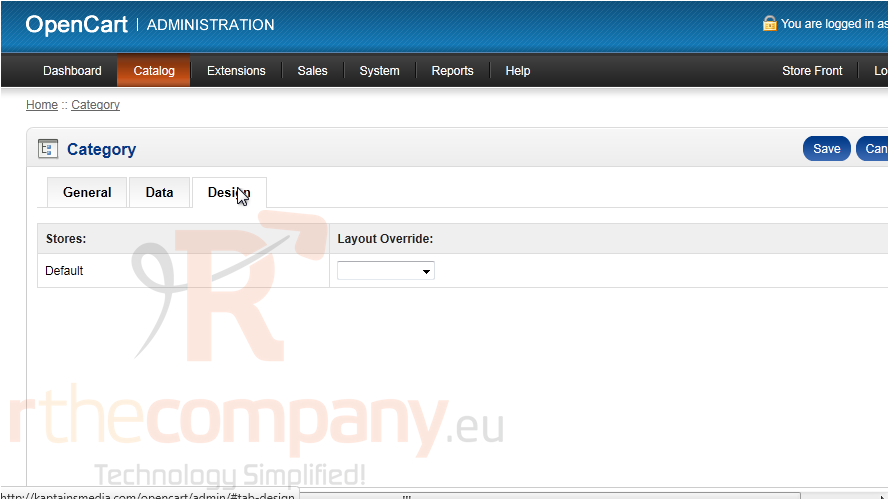
8) Go to Design.
If you want products in this category to have a different page design, select that design here.
9) Click Save.
That's it! Now you know how to add product categories in OpenCart.
 افزودن به مورد علاقه ها
  پرینت این مقاله