Početna WHMCS > Baza znanja > OpenCart > 13. How to manage product reviews and ratings in OpenCart
13. How to manage product reviews and ratings in OpenCart
Product reviews and ratings can help give your customers an idea of what people think of the product before buying.
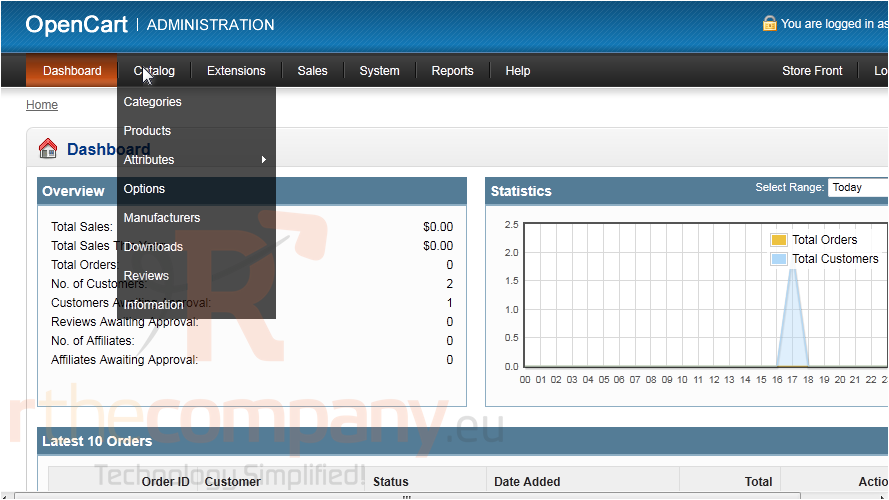
1) To view all product reviews, go to Catalog.
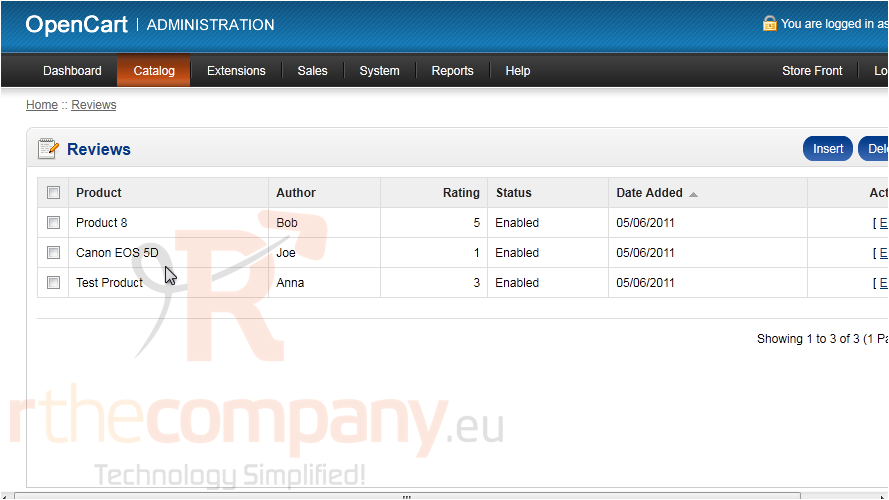
2) Click Reviews.
This list of reviews shows the product name, author, rating, and the date added.
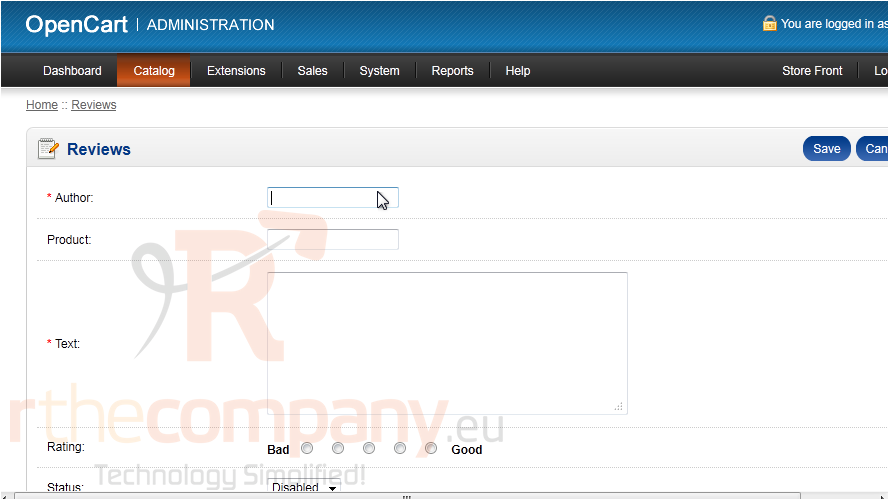
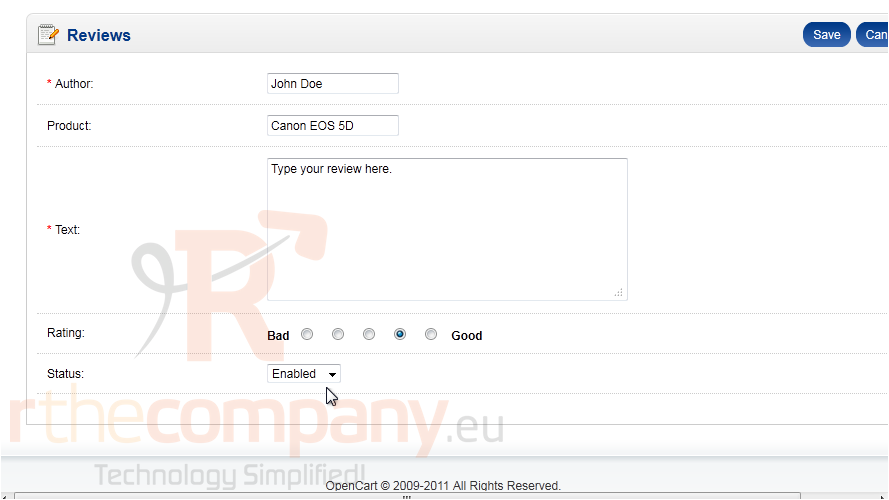
3) To add your own review, click Insert.
4) Enter your name in the Author field.
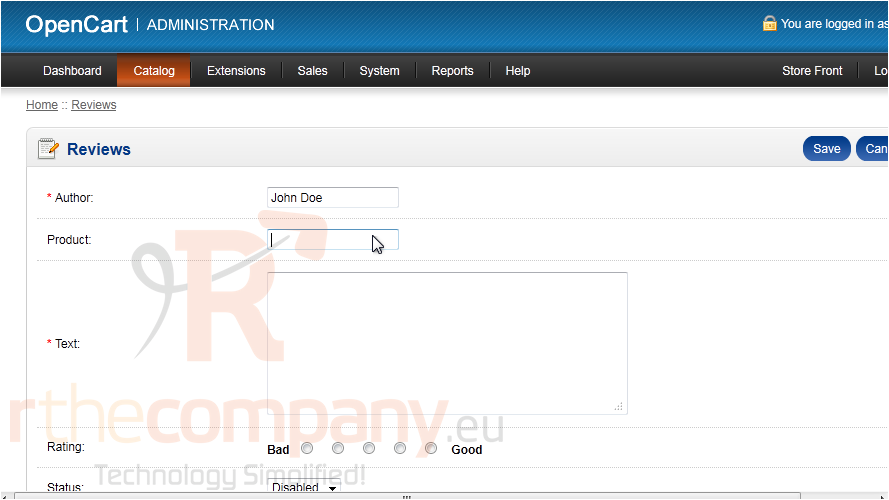
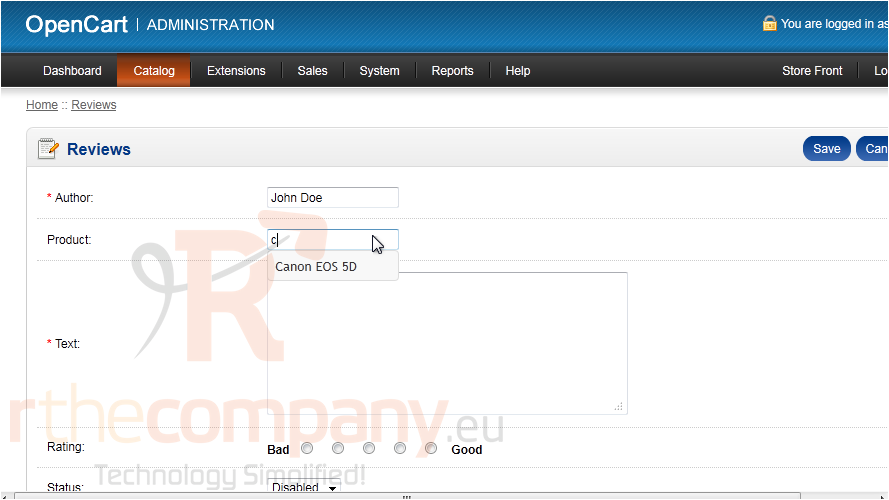
5) Begin typing the product name.
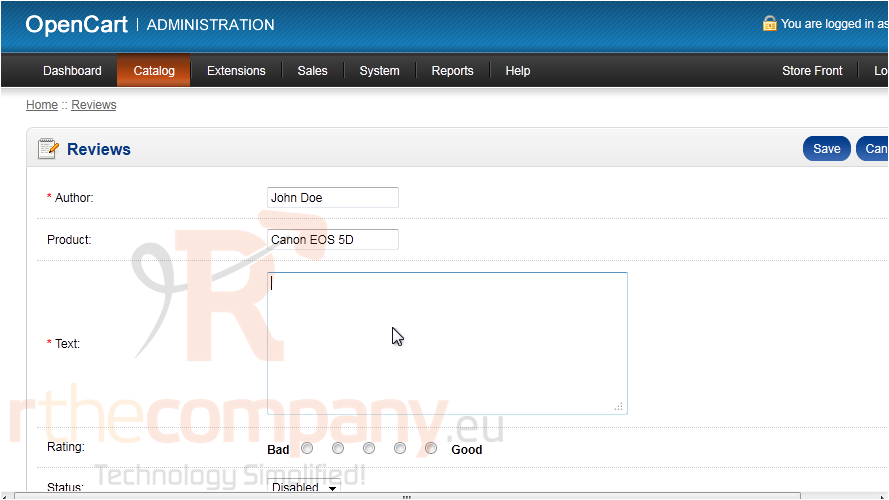
6) When the product shows up, select it from the list.
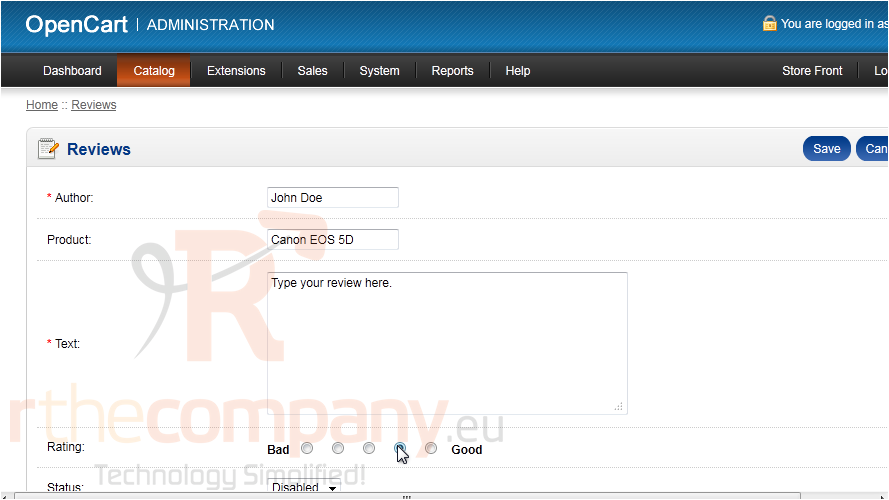
7) Type your review text.
8) Select a rating between 1 and 5.
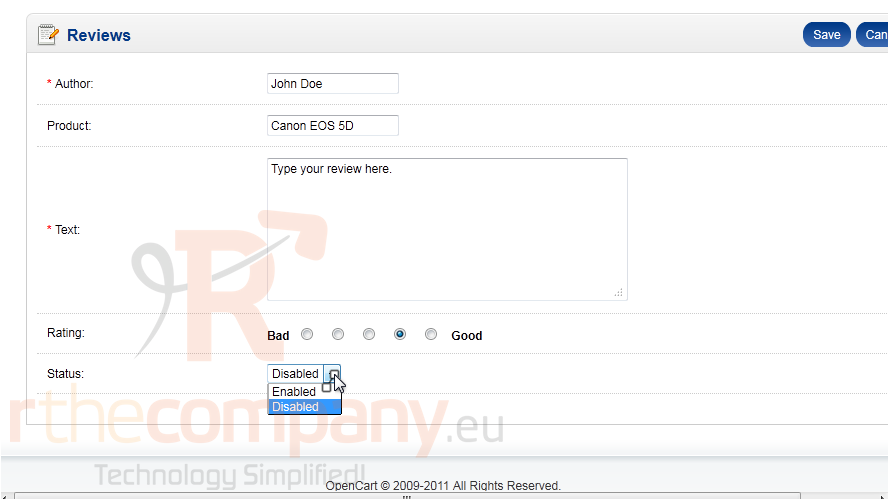
9) Enable this review to make it show up.
10) Click Save.
That's it! Now you know how to manage product ratings and reviews in OpenCart.
 Dodaj među favorite
  Ispiši članak