البوابة الرئيسية > مكتبة الشروحات > Parallels Plesk 11: reseller > 3. How to change your password and contact information in Plesk
3. How to change your password and contact information in Plesk
You may need to change your account password or contact information at one time or another, so let's see how to do that.
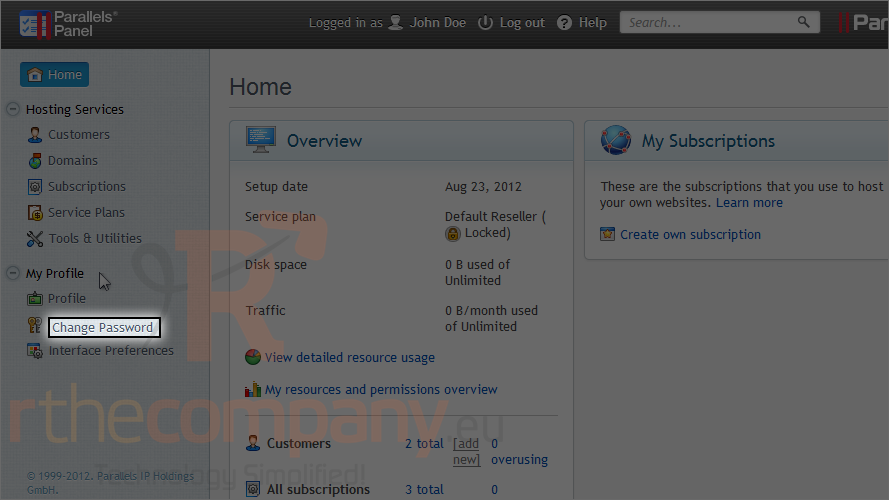
1) Click this link to change your password.
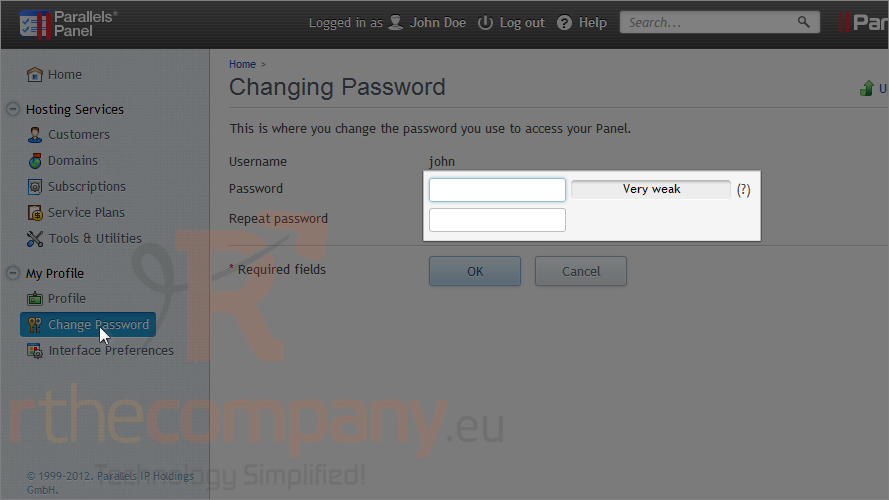
2) Type your new password in these two boxes.
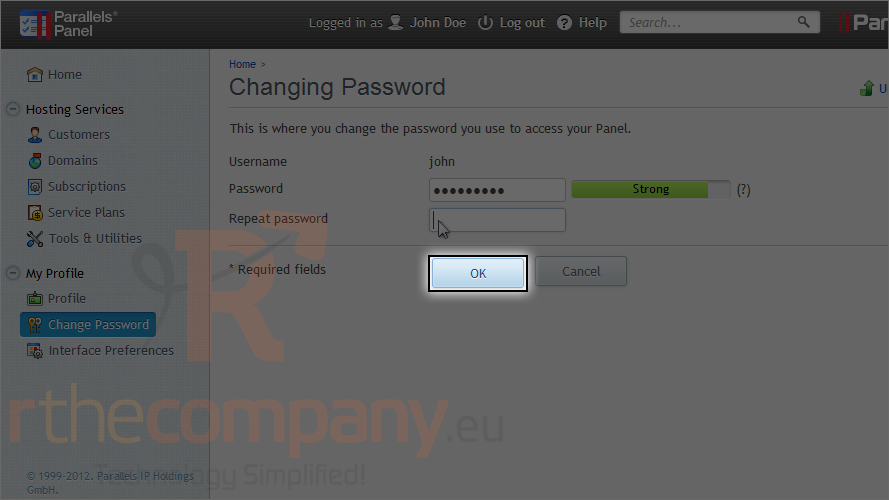
3) Click OK.
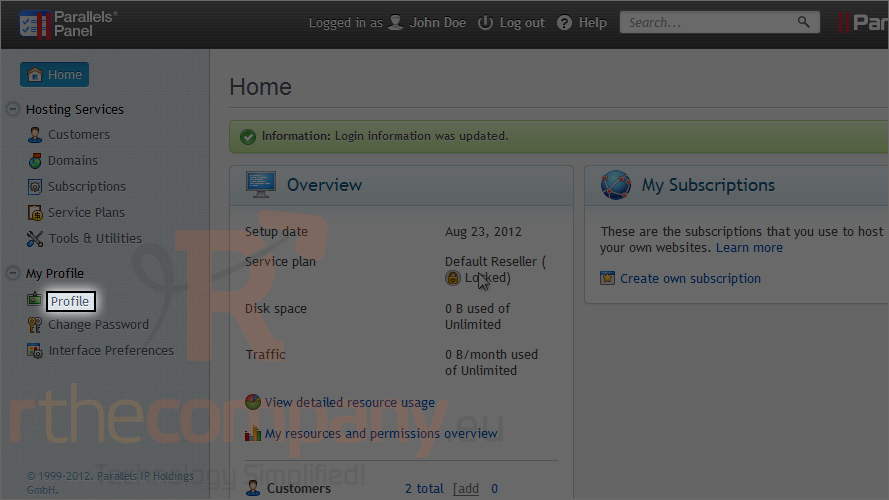
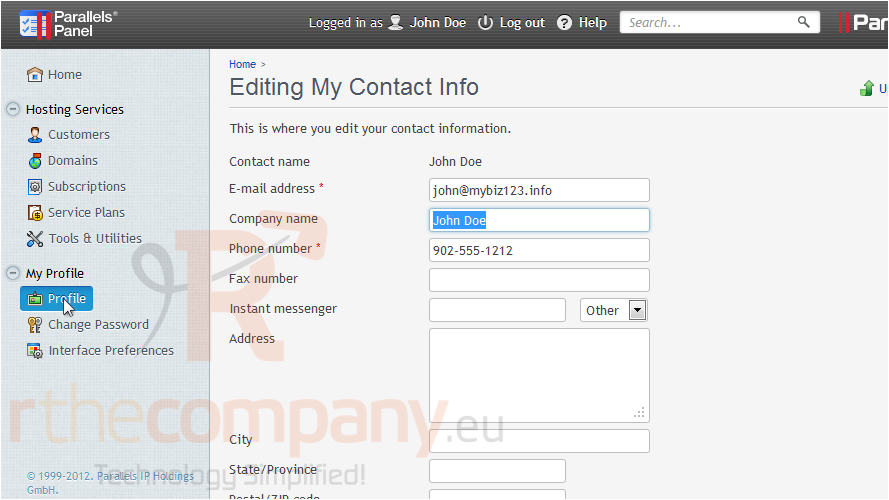
4) Click profile to edit your contact info.
Here is where you can enter your company's name and other relevant information.
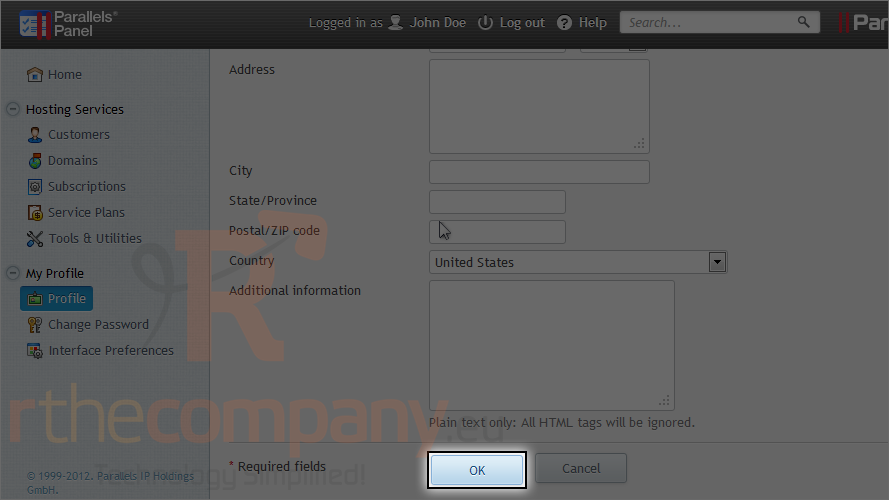
5) Click OK.
This is the end of the tutorial. Now you know how to change your password and contact information in Plesk.