客戶系統 > 知識庫 > Parallels Plesk 11: reseller > 9. How to remove a customer or subscription in Plesk
9. How to remove a customer or subscription in Plesk
Let's see how to remove a customer in Plesk.
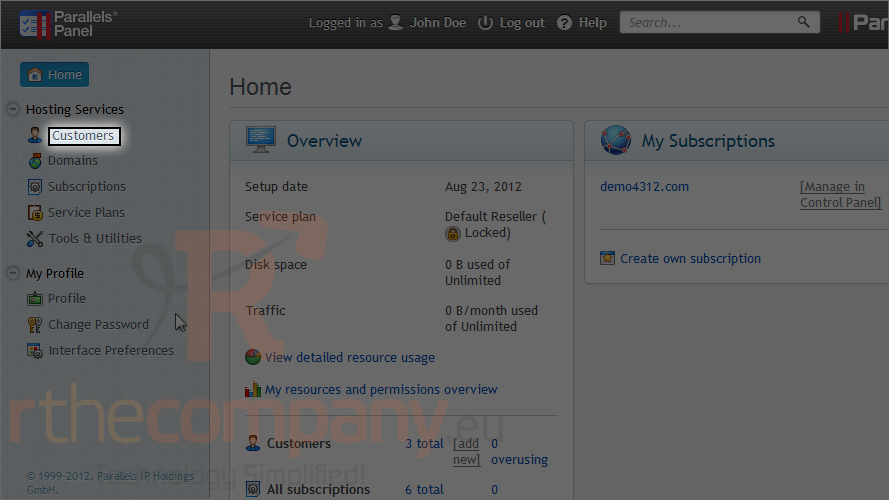
1) Click customers.
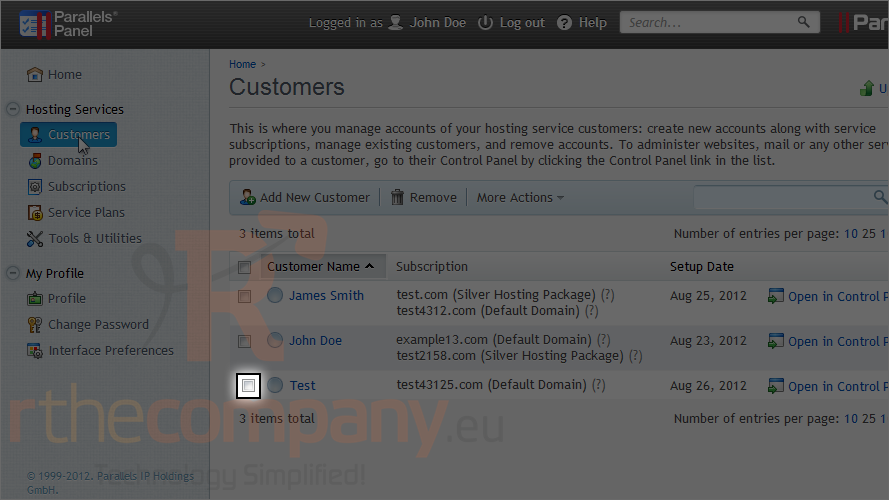
2) Select the customer.
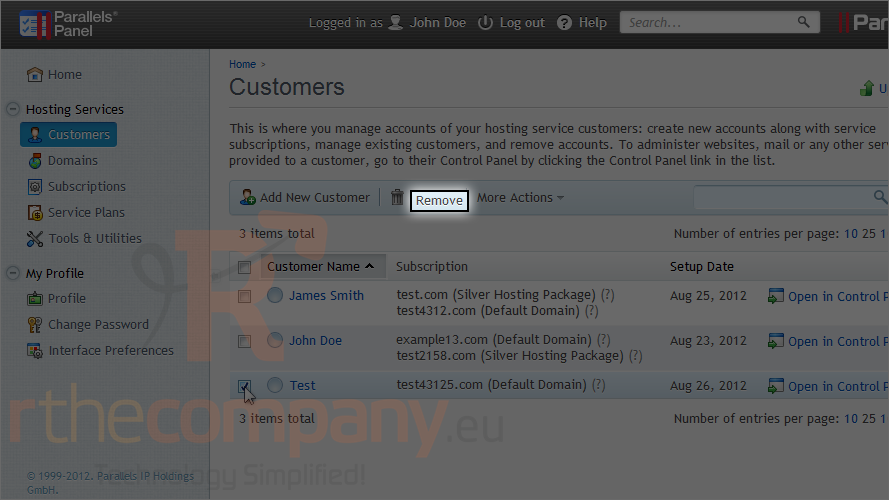
3) Then click remove.
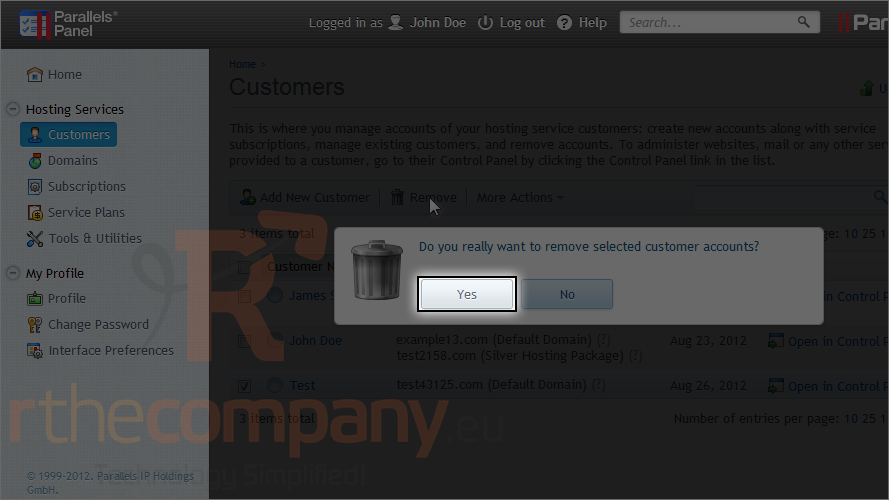
4) Click yes to confirm.
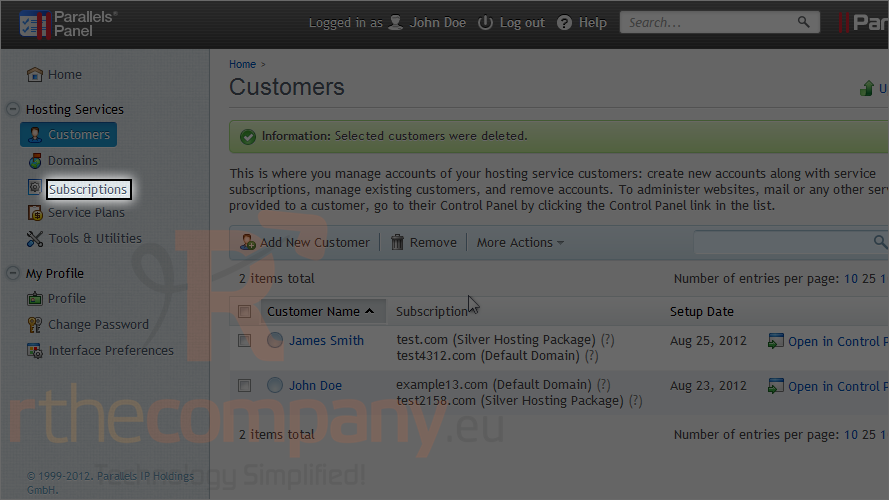
Removing a subscription is done basically the same way.
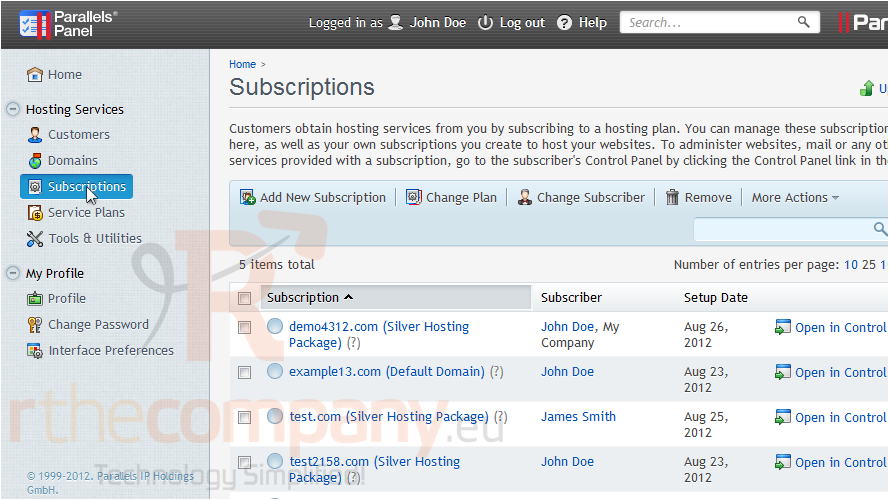
5) Click subscriptions.
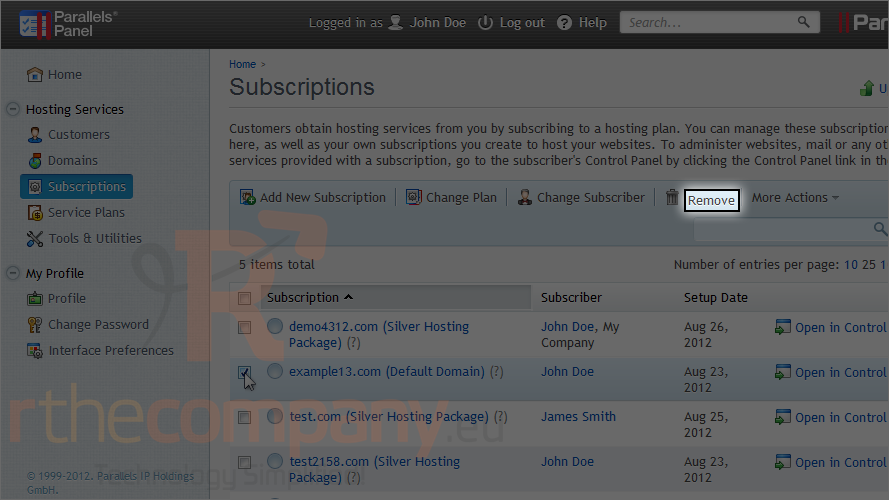
6) Check the box next to the subscription.
7) And click remove.
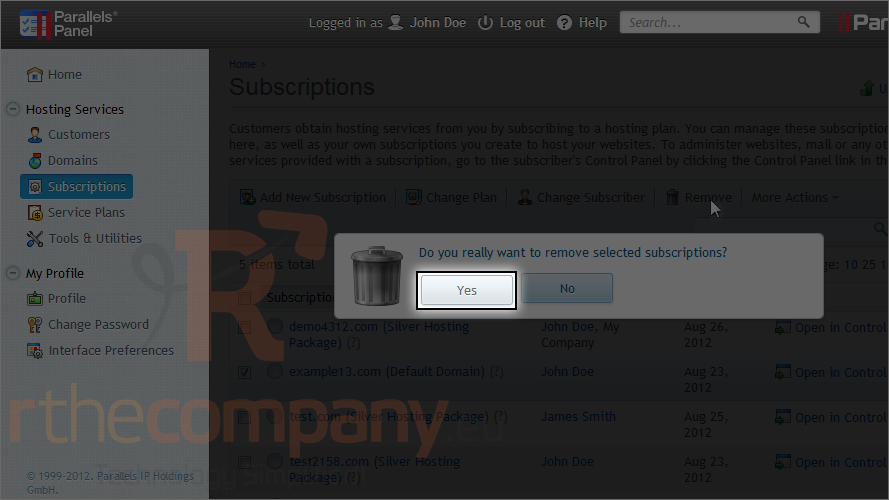
8) Click yes to confirm.
This is the end of the tutorial. Now you know how to remove customers and subscriptions in Plesk.