客戶系統 > 知識庫 > Parallels Plesk 11: reseller > 19. How to customize your panel branding in Plesk
19. How to customize your panel branding in Plesk
Plesk allows yout to customize the panel branding, including the title bar text and the logo you and your clients see.
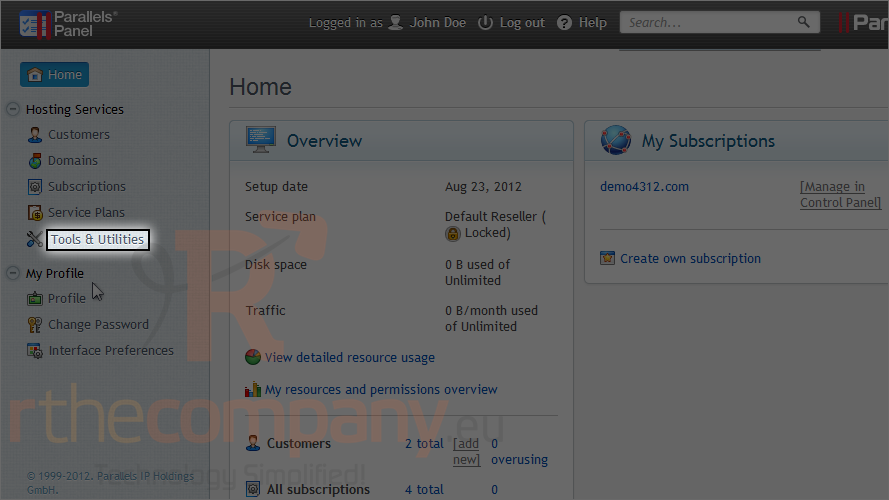
1) Go to tools & utilities.
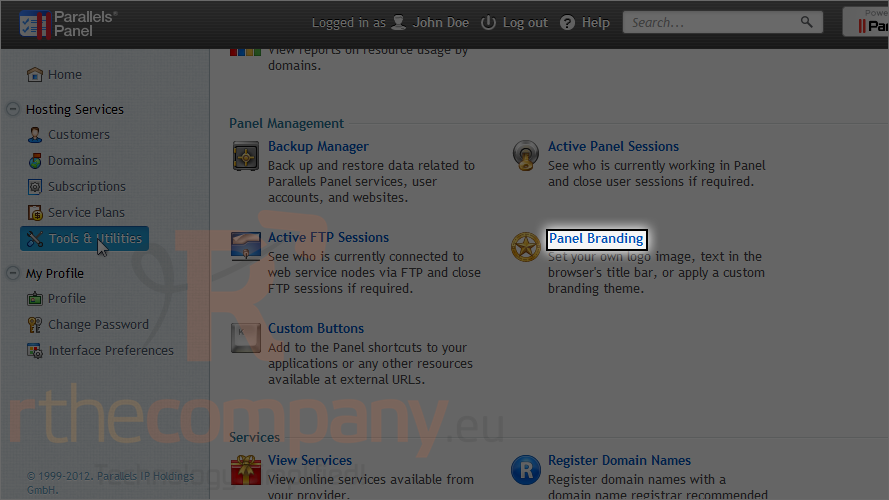
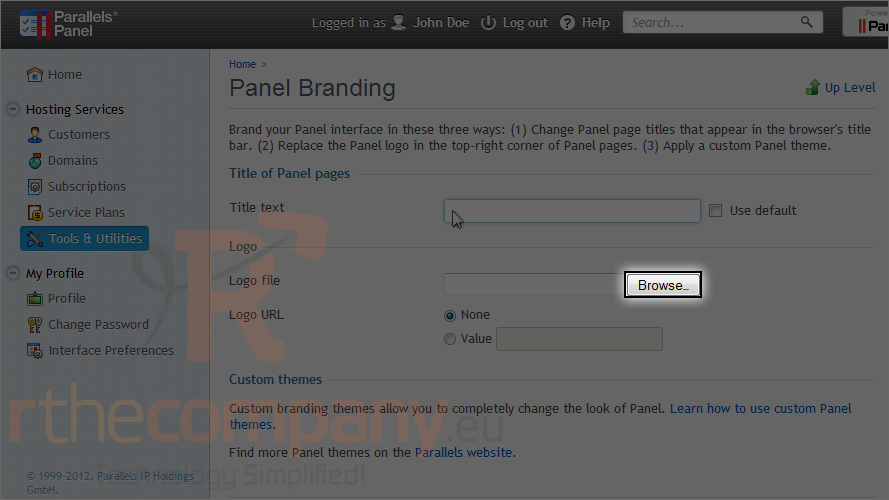
2) Click panel branding.
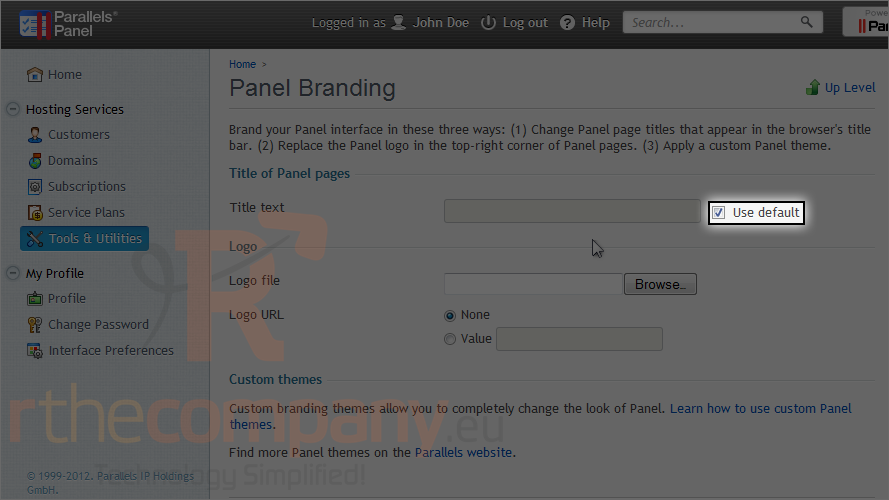
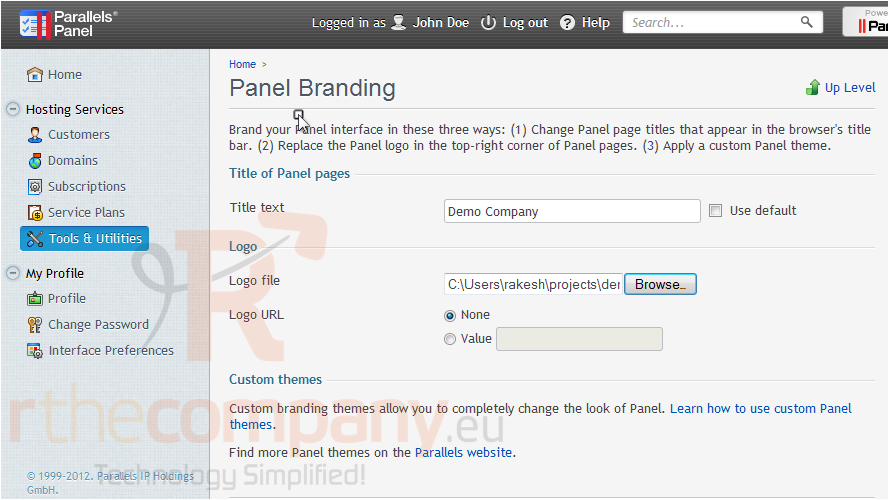
3) In order to set custom title bar text, you must first uncheck use default.
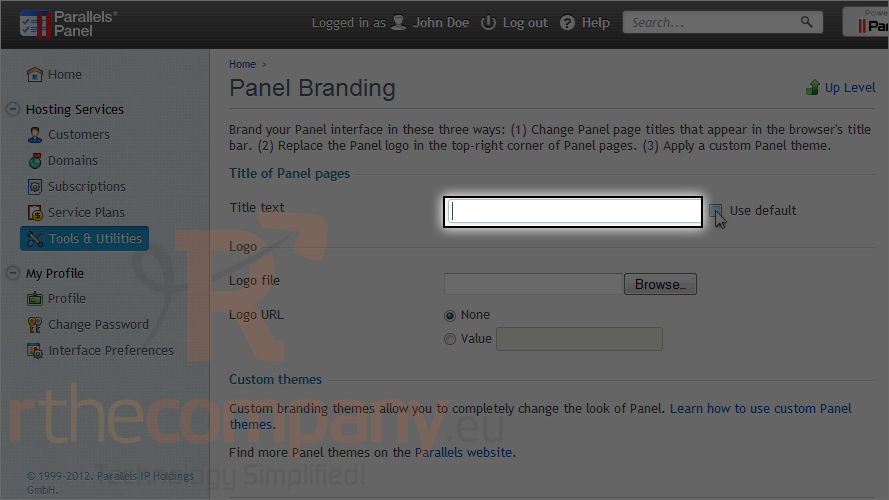
4) Type your text here.
5) Browse for an image to use for the logo.
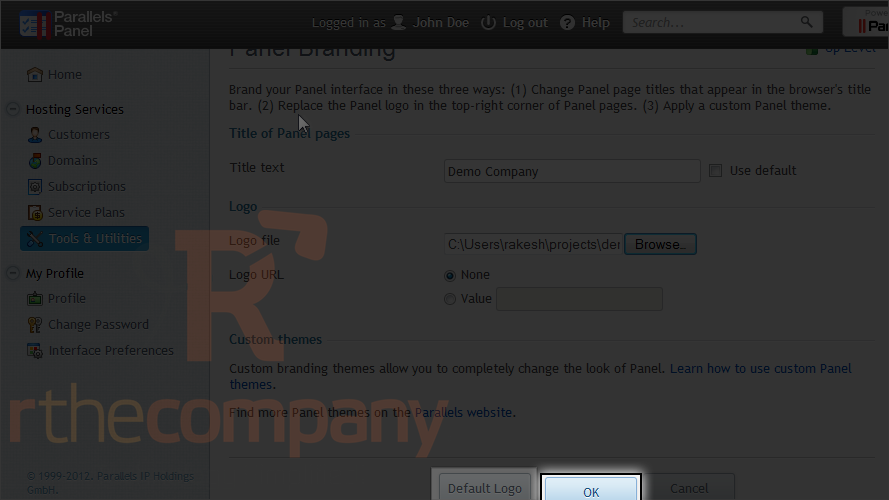
6) If you ever want to revert to the default logo, return here and click default logo.
7) Click ok.
This is the end of the tutorial. Now you know how to customize your panel branding in Plesk.