Home > Archivio Domande > ZenCart > 17. How to configure sales tax in ZenCart
17. How to configure sales tax in ZenCart
This tutorial assumes you've already logged in to Zen Cart
Now let's learn how to configure sales tax
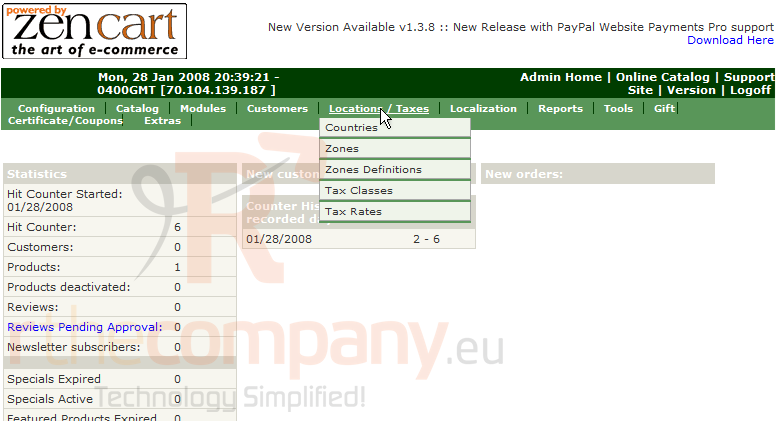
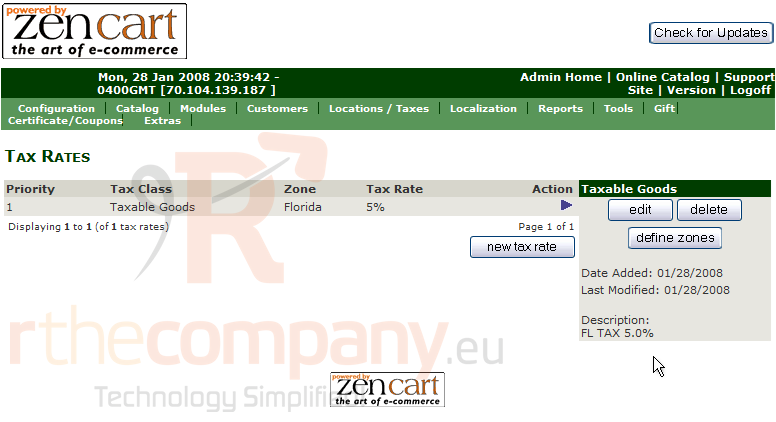
1) Place the cursor over Locations/Taxes
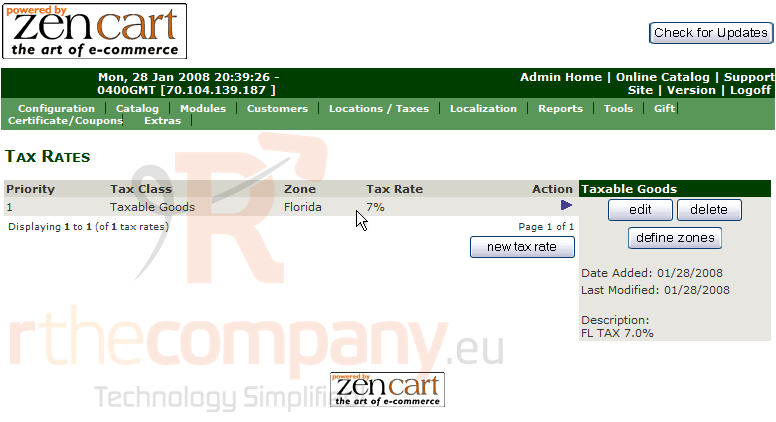
2) Click Tax Rates
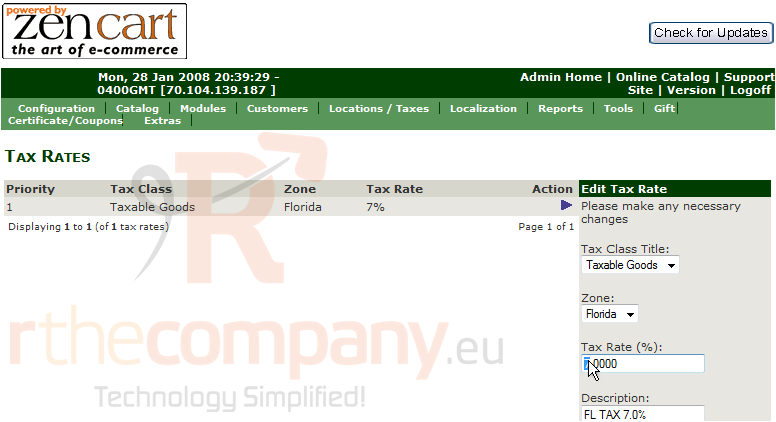
3) Click Edit
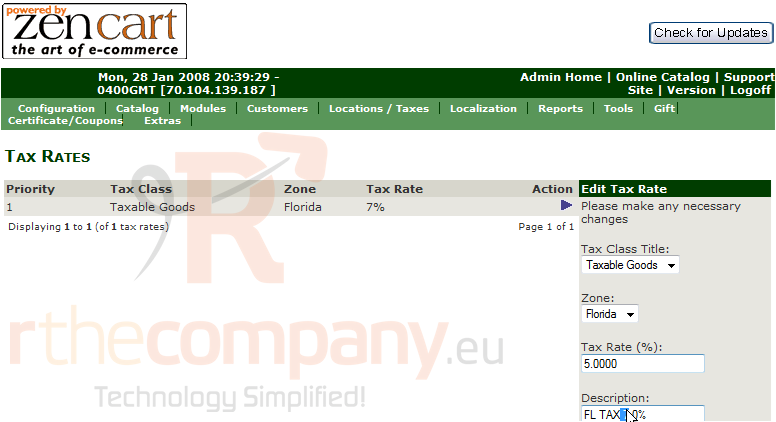
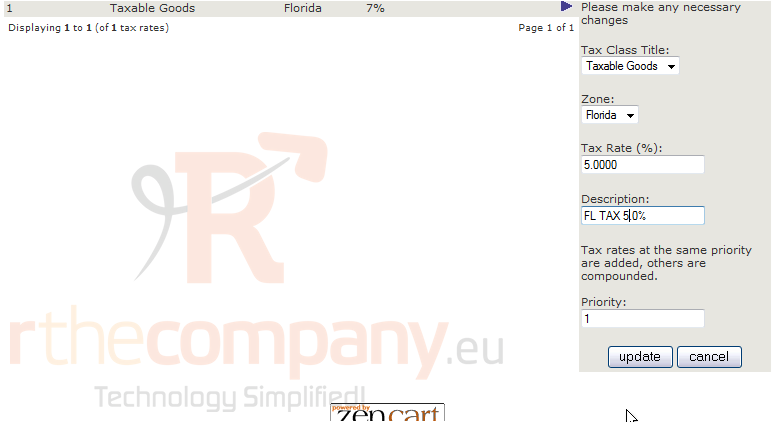
4) Enter the new Tax Rate here
5) Enter a new description for the tax rate here
6) Click Update
That's it! The tax rate has been configured
This is the end of the tutorial. You should now know how to configure sales tax in Zen Cart
 Aggiungi ai Preferiti
  Stampa Articolo